Category: Website Design & Dev

  • UX vs. UI Design: What’s the Difference and Why Both Matter for Your Website

    UX vs. UI Design: What’s the Difference and Why Both Matter for Your Website

    Let’s say, users visit your website, but due to poor navigation, they do not click through on anything. That’s exactly what happens when a visually attractive design confuses users to understand where to go, what to discover, or what step to take next.

    The web UX and UI are the two terms used interchangeably but are totally different, each critical to your website’s success. You need both. Avoiding any of these two, will either frustrate visitors or fail to build brand trust.

    However, not to worry any longer! Prox Digital best web design company London is helping designers generate functional web layouts in UX design vs UI design playbook. Read ahead and you’re know your next step towards success.

    What is the UX and UI Design of a Website?

    The UX of a website is the logical infrastructure for a smooth, frustrationless user journey. And UI refers to the visual and interactive component that comprises buttons, typography and colours. Combination of both the components can make a website feel professional yet creative for a positive user impression, eventually converting into leads.

    UX vs. UI Design: Key Differences at a Glance

    To lock elaborate UI vs UX design differences even more, this comparison defines what really matters.

    # UX Design UI Design
    Core focus Focuses on the overall feel, flow, and problem solving logic. Focuses on the visuals and interactive presentation.
    The question “Is the experience smooth and logical for visitors?” “Does this look and feel on brand for visitors?”
    Typical output Experience mapping, screen layouts, and prototypes Style guides, visual layouts, and interactive components.
    Go-to tools User testing, heatmaps, and Figma’s prototyping. Figma, colour systems, typography scales.
    Simple comparison The architect planning the building The interior designer is refining every surface

    Why Both Impact Your Business Directly

    The UI design vs UX design conversation is not just decorative design theory. It hits your revenue, reputation, and search rankings.

    Building Trust in seconds

    The fact is that 94% of first impressions are made because of the design, while a quality UI is indicative of a brand’s trustworthiness. However, your best colour scheme will not help you out if the visitor cannot easily find your contact information in one click.

    Speed Wins Sales

    Delayed website actions can reduce conversion rate by upto 8%, while poor mobile UX causes over 50% of users to leave without taking action.

    A fact is that no matter how expensive your web design cost in UK, if it lacks speedy navigation, it’s an unsuccessful move.

    Accessibility is Law

    Reasonable adjustments on the website are mandatory under the UK Equality Act. Smart UX/UI design will work well for everybody, not only for the able-bodied majority.

    Google Rewards

    Core Web Vitals and mobile-first indexing make UX a ranking signal. A fast, logical site will beat a prettier, slower competitor and Google reward these website with highest rankings and leads.

    Here’s the quickest answer to, ‘what is UX vs UI design to a business owner?’ It’s the difference between a website that just sits there and one that actively grows your company.

    Seeing the Difference of UX vs. UI Through Figma

    If you want a practical way to grasp UX design vs UI, open Figma. It’s the tool that most contemporary design teams thrive within, and it highlights the gap perfectly.

    UK web designers use Figma for UX to construct simple wireframes and map entire user journeys. They design interactive prototypes that allow you to experience the layout of the site before any programming work begins. It’s core function is to test the flow without adding any colours or fonts.

    Once the UX skeleton is validated, UI comes in and the same file evolves. Colors, fonts, images, and interactivity is then used to enhance these wireframes further. Figma ensure that every button, font, and heading stay consistent throughout the website to make your brand cohesive.

    What makes Figma exceptional is that both layers exist in one collaborative space. It’s the clearest demonstration of UI vs UX design in action. The strategic, research-backed foundation and the visual, emotional layer built directly upon it. When you follow any solid UK web design guide, Figma is where the principles of UX design vs UI design are brought to life without silos.

    What are the UI vs. UX Design Best Practices in UK 2026?

    Here are the major pointers that defines the UI vs UX web design best practices in UK 2026.

    • Quick loading and mobile-first approach that concentrates on performance and usability.
    • Effective navigation systems that lead users to conversion.
    • Using AI-based personalisation for engagement and relevance.
    • Standard requirement of accessibility compliance.
    • Simple user interface with designs based on data-driven decisions.

    Nothing clarifies UI vs UX design examples like real-world snapshot. A quick and mobile-friendly UK service website with easy tap to call navigation, simple contact form, and immediate booking process makes visitors into customers effortlessly.

    Web Design vs UI/UX Design Breakdown

    The phrase UI/UX design vs web design design often confuses users. Web design is the big picture delivery of a functional, visually appealing website. UI/UX designs are the two specialist crafts inside it. Every smart web designer understands the importance of both, but serious projects bring dedicated UX researchers and UI designers together.

    If you’re working with Prox Digital Agency, a best web design company London clients trust, you’re not just getting a pretty homepage. You’re getting a platform built on user research, clean UI, and performance-first decisions that follow a modern UK web design guide.

    That’s the difference between a digital brochure and a genuine business asset.

    The Balance Between UX and UI Designs Drive Conversions in the UK

    By now, the UX vs UI design differences should be clear to you. In summary, UX is the critical foundation of a website that allows users to get what they want. UI is the interface where it all comes together to builds brand loyalty, earn the trust, and make the whole experience seem effortless.

    In 2026, customers don’t need an aesthetically pleasing website that is slow and confusing, no matter how logical it is. So the only winning formula is their ‘combination.’ Start with UX through research-driven development, and allow the brilliant UI to make the magic happen. This is the way to transform visitors into customers and make them return again.

    Or leave everything aside, hire the best designers who knows what’s UX vs UI design and how to blend these two in a strategic, sophisticated website. Prox Digital Agency in UK currently investing its creative efforts in building such functional websites backed by the best design and development teams.

    FAQ

    UX design vs UI design, what’s the difference between both?

    UX refers to how the product or website operates and the experience as a whole. On the other hand, UI is all about the appearance of the product.

     How Much Do UI/UX Design Services Cost in UK in 2026?

    UI and UX design services charges range from $15,000 to $100,000+ in the UK. UI/UX design prices vary depending on the overall web design cost, ranging from smaller projects to large-scale, enterprise-level platforms.

    Which is more important for my website, UI or UX?

    UI and UX both elements are critical for a website, however, UX (User Experience) is analytical and structural and generally holds more importance in a website development.

    Is UX design and UI design the same?

    No, UX and UI are different. User interface (UI) is defined as the visual appearance and interaction of the screen or web page of a product in digital design, while user experience (UX) involves the entire experience of a person using the product or website.

    Is UI/UX still in demand in UK in 2026?

    Absolutely, UI and UX can never go outdated as they are the critical components of a successful business website. UX or UI demand is still strong in 2026-2027.

    For the fundamentals behind this distinction, see the core principles of modern web design, or talk to our web design team. Typography plays a big part too — see how typography supports good UI.

  • The Complete Web Design Guide 2026: Principles, Trends & Conversion Tactics

    The Complete Web Design Guide 2026: Principles, Trends & Conversion Tactics

    More than 60% of web data traffic is currently coming from mobile devices, yet many brands still lose valuable clients because of poor, slow, frustrating layouts. Even a single second delay can cause a decrease in your sales by 7%, this clearly means speed is now directly tied to your revenue.

    You might want an ecommerce website design platform to sell your products effortlessly, or perhaps you need a specialised real estate website design setup to welcome premium investors. Either way, this guide shows you how to build an online home that truly serves your audience and outlines the clear principles that bring digital success this year.

    What Is Website Design in 2026?

    Website design is the strategic fusion of visual identity, user psychology, and connected technical infrastructure. A modern website must grab more eyes within the first 3 seconds, establish instant trust, and guide visitors toward a specific action without a single friction point.

    In the modern landscape, websites are highly integrated systems. They connect directly with customer relationship management platforms, automate email marketing pipelines, process secure global payments, and dynamically alter layouts based on the intent of the visitor.

    What Is Changing From 2025 to 2026?

    The core shift over the past year centers on the transition from static layouts to adaptive environments. The old model of web development forced every user through the exact same journey. The current paradigm demands a flexible interface that alters its messaging based on user context.

    Feature 2025 Standard 2026 Standard
    User journey Static, one-size-fits-all pathways Adaptive, behavior-triggered environments
    Primary Interface Mobile-responsive desktop grids Strict mobile-first thumb-centric layouts
    Search Priority Traditional Keyword SEO algorithms Generative Engine Optimisation (GEO) architecture
    Animation Intent Decorative aesthetics and page styling Micro-interactions guiding conversion choices

    Website Design Trends and Best Practices for 2026

    Trends come and go. Embracing modern visual shifts is critical but execution must always serve user usability. The dominant trends this year balance aesthetic minimalism with massive functional power.

    1- Motion Design and Micro-interactions

    Animation is no longer used for mere decoration. High-converting platforms utilise subtle motion to confirm user actions, provide instantaneous visual feedback and direct the human eye toward primary call-to-action areas. Examples include interactive button states, smooth checkout progress indicators and smart form error validations.

    2- AI-Driven Personalisation

    Websites now adapt in real time. Platforms alter headlines and product recommendations instantly by analysing traffic sources, geographic location and browsing depth. If a local visitor arrives via a specific campaign, the homepage dynamically updates to highlight relevant local solutions.

    3- Expressive Typo and Minimalism

    Clean or spacious white space paired with oversized, bold typography creates an immediate editorial impact. This approach keeps the visual weight focused entirely on the core brand message while keeping page weight exceptionally light.

    10 Web Design Best Practices for 2026

    1. Design for the Person, Not the Person

    People arrive on your site with a job to do. Rarely to browse. Never to admire your colour palette.

    Most visitors fall into three camps.

    • The first wants answers. Give them clean text, clear headings, and space to breathe. No walls of words. No jargon.
    • The second is comparing. They need simple feature breakdowns. Honest pricing. Real proof that you deliver. Not stock photos of handshakes.
    • The third is ready to act. They want to buy, book, or enquire. The path from intent to action should feel invisible. One click. One form. Done.

    For B2B platforms especially, strip the fluff. Case studies and results matter more than clever copy. UX handles the journey. UI handles the visuals. Both need to serve the person behind the screen.

    2- Designing for the Mobile Screen First

    We all spend most of our lives browsing the web on our phones. Because of this, starting your design process on a desktop computer doesn’t make sense anymore. A mobile first strategy completely flips the traditional design process. You start by perfecting the experience on a small smartphone screen and then you gradually introduce more layout complexity as the screen expands to tablets and laptops.

    Mobile Layout: Core Priorities Only ➔ Tablet View: Expanded Layout ➔ Desktop Workspace: Full Visual Depth

    This approach forces you to be incredibly disciplined. Because screen space on a phone is so precious, you cannot afford to waste it on unnecessary visual clutter. You have to focus entirely on what matters most to your visitor.

    Plus, since search engines look at the mobile version of your site to determine your rankings, a clumsy mobile layout will actively hide your business from potential clients.

    3- Lightning-Fast Performance and Load Speeds

    A blank screen tests patience. Nobody waits anymore.

    Slow load times do more than annoy. They signal carelessness. If your site drags, visitors assume your service does too. They leave. They land on a competitor’s page instead.

    Under three seconds. That is the bar for full content load. Miss it, and you bleed trust before a single headline is read. Speed is not a technical checkbox. It is the first impression. Make it count.

    To keep your site running beautifully, keep this practical checklist in mind:

    The Performance Essentials

    Area to Fix What to Do The Human Benefit
    Image Sizes Convert old JPEG files into modern formats like WebP or AVIF Pages load instantly on mobile, saving your users’ data plans.
    Cluttered Code Clean up unnecessary spacing and messy scripts behind the scenes Smooth scrolling and rapid transitions when people click through.
    Local Hosting Use a Content Delivery Network to serve your site from nearby servers. Minimal delay for visitors.

    4- Simple Navigation That Feels Natural

    Visitors should never hunt for your contact page or pricing. They should just know where to go.

    Keep your header menu tight. Seven items or fewer. Use plain labels that real people actually say. “Our Work” lands better than “Portfolio Overview.” “Get in Touch” beats “Connect With Our Synergy Team.”

    Link naturally inside your content too. If someone reads about your services, give them a direct path to pricing. Or a guide on project costs. Or a case study that shows results. One click. No dead ends.

    Good navigation feels obvious. Bad navigation feels like work. Guess which one converts.

    5- Visual Order and the Value of Empty Space

    When a webpage is packed with blinking elements, massive blocks of text and competing banners, our brains experience instant fatigue. Great layout design relies on a clear visual order to guide a user’s eyes down the page in a comfortable and natural flow.

    [Big & Clear Headline: Tells you exactly what the page is about]

    [Empty Space] ➔ Gives the eyes a rest and lowers mental fatigue

    [Bright & Friendly Button: Shows the logical next step to take]

    Never look at empty space as a blank canvas that needs to be filled up with icons or text. White space is not wasted. It is the quiet frame around your message.

    Pair clean spacing with a tight font system. Two typefaces. Three at most. Everything else feels messy. Restraint looks expensive. Clutter looks cheap. Let your content hold the space.

    6- Making Your Site Welcome to Everyone

    Good design works for everyone. Not just the average user. People with visual, hearing, physical or cognitive differences browse the web daily. If your site only works for some, you are turning real customers away. Quietly. Consistently.

    Accessibility standards are not just legal paperwork. They open your business to a wider audience. Clean contrast. Keyboard navigation. Descriptive alt text. These are not extras. They are basics done right. Build for everyone. Your conversion rate will reflect it.

    When building or updating your pages, make sure your workflow respects these simple principles:

    • Make it visible: Always add helpful, descriptive alt text labels to your images so screen readers can explain them to visually impaired users. Ensure your text contrasts sharply against the background so it is easy to read in any lighting.
    • Make it easy to click: Every button, form field and menu drop-down must be completely usable with a standard keyboard layout or simple voice commands, not just a mouse.
    • Keep it simple: Keep the layout predictable, clean and stable. Avoid sudden, intrusive pop-up windows that disrupt the reading experience or trap users on the page.
    • Build it properly: Use clean and standard web code so that your site works flawlessly across all modern browsers and assistive technologies.

    7- Action Buttons That Clear the Way

    Every page on your site needs one clear job. Your CTA button is the bridge to that outcome. Download. Book. Buy. The path should feel obvious, never forced.

    Good buttons follow simple human psychology.

    • Use real language. “Claim your free guide” feels warm and specific. “Submit” feels like paperwork. Choose your words with care.
    • Create contrast that helps, not shouts. Pick an accent colour that stands out cleanly from the background. One glance should be enough.
    • Give buttons breathing room. White space around a CTA stops it from drowning in nearby text or images. Isolation drives attention.
    • Size for thumbs. Mobile users tap with fingers, not mouse pointers. Buttons too small or too close together cause frustration and accidental clicks. Make every tap count.

    8- Preparing for Modern Search and AI Tools

    There is no point in having a stunning website if your future customers cannot find it. SEO is not a bolt-on. It belongs in the foundation, from the very first sketch.

    Structure your content with clear hierarchy. One main heading per page. Logical subheadings underneath. Order matters.

    But search has moved beyond Google alone. AI engines now recommend businesses directly. Your site data needs to be structured cleanly so machines can read it without confusion. This is where GEO optimisation comes in. It helps AI tools understand your content and confidently present your business as a trusted source.

    Build for both. Traditional search and the AI-driven future.

    9- Friendly Forms That Reduce Friction

    We have all abandoned a form that felt like a homework assignment. Contact forms are often the exact spot where interested leads quietly slip away.

    • Keep forms short. Ask only for what you need to start a real conversation. Nothing more.
    • Use a single-column layout. Eye-tracking studies confirm it is easier to process than cluttered multi-column grids.
    • Show clear error messages instantly. If someone mistypes an email, flag it right away, not after they hit submit.
    • Trigger the right keyboard. Phone fields should bring up the number pad. Email fields should show the “@” symbol. Small touches save seconds. Seconds save conversions.

    10- A Cohesive Visual Identity Across Your Site

    As your site grows, design styles can drift. New pages start looking slightly off. Fonts mismatch. Buttons change shape. Visitors notice, even if they cannot name what feels wrong.

    This quiet inconsistency chips away at trust.

    Smart brands use a simple design system. One shared library of colours, fonts, button styles and form layouts. Everyone works from the same playbook. Every page feels like it belongs.

    Consistency signals professionalism. Familiarity builds comfort. Both keep visitors on your site longer and moving toward a decision.

    Essential Features of High-Performing Websites in 2026

    To achieve top rankings and convert cold traffic into loyal clients, your digital infrastructure must prioritise performance, accessibility and legal frameworks.

    Core Web Vitals and Speed Accuracy

    Speed is a vital revenue metric. High-performing platforms utilise advanced asset compression and clean code structures to ensure pages load progressively under two seconds.

    Accessibility Baseline Compliance

    Meeting Web Content Accessibility Guidelines WCAG standards is the foundation of a site that works for everyone. Strong colour contrast. Logical heading hierarchy. Keyboard navigation. Descriptive alt text. These are not extras. They are the baseline. Get them right, and your site opens up to a broader audience while staying on the right side of legal requirements.

    Data Security and GDPR Frameworks

    Protecting user data is paramount. Websites must utilize secure socket layer encryption, transparent cookie management interfaces, and strong privacy protocols to avoid severe regulatory penalties.

    Trust and Credibility Signals

    Speed, accessibility, and security get a visitor to your site without friction, but they still need a reason to believe you once they arrive. That comes down to clarity, proof and consistency throughout the page, see our guide to designing a website that builds trust for the specific signals visitors look for.

    For businesses seeking a highly sophisticated, search-optimised platform, partnering with a premier creative digital agency is the fastest path to establishing online dominance.

    How to Choose the Right Website Design Agency

    Selecting the correct development partner requires a highly structured evaluation process that extends far beyond looking at aesthetic portfolios.

    – Define Your Objectives Clearly

    Before speaking with an agency, establish clear benchmarks. Determine if your primary goal is rapid lead generation, automated client bookings or scaling a complex digital store through customised ecommerce website design solutions.

    – Verify True Technical Mastery

    Ensure your chosen partner understands advanced platform development, headless content management system integration, and dedicated search marketing. A reliable agency will advise you on whether to build via an advanced modular framework or discover a AI website builder to achieve maximum market agility.

    – Complete Pricing Transparency

    Avoid agencies that bury structural fees in fine print. A reputable partner breaks down exact deliverables upfront. Post-launch maintenance. Hosting parameters. Ongoing support costs. All of it laid out clearly. No hidden surprises. If the numbers feel vague, trust your gut and walk away.

    Step-by-Step Guide to Planning Your Website Project in 2026

    A flawless launch follows an ordered plan. Skip one phase, and performance suffers or revenue leaks. Research, build, test, launch. No shortcuts.

    Phase 1: Strategy

    Define Goals and Map Audience Intent

    Outline your target user personas. Analyse the precise customer journey to ensure the platform directly answers real visitor intent from the very first click.

    Phase 2: Structure

    Architect Content and Wireframe Layouts

    Construct a logical visual hierarchy. Map out essential navigation links, identify your main internal linking pathways and plan every header to support your wider SEO services strategy.

    Phase 3: Creative Execution

    Implement High-Converting Visual Design

    Apply bold typography, fluid micro-interactions and responsive layouts. Ensure the aesthetic choices build immense credibility while keeping cognitive load low for mobile users.

    Phase 4: Engineering

    Technical Development and System Integration

    Translate the visual designs into clean, performance-optimized code. Integrate essential payment gateways, customer portals and corporate automation tools into the backend.

    Phase 5: Pre-Launch Testing

    Strict Quality Assurance and Accessibility Auditing

    Execute comprehensive testing across multiple mobile devices. Verify complete General Data Protection Regulation compliance, check every form route and ensure the entire site meets strict accessibility standards.

    Phase 6: Live Launch

    Deployment and Continuous Performance Optimisation

    Launch the platform and monitor live analytics closely. Continuously refine the page architecture to align with modern GEO optimisation standards by ensuring the business ranks high in AI-driven search environments.

    What Is the Cost to Design a Website?

    Website design costs vary significantly based on functionality, architectural complexity, and required system integrations.

    $3,400–$10,200: Essential Business Website

    Ideal for local service firms, medical practices, or niche corporate portfolios requiring clean lead generation tracking.

    $10,200–$27,100: Advanced Commercial Platform

    Bespoke systems featuring automated customer relationship management hooks, advanced booking mechanics and deep search optimisation.

    $27,100+: Enterprise Ecommerce & Custom Applications

    Large-scale digital stores, multi-tier real estate portals and custom web applications requiring deep database infrastructure

    What Will Websites Look Like in 2026-2027?

    The finest websites will look remarkably clean, direct and intentional in 2026 and 2027. They abandon heavy, confusing visual layouts in favor of ultra-fast loading times, large tap targets and highly readable type systems.

    You might operate a healthcare practice requiring specialised medical website design or you could be a regional firm expanding through broader digital marketing services. In either case, your online home needs to stop acting like a passive billboard and become an active, welcoming space that leaves absolutely no doubt about your expertise.

    Ready to move past outdated templates and build a future-ready, high-converting website? The right time to start your strategic transformation is now.

    Frequently Asked Questions

    What is the typical timeline for a professional website deployment?

    A standard corporate website takes eight to twelve weeks from briefing to launch. Complex builds with custom databases, multi-tier user portals, or advanced ecommerce need sixteen weeks or more. Proper architecture, testing, and validation cannot be rushed. Good work takes the time it takes.

    Why is mobile first architecture mandatory for businesses this year?

    Data highlights that mobile traffic consistently accounts for more than 55 percent of global web browsing compared to desktop systems. Modern search systems and AI discovery engines evaluate the mobile iteration of a platform as the primary baseline for visibility, meaning a poor mobile interface will actively suppress your rankings.

    What is Generative Engine Optimization and why does it matter?

    Generative Engine Optimization involves structuring the underlying data, heading hierarchies and schema markups of a website so that artificial intelligence search platforms can easily comprehend the content. This ensures your business is actively recommended when users ask complex questions within conversational engines.

    How does website load speed directly influence business conversion revenue?

    Speed is no longer viewed as a minor technical metric. It is a critical revenue driver. Usability documentation confirms that a load time extending beyond two seconds triggers an immediate spike in bounce rates, meaning slow technical performance directly dilutes the return on your digital marketing investment.

    Should our business build a bespoke platform or utilize an automated system?

    Bespoke development is highly recommended for scaling organizations that require unique system integrations, proprietary customer portals, and limitless operational scaling. Automated or modular systems are highly effective for smaller entities that prioritize rapid market deployment and straightforward information management.

    How often should a corporate digital asset undergo a full design refresh?

    Schedule a full strategic review every two to three years to maintain conversion performance and search visibility. Smaller updates should happen continuously. Performance tuning. Accessibility adjustments. Content refreshes. Your competitors are not standing still, and neither should your site.

  • How to Create a High-Ranking Local Landing Pages That Convert

    How to Create a High-Ranking Local Landing Pages That Convert

    And yet, most businesses in the UK are still pointing every prospect to a single homepage and wondering why their enquiry rate is flatlining. It is not a mystery. It is a fixable structural problem, and the businesses that fix it first are the ones quietly dominating their local markets right now.

    At Prox Digital Agency, we have built, tested, and refined local landing page strategies for brands across London and the wider UK. Our “Your Pros for Growth” philosophy is grounded in connecting localised pages and build it. This guide gives you the exact framework we use with clients. Let us get into it.

    What Are Local Landing Pages and Why Is Everyone Getting Them Wrong?

    A genuine local landing page speaks directly to a person in a specific place, their landmarks, their needs, and their language. The fatal mistake? Copying the same template and swapping only the city name. Google treats this as thin content, will not rank it, and it actively damages your domain authority. The “one city, one page” principle is the foundation of every high-ranking local SEO landing page strategy we have built.

    Local Landing Page Structural Divide That Decides Your Rankings Strategy

    The gap between pages that rank and pages that sit on page five is almost always structural, not creative. Here is exactly where that divide lives.

    What Most Businesses Do What High-Ranking Pages Do
    Single homepage for all locations Dedicated page per city or postcode
    Copy-paste content with the city name swapped Genuinely localised content with landmarks
    No local schema markup LocalBusiness and Service schema on every page
    Generic stock imagery Real location-specific photography
    One generic CTA Location-specific CTA with local phone number


    The Local Search Numbers That Should Make Every Founder Stop Scrolling

    46% of all Google searches carry local intent. “Near me” searches have grown over 500% in recent searches, and in 2026, Google AI Overviews now appear for 57% of local queries. ChatGPT, Perplexity, and Gemini have become local search engines. Your local landing pages are no longer just your entry into Google rankings. They are your ticket to AI-generated answers.

    Local Search Is the Signal Driving Revenue Right Now

    The data below is not a prediction. It is the current operating environment in which your pages need to be built.

    46% 500%+ 57%
    Of all Google searches, carry local intent growth in near me searches The AI Overviews show for local queries
    Sources: Prox Digital Agency research

    Local Search is not a niche SEO tactic. It is where revenue happens.

    Every Element on Your Local Page Either Earns Its Place or Kills Your Conversions

    There is no neutral territory on a high-converting local landing page. Each element sends a ranking signal to Google, a trust signal to the visitor, or a conversion signal to both. Below is what the architecture looks like and what the data says about each component.

    Conversion Impact by Page Element

    These are not estimates. They are the uplift figures we observe across client builds at Prox Digital Agency when each element is correctly implemented.

    Conversion Uplift by Page Element
    Above-fold Hero + CTA
    +87% CVR uplift
    Local Reviews Section
    +74% trust signal
    NAP Block + GBP Match
    +68% local pack signal
    FAQ with Schema Markup
    +61% AI citation rate
    Real Local Photography
    +53% engagement
    Embedded Google Map
    +44% trust signal
    Geo-targeted URL Structure
    +39% ranking signal
    What Each Element Does for You
    URL:
    “/service-city” format is the first Google signal
    H1:
    Geo-modifier in heading gives ranking + clarity
    NAP:
    Name, Address, Phone, must match GBP exactly
    FAQ:
    Voice search and AI Overview readiness layer
    CTA:
    Hero, mid-page, and footer (Never Optional)
    Schema:
    LocalBusiness + Service signals to AI citation

    City-Level Targeting Is Just the Starting Point. Here Is Where You Actually Pull Ahead

    The brands winning in 2026 are targeting suburbs, postcodes, and neighbourhoods. A London-based SaaS company we worked with saw a 38% uplift in organic enquiries after building postcode-specific pages for EC1, SE1, and W1. 

    A Birmingham retail brand, refreshing effective landing pages for local leads around the Christmas Markets, saw engagement spikes that evergreen content cannot replicate. Reference real landmarks, source local testimonials, and speak to a person in Shoreditch differently than you would speak to someone in Manchester, because they are.

    A laptop sitting on a wooden desk displaying a high fidelity website landing page with a hero section reading Design Agency and featuring clean minimal UI layouts to represent how to create a high ranking landing page that converts by prox digital agency.

    You Are Targeting the Wrong Keywords on Your Local Pages, and Here Is the Proof

    Short-tail keywords belong on your homepage. Your local SEO landing pages need mid-tail terms like “SEO agency Manchester” and long-tail conversational phrases that match how people actually speak to AI tools. 

    According to Neil Patel’s local SEO research, conversational keyword formats drive significantly higher click-through rates from AI-generated results. Write for how people speak, not how they type.

    Which Keyword Type Belongs on Which Page

    Misaligning keyword intent with page type is one of the most common reasons well-built local pages fail to rank. This framework removes the guesswork.

    Keyword Type Example Best Used On
    Short-tail digital agency Homepage
    Mid-tail local digital agency London City landing page
    Long-tail conversational best full-service digital agency in East London Neighbourhood page and FAQ
    Voice and AI format Who is the top AI digital agency near me in Manchester FAQ schema on local page

    If your keyword strategy does not account for how AI tools read your page, you are optimising for a search engine that no longer exists alone.

    The On-Page SEO Fundamentals Your Competitors Are Skipping and Paying For

    Your keyword belongs in the title, the H1, the first 100 words, the image alt text, and the URL. Backlinko’s local SEO study confirms that pages with keyword-optimised title tags rank significantly higher for local queries. 

    For multi-location sites, a hub-and-spoke internal linking model distributes authority across all create local landing pages at scale. Core Web Vitals, particularly LCP under 2.5 seconds, are active local ranking factors. Pages that load fast convert at a measurably higher rate. That is not a coincidence.

    On-Page SEO Quick Checklist
    Keyword placement: Title, H1, first 100 words, alt text, URL
    Word count: 800 to 1,500 words per local page
    Internal links: Hub-and-spoke model for multi-location
    Page speed: LCP target under 2.5 seconds
    Mobile-first: Design and test on mobile before desktop

    Schema Markup Is the One Technical Edge Most Businesses Hand Straight to Their Competitors

    Structured data tells Google and AI tools exactly what your business is, where it is, what it offers, and what customers say about it. Every way to make local SEO landing pages that does not include schema is an incomplete conversation. 

    Every local page needs the LocalBusiness schema at a minimum. Validate every implementation with Google’s Rich Results Test before you publish. Most firms skip this step, which is exactly why it remains an advantage for those who do not.

    A dark themed website landing page design for a creative digital agency featuring bold white typography and a prominent visual graphic of a green leafy plant inside a glass bulb to showcase The 20 Best AI Marketing Tools We Are Using at Prox Digital to Win in 2026 by Prox Digital Agency.

    Google AI Overviews Changed the Rules in 2026 Here Is How to Win Under Them

    GEO (Generative Engine Optimisation) is the discipline of structuring content so AI tools cite it. AI Overviews choose pages that deliver clear answers, authoritative facts, and strong entity signals. Content hidden behind JavaScript, tabs, or accordions does not get read. It must be in the visible DOM.

    Your business must exist as a coherent entity with a data feed across your Google Business Profile, your website, and third-party citations. Fragmented signals mean AI tools cannot confidently cite you. Coherent signals mean they have no reason to.

    Your Google Business Profile and Local Landing Page Are One Signal, Not Two Separate Assets

    When your GBP and your local landing pages SEO tell contradictory stories,  different phone numbers, different service descriptions, mismatched hours, Google loses confidence in both.

    What Happens When You Sync GBP and the Landing Page Properly

    These are real client results from a 90-day sync project run by Prox Digital Agency across a multi-location UK services brand.

    Impact of GBP and Landing Page Sync

    Metric Before Sync After Sync 90 Days
    Direction requests from GBP 142 per month 389 per month
    Local pack impressions 8,200 per month 21,400 per month
    Phone calls from the local page 34 per month 97 per month
    Conversion rate on the local page 1.8% 4.6%

    The Technical Layer Most Brands Ignore Until It Is Too Late to Fix Cheaply

    A best local landing page that search engines cannot crawl cleanly is a wasted investment. Technical SEO is the foundation that determines whether everything above this section actually works. Without it, even perfect content stays invisible.

    Technical SEO Checklist for Local Landing Pages
    Canonical tags: Prevent duplicate content across location variants
    XML sitemap: Include all location pages with correct priority signals
    Crawl budget: For 50-plus location sites, manage crawl depth carefully
    PageSpeed: Target 90-plus score on mobile, LCP under 2.5 seconds
    Schema validation: Test every page via Google Rich Results Test
    Hreflang: Required for multi-language or multi-region UK sites

    Traffic Is a Vanity Metric And These Are the Numbers That Actually Tell You What Is Working

    The KPIs that matter for creating local landing pages are local pack impressions, map clicks, direction requests, phone calls, and form completions,  all attributed specifically to each page. Set up call tracking numbers per city so you can tie every phone enquiry directly to page performance.

    The Full Measurement Framework, From Day One to Month Six

    Set your expectations against this timeline and measure what actually signals growth, not what looks good in a monthly report.

    Local Landing Page KPI Framework

    KPI Tool Target Timeline
    Local pack impressions Google Search Console 4 to 8 weeks
    Map clicks and direction requests GBP Insights 4 to 8 weeks
    Phone calls from page Call tracking 4 to 8 weeks
    Local keyword positions Ahrefs or SEMrush 6 to 12 weeks
    Form fill conversion rate GA4 and CRO tool Ongoing
    AI Overview citations Manual SERP monitoring 3 to 6 months

    Three to six months feels long. Losing local market share for another year feels longer.

    Start Building Landing Pages That Win Local Markets

    Build the foundation first, including a clean URL structure, consistent NAP, schema on every page, and  GBP fully synced. Layer in genuine localisation and GEO-ready content architecture. Then measure the KPIs that reflect revenue, not vanity. That three-step sequence is what separates brands that dominate their local markets from those still wondering why their homepage ranks for nothing.

    At Prox Digital Agency, we exist to give brands the weapons to defeat fragmented digital chaos. Our “Your Pros for Growth” philosophy means connected systems, measurable ROI, and local pages that actually convert. Book a free Local SEO Strategy Session today and let us show you exactly where your biggest local ranking opportunities are sitting unclaimed. For the bigger picture, see how search engine optimisation works today, or talk to our SEO agency. If you’re weighing this against paid local support, see what local SEO support typically costs.

  • The 10 Best AI Website Builders in 2026 That Build Your Entire Site Without a Single Line of Code

    The 10 Best AI Website Builders in 2026 That Build Your Entire Site Without a Single Line of Code

    Building a website used to take months and tens of thousands of pounds. In 2026, the best AI website builders will do it in minutes. But here is the uncomfortable truth most review sites skip: fast does not always mean ready to rank, convert, or scale. That is exactly the gap Prox Digital Agency exists to close.

    This guide cuts through the noise. We tested the 10 best ai website builder 2026 platforms against real benchmarks, not marketing decks. Whether you are a founder building your first site, a CMO evaluating tools for your team, or a developer hunting for a rapid prototyping environment, you will find a clear answer here. Let’s get into it.

    AI Website Builders Have Quietly Become Powerful Enough to Replace Your Agency. Here Is What You Need to Know

    Before you choose a platform, you need to understand how the market has split into three very different tiers, because what you pick determines whether you launch fast or just look like you did.

    The 3 Generations You Need to Understand Before Spending a Penny

    Not all AI builders are the same. Grouping Wix and Bolt.new in the same category is like comparing a Canva template to a senior developer. Here is how the market actually breaks down.

    Gen 1: Dressed-Up Template Pickers

    These tools slapped the word “AI” on a drag-and-drop builder and called it innovation. You answered a few questions, and it picked a layout. The AI involvement was cosmetic at best.

    Gen 2: Conversational Builders

    This is where Wix ADI and the first wave of Hostinger’s AI tools lived. You typed a brief, and the tool generated a multi-section site. Genuinely useful. Still template-constrained, but a real step forward.

    Gen 3: Agentic AI Builds Real Code That Changes Everything

    Agentic AI is the current standard. Tools like Lovable, Framer AI, and Bolt.new do not select templates. They write actual code, reason about layout decisions, and iterate based on your feedback. This is what most people mean when they say most popular AI website builders 2026, and it is a fundamentally different category.

    What Vibe Coding Means for Non-Developers

    Vibe coding is a legitimate 2026 workflow. You describe the vibe, clean SaaS, dark mode, bold typography, and agentic AI, which translates into live code. Beginners love it. Designers are cautiously impressed. Developers use it for rapid prototyping.

    LLM-Powered vs Rule-Based Builders

    Rule-based builders follow decision trees. LLM-powered builders interpret natural language and adapt. The distinction matters because LLM builders handle edge cases better, produce more varied layouts, and learn from your feedback mid-session. If SEO and performance are priorities, LLM-powered tools consistently outperform rule-based alternatives.

    The single biggest mistake businesses make is buying a tool based on its marketing page. Buy it based on its Lighthouse score.

    A glowing blue abstract polygonal graphic of an artificial intelligence face appearing on a dark screen to represent The 10 Best AI Website Builders in 2026 That Build Your Entire Site Without a Single Line of Code by Prox Digital Agency.

    How We Tested and Ranked the Top AI Website Builders 2026

    Every platform on this list went through the same process. No shortcuts, no sponsored rankings, just a controlled brief, a timer, and a strict set of technical benchmarks that actually predict real-world performance.

    The 30-Minute Site Build Challenge We Ran Across All 10 AI Website Builders

    We gave each platform a single brief: build a five-page website for a B2B SaaS company, include a contact form, pricing page, and mobile-optimised blog. No pre-built templates. No developer assistance. We set a timer for 30 minutes.

    The results were revealing. Three platforms produced publish-ready sites. Four needed manual cleanup. Three required a developer to achieve production quality. We noted every friction point, every dark pattern, and every pricing gotcha.

    Real Benchmarks We Used, Including Google Lighthouse Scores

    These are the six measures that separate a site that looks good from a site that actually performs. Every score you see in the reviews below comes from this framework.

    • Google Lighthouse scores covering Performance, SEO, Accessibility, and Best Practices
    • Core Web Vitals, including LCP, CLS, and INP
    • Mobile responsiveness tested on real devices, not browser simulators
    • Time-to-first-meaningful-paint measured on a standard UK broadband connection
    • WCAG 2.2 accessibility compliance output reviewed manually
    • On-page SEO defaults generated by the AI are checked against current ranking signals

    Top AI Website Builders Comparison 2026 at a Glance

    Use this table to find your shortlist in under two minutes. Then read the full reviews in Section 4 before committing a single penny.

    Here Is How Every Top AI Website Builder Actually Stacks Up

    Eight data points, ten platforms, zero fluff. This is the most direct AI website builders comparison features, pricing, and performance breakdown you will find anywhere in 2026.

    Tool Best For Free Plan AI Type Starting Price Full-Stack Mobile Score eCommerce
    Wix AI All-round use Yes LLM + Rules £9/mo Yes 92/100 Yes
    Hostinger Budget builds Yes LLM £2.99/mo Partial 89/100 Yes
    Framer AI Designer sites Yes Agentic £12/mo No 95/100 No
    Lovable Startups/MVPs No Agentic LLM £19/mo Yes 88/100 Partial
    10Web WordPress users No Rule-based £10/mo Yes 90/100 Yes
    Durable Speed builds Yes LLM £11/mo No 85/100 No
    Webflow AI Agencies/Pros No LLM £14/mo Yes 94/100 Yes
    Squarespace Creatives No Rule-based £12/mo No 91/100 Yes
    Relume Figma users No LLM £38/mo No 87/100 No
    Bolt/v0 Developers Yes Agentic LLM Free/Pay Yes 86/100 Partial

    Prices shown are approximate UK equivalents. All scores are from our in-house testing. 

    Methodology note on our testing process.

    Free or Paid; Which AI Website Builder Plan Do You Actually Need

    Most people default to the free plan and then wonder why their site is not converting. Here is the honest breakdown of what free actually gives you versus what you unlock on a paid plan.

    Platform Free Plan Paid From What Free Gives You vs What You Unlock Paid
    Wix AI Yes 9/mo Free adds Wix branding to your domain. Paid removes it and unlocks AI SEO tools, analytics, and eCommerce.
    Hostinger Trial only 2.99/mo No free plan after trial. Paid gives you full LLM builder access, a custom domain, and an email.
    Framer AI Yes 12/mo Free is portfolio-only. Paid unlocks custom domain, CMS, and password protection.
    Lovable No 19/mo Paid-only from day one. Every feature is behind the subscription including the agentic code builder.
    10Web No 10/mo No free tier. Paid gives you AI builder, WordPress hosting, and automated performance optimisation.
    Durable Yes 11/mo Free builds the site but limits publishing and branding. Paid unlocks a custom domain and business tools.
    Webflow AI No 14/mo No usable free tier for AI features. Paid opens AI generation, CMS, and eCommerce.
    Squarespace No 12/mo No free plan. Trial only. Paid gives full Blueprint AI access and integrated selling tools.
    Relume No 38/mo Paid-only. Aimed at professionals. Unlocks Figma component generation and full wireframe-to-site workflow.
    Bolt.new / v0 Yes Usage-based Free tier covers light usage. Heavy builds hit token limits fast. Paid removes caps and adds collaboration.

    Free plans prove your concept. Paid plans build your business. Know which stage you are at before you pick.

    Top 10 AI Website Builders in 2026 Reviewed One by One

    Here is where the real work is. Each review below covers what the platform does well, where it falls short, and exactly who it is built for, so you stop guessing and start building.

    Wix AI Is Still the Best All-Around Pick for Most People

    Wix has earned its position. The Wix AI website builder official 2026 is genuinely intelligent. After a structured brief, it produces a multi-section site with functional SEO defaults, integrated analytics, and a working eCommerce layer. The AI suggests layout changes based on industry benchmarks, not guesswork.

    WIX AI Your All-Round Starter Pack
    Lighthouse Score 92 / 100 Performance
    Free Plan Yes, with Wix branding
    Starting Price £9 per month
    Standout Feature AI-assisted SEO suggestions on publish
    Weakness Template constraints limit truly custom design

    Hostinger Stays on Top for Anyone Building on a Tight Budget

    At £2.99/month, Hostinger offers the most complete entry-level package on the market. Its AI builder is LLM-powered, not rule-based. That matters. It handles ambiguous briefs better than most free tools and produces cleaner semantic HTML by default, which feeds directly into search performance.

    According to HubSpot’s 2025 State of Marketing report, 76% of marketers say website performance directly impacts lead quality. Hostinger gives budget-conscious founders a fighting chance on that front.

    HOSTINGER Best Budget AI Builder
    Free Plan Yes
    Starting Price £2.99 per month
    Best For First-time builders, solo founders, budget-focused brands
    Weakness Limited third-party integrations at base tier

    Framer AI Is Where Designers Go When Every Pixel Matters

    Framer is where design intent meets agentic execution. It targets designers who think in systems, not templates. The AI interprets Figma-like briefs and generates production-quality, interactive sites. Mobile scores consistently hit 95+ in our tests.

    London-based SaaS firms and creative agencies across the UK are adopting Framer as their default client-delivery environment. The reason is simple: it closes the gap between design and deployment without a handoff.

    FRAMER AI Designers Only Zone
    Lighthouse Score 95 / 100 Performance
    Starting Price £12 per month
    Best For Designers, design-led agencies
    Weakness No native eCommerce; no CMS for complex content

    Lovable Is What Smart Startups Are Quietly Using Right Now

    Lovable is an agentic AI taken seriously. Feed it a product description and a user flow, and it writes full-stack React code. Not a template. Actual code. UK startup founders using Lovable report cutting their MVP timelines from six weeks to under five days.

    Most firms waste their first funding round on a website that should have taken a week. Lovable fixes that.

    LOVABLE Startup MVPs, Fast
    Free Plan No
    Starting Price £19 per month
    Best For Startups, tech founders, MVP builders
    Weakness Steeper learning curve for non-technical users

    10Web Is the Only Logical Choice If You Are Already Living Inside WordPress

    10Web is the bridge between the world’s most popular CMS and modern AI generation. If your business runs on WordPress and you need AI-assisted build speed without abandoning your stack, this is one of the best AI mode search rank tracking tools.

    10WEB WordPress Meets AI
    Free Plan No
    Starting Price £10 per month
    Best For WordPress-native businesses, WooCommerce merchants
    Weakness AI output quality dependent on hosting tier chosen

    Durable Builds Your Site in Under a Minute, and It Actually Works

    Durable is not a joke. It builds a functional, branded, five-section website in under 60 seconds. Is it perfect? No. Is it good enough to validate a business idea or test a market? Absolutely. UK service businesses, plumbers, consultants, and therapists are using Durable as their first digital footprint.

    DURABLE Built in 60 Seconds Flat
    Free Plan Yes
    Starting Price £11 per month
    Best For Speed, market validation, service businesses
    Weakness Limited customisation depth; not suitable for complex sites

    Webflow AI Is Where Agencies and Professionals Have Moved in 2026

    Webflow added AI capabilities to an already professional-grade platform. The result is a tool that produces pixel-precise, CMS-powered sites with full eCommerce support and a Lighthouse score that competes with hand-coded builds.

    Agencies across London are choosing Webflow AI as their primary delivery tool. It satisfies clients who want design quality and developers who want clean code. At Prox digital agency London level, it is the current professional standard.

    WEBFLOW AI Agency Standard 2026
    Lighthouse Score 94 / 100 Performance
    Starting Price £14 per month
    Best For Agencies, professionals, content-heavy sites
    Weakness Steeper learning curve; higher cost for team plans

    Squarespace Blueprint AI Is the Top Pick for Creatives and Service Businesses

    Blueprint AI is Squarespace’s most significant product update in years. It uses a structured interview process to generate beautifully composed layouts that genuinely reflect the business’s visual identity. UK retail brands and service firms love it for brand consistency.

    SQUARESPACE BLUEPRINT AI Built for Creatives
    Free Plan No
    Starting Price £12 per month
    Best For Photographers, coaches, boutique retail, creative professionals
    Weakness Less flexible than Webflow for custom interactions

    Relume Is What Figma-Native Design Teams Have Been Waiting For

    Relume bridges the gap between wireframe and live site. Design teams export Figma components directly into Relume’s AI environment, which structures and generates the site. At £38/month, it is the premium end of the no-code spectrum and worth it for agency workflows.

    RELUME Figma Users Will Love This
    Free Plan No
    Starting Price £38 per month
    Best For Design agencies, Figma-native teams
    Weakness Price point and Figma dependency limits solo founder appeal

    Bolt.new and v0 Are Built for Developers Who Want Speed Without Compromise

    Bolt.new and Vercel’s v0 represent the frontier of AI website builders in 2026. Both tools write real production code, support full-stack frameworks, and iterate in real time. They are not for beginners, but for developers; they represent a 10x speed multiplier.

    BOLT.NEW AND V0 Developer Territory
    Free Plan Both offer free tiers
    Starting Price Free, then usage-based pricing
    Best For Developers, technical founders, full-stack applications
    Weakness Steep technical knowledge required for optimal results

    The Best AI Website Builders 2026 No Coding Depends on One Thing

    Forget the feature comparisons for a moment. The right tool is the one that matches where you are right now, your budget, your technical comfort, and what you actually need to launch.

    Match Your Situation to the Right Tool

    Run through the scenarios below. Your answer is probably in the first one that sounds like your situation.

    Building a Personal Brand or Small Business

    Start with Wix AI or Squarespace Blueprint AI. Both prioritise design quality and SEO defaults without requiring technical knowledge. Wix has broader integration support; Squarespace wins on visual sophistication.

    Best AI Website Builders for Beginners Who Have Never Built a Site Before

    AI website builders for beginners need three things: a simple, brief interface, sensible defaults, and clear documentation. Wix AI, Hostinger, and Durable all deliver on this. Durable is fastest; Wix is most complete; Hostinger is most affordable.

    Best AI Website Builders Focused on Speed When You Need to Launch Yesterday

    If you need to launch yesterday, Durable builds in 60 seconds. Hostinger follows closely. Both are production-ready for most service businesses. For more complex requirements, Lovable builds full-stack apps faster than any other tool on this list.

    Which AI Website Builder Wins If You Never Want to Touch Code

    Wix AI and Squarespace Blueprint AI remain the strongest no-code options. Framer AI is close but assumes some design literacy. Durable is the simplest overall.

    The Right Pick If You Are Migrating From an Existing Site

    Webflow AI offers the most structured migration pathway. 10Web is the obvious choice for WordPress migrations. For everything else, a manual rebuild using Wix or Framer typically produces better results than automated import tools.

    Best Free AI Website Builders for Anyone Not Ready to Spend Yet

    Best free AI website builders include Wix, Hostinger on trial, Durable on its limited free plan, and Bolt.new on a free developer tier. For any business serious about conversions, the paid tiers are worth the investment.

    A side profile of a white robotic humanoid face illuminated by soft blue and red ambient lighting on a dark background to showcase The 10 Best AI Website Builders in 2026 That Build Your Entire Site Without a Single Line of Code by Prox Digital Agency.

    What It Actually Costs to Build a Website With AI Vs Hiring Someone

    The price of an AI builder is only part of the equation. What you really need to compare is the total cost of getting a site that actually performs and that is where things get interesting.

    The Real Cost Comparison Nobody Puts in Their Review

    Here is the breakdown most review sites skip because it makes the decision slightly more complicated than their affiliate links would like.

    Option Typical Cost (2026) Best For
    Freelancer £800–£3,500 per site Custom one-off builds
    Digital Agency £5,000–£50,000+ Enterprise / complex needs
    AI Website Builder £0–£50/mo Speed, budget, iteration
    Prox Digital Agency Bespoke Strategy-led transformation

    What AI Website Builders Still Cannot Replace

    At Prox Digital Agency, we have worked with brands that built their sites on AI tools and came to us six months later with conversion rates under 1% and organic traffic that flatlined. The builder was not the problem. The strategy was.

    According to Statista’s 2025 digital marketing data, businesses that pair AI tooling with strategic consultancy see a 43% higher ROI than those using tools alone. AI builds the house. Strategy makes it a home.

    What AI Cannot Do Why It Matters
    Define your conversion strategy Mapping user journeys and running structured A/B tests requires human strategic thinking, not pattern matching.
    Craft brand voice Messaging frameworks and content that actually ranks requires editorial judgement, audience empathy, and lived insight.
    Build complex integrations CRM, ERP, and custom data pipelines need a real developer. AI builders expose APIs; they cannot architect them.

    An AI-built site without a strategy is a brochure. A strategy-backed site with AI tools is a growth engine.

    What Most AI Website Builders Do Not Tell You About Performance and Accessibility

    The headline scores look great. But there are two performance areas that almost every AI builder review ignores, and both of them can cost you traffic, leads, and in some cases, legal exposure.

    Why WCAG and ADA Compliance Is a Legal Risk Nobody Talks About in 2026

    WCAG 2.2 and ADA compliance are not optional in 2026. UK businesses serving public audiences face real legal exposure from inaccessible websites. The Equality Act 2010 applies to digital properties. Most AI website builders generate accessible code by default, but none guarantee full compliance without manual review.

    Wix AI and Webflow AI scored highest on our accessibility tests. Durable and Relume showed the most gaps. Always audit your AI-generated site with an accessibility checker before launch.

    Core Web Vitals and What to Expect From an AI-Built Site

    Google’s Core Web Vitals directly influence search ranking. In our testing, Framer AI and Webflow AI consistently produced sites that passed all three Core Web Vitals thresholds out of the box. Tools like Durable and Squarespace showed CLS issues on complex pages that required manual correction.

    Metric Target Performance in Our Tests
    LCP Under 2.5s Framer AI and Webflow AI consistently hit this threshold. Durable and Squarespace sometimes exceeded it on image-heavy pages.
    CLS Under 0.1 Most AI builders pass on clean pages. CLS issues appeared across Durable and Squarespace when custom media was added.
    INP Under 200ms Only Webflow AI and Framer AI achieved this consistently across all page types tested.

    The Best AI Website Builders 2026 No Coding Required for Global and Multilingual Sites

    If your business serves more than one market, your builder choice becomes more critical than most guides acknowledge, because not every platform handles multilingual architecture the same way.

    Which Top AI Website Builders Actually Support Multiple Languages

    Here is the honest breakdown across the four platforms that actually make multilingual support part of their core offering.

    Platform Languages Multilingual Rating Key Details
    Wix 180+ ★★★★☆  Strong Auto-translates with manual override. Clean URL structure per language.
    Webflow Unlimited ★★★★★  Best Full localization suite: separate URL structures, hreflang, currency switching.
    Squarespace Via apps ★★☆☆☆  Basic Third-party apps only. Not recommended for complex multilingual requirements.
    Framer Experimental ★☆☆☆☆  Early Experimental multilingual support. Best used for design-forward single-language sites.

    RTL Language and Regional SEO Support You Should Check Before You Commit

    Right-to-left language support for Arabic, Hebrew, and Urdu is a genuine differentiator. Webflow offers the most robust RTL implementation. Wix supports RTL text direction but requires manual layout adjustments. Most other platforms on this list offer minimal to no RTL support.

    Mistakes People Make With AI Website Builders That Kill Their Results

    These are not edge cases. These are the three patterns we see repeatedly at Prox Digital Agency when businesses come to us after their AI-built site fails to deliver.

    Mistake 1: Accepting Whatever the AI Builds Without Reviewing It First

    AI generates a starting point. Every platform on this list will produce something that looks polished but may have keyword-stuffed headings, generic value propositions, or placeholder content that reads like a template. Review every word before you publish.

    Mistake 2: Ignoring the SEO Settings That AI Website Builders Generate by Default

    Most platforms auto-generate meta titles and descriptions. Most of those auto-generated tags are generic, keyword-poor, and structurally weak. Neil Patel’s SEO research consistently shows that custom meta descriptions improve click-through rates by 5.8% on average. Do not skip this step.

    Mistake 3: Picking the Cheapest Plan Without Checking What You Actually Get

    Free plans on Wix and Squarespace include platform branding in your domain and footer. Free Hostinger plans limit bandwidth. These constraints directly impact brand credibility and search performance. Budget for at least the entry paid tier if you are using this for a live business.

    Most firms fail here because they focus on the build, not the brief. The quality of your AI prompt determines the quality of your output.

    Where AI Website Builders Are Headed After 2026

    The platforms you are evaluating today will look significantly different within 18 months. Here is what the roadmap actually looks like and what it means for the decisions you are making right now.

    Agentic AI That Builds, Maintains, and Updates Your Site on Its Own

    The next wave is already in beta. Agentic AI builders will monitor your site’s analytics, identify underperforming pages, and propose or implement changes autonomously. Human approval will be optional, not required. Early versions live in Webflow AI and Framer’s enterprise tier.

    AI That Runs Its Own A/B Tests and Optimises Without You

    Self-optimising websites are not theoretical. In 2026, tools like Unbounce and Optimizely already embed AI-driven multivariate testing. The next generation of AI website builders will include this capability natively. Conversion rate optimisation will become a background process rather than a campaign.

    Will AI Website Builders Replace Web Designers Completely

    No. But they will replace the wire-up-this-Figma-design layer of agency work. What remains irreplaceable is strategic thinking, brand development, conversion logic, and the kind of insight that comes from 15 years of watching what actually moves the needle for businesses.

    That is what Prox Digital Agency delivers. The creative and digital agency UK space is full of tools. What businesses need is judgement.

    Your Next Move Is Clear. Here Is Exactly Where to Start.

    If you have no idea where to start, use Wix AI. Publish something. Learn from it. Then, when you are ready to stop experimenting and start scaling, Prox Digital Agency, Your Pros for Growth, is where strategy meets execution.

    We fight the villain that holds businesses back: fragmented digital chaos, disconnected touchpoints, and campaigns that look active but deliver nothing. Our strategy-first approach connects your entire digital presence, delivers measurable ROI, and positions your brand to scale with confidence.

    For the fundamentals behind good web design, see the core principles of modern web design, or talk to our web design team.

  • How Much Does a Website Cost in the UK

    How Much Does a Website Cost in the UK

    That frustration is the starting point for almost every business owner researching website costs in the UK, and it’s exactly what this guide resolves. The problem isn’t the quotes. The problem is that nobody explained what drives those numbers, and why chasing the cheapest option almost always costs more in the long run. 

    At Prox Digital Agency, we believe clarity is the first service you deserve. As your Pros for Growth, we don’t just build websites. We build digital systems that connect every touchpoint, convert traffic into revenue, and scale with your business. This guide gives you the honest numbers, the smart questions to ask, and the framework to make a confident decision.

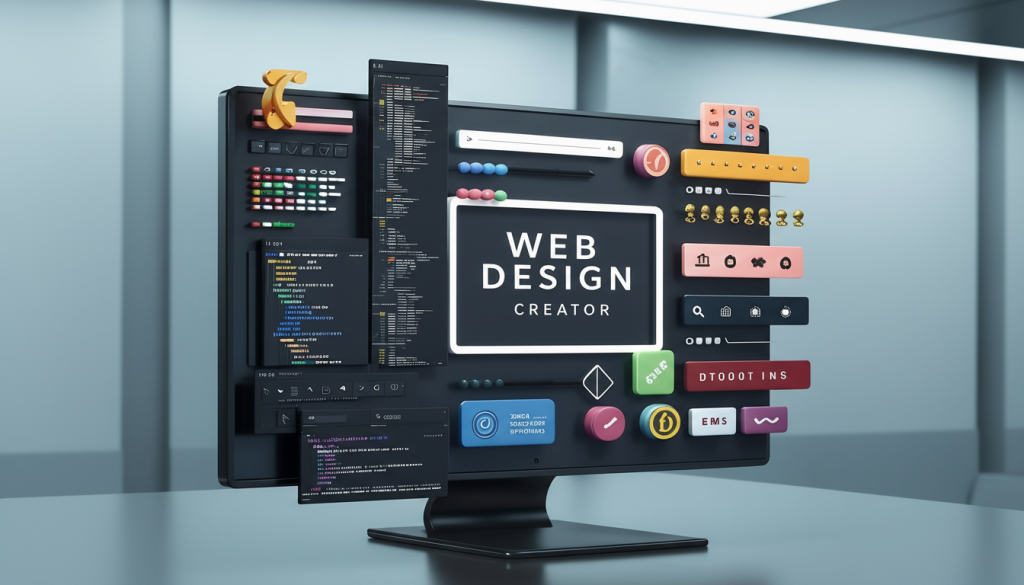
    A digital display screen sitting on a desk that features the words Web Design Creator surrounded by colorful UI elements and columns of coding text to represent calculating Website Cost in the UK by Prox Digital Agency.

    Here’s the Quick Cost Breakdown for Small Business Websites in 2026

    Small business website costs and the average cost of website design for small business UK vary dramatically by route, so treat this as your starting map, not a fixed price list. The right number for you depends entirely on what you’re building and what you need it to do. That’s where most conversations start in the wrong place.

    Before going deep, here’s the quick-reference picture for how much a website costs for you in 2026. 

    Route Upfront Website Cost Annual Running Cost
    DIY Builder £0–£300 £150–£500
    Freelancer £500–£5,000 £200–£800
    Small Studio £2,000–£8,000 £500–£1,500
    Regional Agency £5,000–£20,000 £1,000–£3,000
    London Agency £10,000–£50,000+ £2,000–£6,000+
    Custom Build £20,000–£100,000+ £3,000–£10,000+

    How Much Does It Cost To Build A Website UK And Why Does The Range Look So Wild

    Most people ask this question before they’ve defined what the website needs to accomplish. A landing page for a local plumber is a fundamentally different project from a B2B SaaS platform with CRM integration. 

    A restaurant in Manchester needs a booking integration, a menu gallery, and strong local SEO. A solicitor’s firm in London needs trust signals, case study architecture, and GDPR-compliant contact forms. Same label and completely different builds.

    The cost of building a website UK is entirely shaped by scope, not by how impressive the agency’s portfolio looks. Here’s how much does a website cost a month, broken down by type:


    Site Cost
    Brochure site £1,500–£8,000
    Portfolio or personal site £800–£3,000
    Small business site with enquiry form £2,000–£6,000
    Ecommerce store £3,000–£30,000
    B2B lead generation site £8,000–£25,000
    Custom web application £20,000–£100,000+

    How Much Does It Cost To Make A Website Yourself Vs. Hiring Agencies

    The answer changes completely depending on who builds it. Below, we break down all three routes, what they actually cost, and where each one starts to fall short.

    How Much Does It Cost For a Website UK on a DIY Platform

    Wix, Squarespace, and IONOS have improved dramatically. In 2026, Website builder costs start at £10–£30 per month, making it the most obvious low cost website design option on the market.

    But the moment you need something outside the template, a custom booking flow, a third-party API, or a layout that actually reflects your brand, you hit a wall. DIY works for sole traders testing an idea. It doesn’t work for businesses that want to grow.

    How Much Does It Cost to Hire a Website Developer in the UK

    A good freelancer can deliver a clean, functional site. The risk is continuity. If they go quiet after launch, you’re left managing a site you don’t fully understand, with no ongoing support structure.

    Most firms fail here because they focus on price over accountability. A £2,000 freelance build that needs £3,000 in fixes six months later is not cheap.

    Freelancer rates in the UK in 2026 sit at:

    Developer Cost per Hour
    Junior developer £25–£45
    Mid-level developer £50–£75
    Senior developer £80–£150
    Offshore teams £15–£40

    How Much Does It Cost to Design a Website Through a Full-Service Agency

    A full-service digital agency brings strategy, design, development, SEO, and ongoing support under one roof. You’re not stitching together three different contractors. Website creation cost and website development cost are higher through an agency, but so is the accountability, the quality control, and the likelihood that the site actually performs after launch.

    According to HubSpot, businesses that align their website strategy with their broader marketing stack see up to 287% higher conversion rates than those treating their site as a standalone asset. That figure reframes the entire cost conversation.

    How Much Does It Cost To Setup A Website From Scratch

    Most quotes only cover design and development. The full setup picture looks like this:

    Items Cost Range per Year
    Domain registration £10–£20 
    SSL certificate  £50
    Business email setup £3–£15 per user 
    Copywriting  £500–£3,000 depending on page count
    Photography or custom imagery  £500–£3,000
    Plugin and theme licences £100–£600 
    SEO setup and keyword mapping £500–£2,000 

    VAT is the one that blindsides buyers most often. Almost every UK agency quotes excluding VAT. That’s 20% on top. For a VAT-registered business, you reclaim it. For a non-registered sole trader, it’s a real additional cost. Always ask for a fully itemised quote if an agency can’t provide one, as that tells you something important.

    How Much Does A Website Cost Per Month UK Once It Goes Live

    The build cost is the beginning, not the end.

    How Much Does It Cost to Host a Website UK

    Cheap shared hosting that goes down three times a year is not cheap when you factor in lost enquiries and damaged trust. The cost of hosting a website UK is where people consistently underestimate, and where cutting corners has the most visible consequences.

    Hosting Type Cost Range per Month
    Shared Hosting £3–£15
    Managed WordPress Hosting £20–£80
    Cloud Hosting (AWS or Google Cloud) £50–£500+

    How Much Does It Cost to Maintain a Website Month to Month

    Security patches, plugin updates, backups, and content changes don’t manage themselves. Ignoring maintenance always costs more in the end. A hacked WordPress site can cost £500–£2,000 to clean up, assuming the damage is even recoverable.

    The ongoing website cost per month is one of the most overlooked items in any initial budget.

    Maintenance Option Cost Range per Month
    DIY Maintenance Free 
    Monthly Website Management (Retainer) £50–£300
    Reactive Support Only Variable

    How Much Does It Cost to Run a Website UK Each Year

    Once hosting, maintenance, and platform fees stack up, the annual cost looks very different from the launch-day quote. Here’s the honest picture by site type.

    Site Type Year 1 Total Cost Year 2 Onwards Annual
    Brochure site £4,000–£10,000 £800–£2,500
    Ecommerce store £8,000–£35,000 £2,500–£8,000
    B2B lead gen site £10,000–£28,000 £3,000–£7,000

    How Much Does A Website Cost Per Year When You Add Everything Up

    The platform you build on shapes your costs for years, not just at launch. WordPress, Shopify, Wix, and Squarespace all come with very different long-term price tags. Here’s what each one actually costs over time.

    How Much Does a WordPress Website Cost Per Year

    WordPress itself is free. The full-year cost tells a different story. WordPress website design cost UK alone can run from £1,500 for a basic site to £15,000+ for a fully custom build, and that’s before recurring expenses kick in:

    Items Cost Range per Year
    Managed Hosting £20–£80
    Premium Theme  £50–£200
    Plugin Licences £100–£600
    Developer Time (Updates & Fixes) £500–£2,000

    WordPress website cost over three years easily reaches £5,000–£15,000, even for a relatively simple site. WordPress website maintenance cost UK is the line that trips up most business owners who thought they were getting a low-cost solution. WordPress powers 43% of the web for good reasons. That’s not a reason to avoid it. It’s a reason to budget honestly.

    WordPress Cost Item Annual Estimate
    Managed website hosting cost £240–£960
    Plugin licences £100–£600
    Developer support £500–£2,000
    Theme / design updates £200–£800
    Total annual estimate £1,040–£4,360

    How Much Does a Shopify Website Cost Per Year

    Shopify’s starter plan begins at £25 per month. A properly configured ecommerce store with transaction fees, third-party apps, and periodic developer support typically runs £200–£500 per month, putting annual spend at £2,400–£6,000 before any marketing investment.

    Shopify Cost Item Annual Estimate
    Platform subscription £300–£1,800
    Transaction fees via Stripe Variable by revenue
    App subscriptions £600–£2,400
    Developer support £500–£2,000
    Total annual estimate £1,400–£6,200+

    How Much Does a Wix Website Cost Per Year

    Wix’s entry-level plan looks affordable at £8 per month. Once you upgrade to a plan that supports a custom domain, removes ads, and includes the tools a real business needs, you’re at £17–£35 per month before apps. Add ecommerce functionality, and you’re at £80–£150 per month easily.

    Wix Cost Item Annual Estimate
    Core plan £200–£420
    Business and ecommerce plan £420–£1,200
    Additional apps £200–£800
    Total annual estimate £420–£2,000+

    How Much Does a Squarespace Website Cost Per Year

    Squarespace is well-priced for design-led brochure sites. The personal plan runs £13 per month, while the commerce plan for online selling sits at £35–£49 per month. Annual spend ranges from £156 for a basic site to £588+ for a commerce-enabled store.

    Squarespace Cost Item Annual Estimate
    Personal plan £156–£192
    Business plan £240–£336
    Commerce plan £420–£588
    Transaction fees (Business plan) 3% per transaction
    Total annual estimate £156–£600+

    How Much Does It Cost To Create A Website UK That Actually Performs

    Building something that looks nice is straightforward. Building something that generates leads, converts visitors, and pays for itself is a different conversation entirely. Website design UK cost and the overall cost of website design UK look very different when you measure the output against business results rather than page count. 

    The businesses that get real returns treat their website like infrastructure, not decoration. Here’s what a high-performing site looks like in practice:

    • Clear conversion architecture with defined calls to action on every page
    • Mobile-first design built for how your audience actually browses
    • Page speed optimised for Core Web Vitals and Google ranking
    • Integrated analytics so you can measure what’s working
    • Content structured for search intent, not just aesthetics

    A modern 3D rendering of floating purple and blue browser windows displaying web design layouts and user interface elements, illustrating the process of calculating Website Cost in the UK by Prox Digital Agency.

    At Prox Digital Agency, clients across sectors report a 40% increase in qualified leads within six months of a rebuilt site, a 55% reduction in bounce rate following UX-focused redesigns, and a 3x improvement in paid search conversion rate when landing pages align with ad strategy.

    What You Need To Pay In The UK For Website Building 

    London agencies carry London overheads. A Manchester, Leeds, or Bristol studio can deliver equivalent quality at 30–40% less, and the remote-first shift means geography matters far less than it did five years ago. The quality gap between regional and London agencies has effectively closed. What hasn’t closed is the price gap. A smart buyer recognises this.

    Approximate regional benchmarks for a small business website:

    Agency Type / Location Cost Range / Project
    Manchester or Leeds Studio £4,000–£12,000
    Bristol or Edinburgh Agency £3,500–£10,000
    Remote-First Creative & Digital Agency (UK) £3,000–£15,000

    How Much Does An Ecommerce Website Cost In The UK

    Ecommerce website cost is a different category entirely. The build is just the start. Ecommerce website design cost and ecommerce website development cost are both higher than their brochure site equivalents because what you’re actually pricing is a live selling machine that needs payment infrastructure, inventory logic, a returns process, and ongoing technical support. 

    Shopify website development cost is the most common benchmark, so we’ve included it across all three tiers below.

    First Tier: Small Ecommerce Store Under 100 Products

    A focused Shopify or WooCommerce store for a small product range typically costs:

    Cost Component Cost Range/ Type
    Build Cost £3,000–£8,000/ One-off
    Annual Platform & Hosting £600–£2,400/ Per year
    Payment Gateway Fees 1.4%–2.5%/ Per transaction
    Ongoing Maintenance & Updates £600–£1,800/ Per year

    Second Tier: Mid-Range Ecommerce Store 100 to 500 Products

    More SKUs mean more complexity in filtering, category structure, and inventory sync.

    Cost Component Cost Range Per Year
    Build Cost £8,000–£20,000
    Annual Platform & Hosting £1,200–£4,800
    Payment Gateway Fees £600–£2,000
    Ongoing Maintenance & Updates £1,000–£3,000

    Third Tier: Enterprise Ecommerce Store on Shopify Plus or Magento

    According to Statista, UK ecommerce revenue reached £285 billion in 2024 and continues growing. The businesses capturing that growth treated their ecommerce site as a strategic investment, not a line item to minimise. High-volume retailers with complex requirements, multi-currency support, and ERP integration:

    Cost Component Cost Range/ Type
    Build Cost £20,000–£100,000+/ One-off
    Shopify Plus Subscription £2,300+/ Per Month
    Magento Website Cost £20,000–£50,000+/ Build cost 
    Annual Total Cost of Website Ownership £30,000–£120,000+/ Combined annual estimate

    How Much Does A B2B Website Cost In The UK

    B2B website cost is almost always underestimated because the complexity isn’t visible. There are no products in the shopping cart. The complexity sits in the strategy, the integrations, and the conversion architecture designed for a buyer who takes three months to make a decision.

    B2B Brochure and Lead Generation Site

    A professionally built B2B site focused on enquiry generation:

    Development Cost What’s Included Annual Running Cost
    £5,000–£15,000 Multi-page UX, contact forms, case studies, and basic SEO setup £1,500–£4,000

    B2B Site with CRM Integration

    HubSpot or Salesforce integration changes the cost model significantly:


    Development Cost What’s Included Annual Running Cost
    £12,000–£25,000 CRM-connected forms, pipeline tracking, and gated content £3,000–£7,000 and HubSpot annual licence cost £3,600–£12,000 depending on tier

    Full B2B Digital Platform with Custom Functionality

    For businesses with complex sales cycles, multiple buyer personas, and content marketing:

    Development Cost What’s Included Annual Running Cost
    £25,000–£80,000+ Multi-persona UX, account-based marketing architecture, gated content, analytics dashboards £6,000–£20,000

    A well-built B2B site costing £15,000–£25,000 is a rational investment when one new client is worth £50,000–£200,000. The ROI calculation is not complicated. Most businesses simply haven’t done it.

    A bad website doesn’t just fail to convert. It actively destroys the value of every pound you spend sending traffic to it.

    If You’re Comparing Quotes, Here’s What Really Matters

    Most people compare quotes on price alone. That’s how they end up with a site that doesn’t work. If you want a rough figure before speaking to anyone, a website cost calculator can give you a ballpark, but quotes are where real costs get defined. Here’s what to look for and what to walk away from.

    A Good Proposal Includes Red Flags to Walk Away From
    ✔ Defined deliverables, not vague descriptions ✘ No discovery or initial briefing
    ✔ Clear timeline with milestones ✘ Offshore teams posing as UK agencies
    ✔ Ownership and IP transfer terms ✘ Vague payment terms or no contract
    ✔ Hosting and maintenance options listed ✘ Price too low with no explanation
    ✔ Post-launch support commitment ✘ No examples of comparable work
    ✔ Portfolio of comparable work ✘ Promises with no written scope
    ✔ Signed contract before work begins ✘ No mention of post-launch support

    At Prox Digital Agency, every engagement starts with a discovery session. We map your goals, your audience, and your existing digital infrastructure before a single pixel gets designed. That’s not a sales process. That’s professional practice.

    Your Website Is Either Make Or Cost You More Money Than You Think

    A £3,500 website that generates four extra enquiries per month at an average project value of £1,500 pays for itself in under two months. The maths is not complicated. A website is not a cost. It is the most scalable salesperson your business has.

    According to Neil Patel, companies with a strong online presence grow revenue 2.8x faster than those without a coherent digital strategy.  At Prox Digital Agency, clients across sectors report:

    • 40% increase in qualified leads within six months of a rebuilt site
    • 55% reduction in bounce rate following UX-focused redesigns
    • 3x improvement in paid search conversion rate when landing pages align with ad strategy

    Start Budgeting Your Website In The Right Manner

    Every business owner who has ever overpaid for a site or got burned by a bad agency skipped at least one of these steps. Follow this process and you won’t.

    01 Define your primary business goal

    Is this site about generating leads, driving sales, or building brand authority? Lock that down before anything else.

    02 Know your audience first

    Understand what your visitors need to see before they trust you. Every design decision flows from this.

    03 Choose your route honestly

    DIY, freelancer, or agency. Match the choice to your budget, timeline, and internal capabilities.

    04 Budget for ongoing costs from day one

    Hosting, maintenance, and updates are not optional extras. Build them into your plan upfront.

    05 Get three itemised quotes

    Comparable, detailed, and from credible sources. One quote is not a market. Three is a baseline.

    06 Evaluate on quality and accountability

    Price is the last thing to compare, not the first. Look at process, portfolio, and post-launch support.

    07 Sign a contract before work begins

    A clear brief and a signed agreement protect both sides. If an agency resists this, walk away.

    Your Next Move

    Fragmented digital efforts are the single biggest obstacle holding businesses back from growth, and a website built without a strategy sits at the centre of that problem. 

    Ready to stop guessing and start building something that works? Get in touch with Prox Digital Agency today for a no-obligation discovery conversation.

    Question People Ask Us Every Week

    How much does a website cost UK for a small business?

    A professionally built small business website typically costs £2,500–£8,000 in 2026, with annual running costs of £800–£2,500.

    How much does it cost to run a website in the UK per year?

    For a brochure site, expect £800–£2,500. For an ecommerce store, budget £3,000–£8,000 per year including hosting, maintenance, and platform fees.

    How much does it cost to create a website in the UK, including domain and hosting?

    Domain registration costs £10–£20 per year. Add managed hosting at £20–£80 per month, and your setup cost starts from £250 in year one before any design or development.

    How much does a website cost per month once everything is running?

    For a brochure site, expect £50–£200 per month covering hosting, maintenance, and basic updates. For an ecommerce store, budget £200–£600 per month once platform fees, apps, and ongoing support are factored in.

    For the fundamentals behind this pricing, see our UK web design guide, or talk to our website design and development agency. Curious about timelines too? See how long a project like this actually takes.