Category: Blogs

  • Perplexity Optimisation: How to Become a Cited Source

    Perplexity Optimisation: How to Become a Cited Source

    Do not treat Perplexity like Google. It does not work by simply ranking pages. It combines information from multiple sources and then provides answers, with inline citations for each source. If you want your brand to appear in those citations, you need to understand the mechanism behind source selection.

    This guide simply breaks down how Perplexity picks sources, how to make a page citable, and how to build a Generative Engine Optimization strategy that actually works in 2026. Let’s get started!

    How Perplexity Picks Its Sources?

    Think of Perplexity as an answer engine. When a user asks a query, the system reads relevant content from its index and live webpages. It then retrieves an answer summary with proper citations.

    This picking process is not as simple as it sounds. It follows a pattern based on four key signals.
    Diagram of the four signals Perplexity uses to pick sources: recency, structure, citations and community discussion

    • Recency
    • Clarity
    • Density
    • Community Discussion

    Signal 1: Content Recency

    Perplexity’s top priority is fresh and updated content. If a user inquires about AI tools, SEO changes, or digital marketing trends, the answer engine will prioritise pages published or refresh within the last 6 to 12 months or even less.

    A page from 2022 may still rank on Google, but Perplexity will likely not cite it if newer sources exist. This means evergreen content alone is not enough. You need to publish consistently and update existing content regularly.

    Signal 2: Structural Clarity

    Perplexity extracts answers from pages that are easy to parse. This includes pages with

    • Clear H1 and H2 hierarchy
    • Short paragraphs
    • Direct answers placed early in the content
    • Bullet points and tables
    • No cluttered layouts or
    • Zero intrusive pop-ups

    The engine does not reward clever writing. It rewards clarity. If a page is difficult to extract information from, Perplexity will move to the next source.

    Signal 3: Citation Density

    One of the easiest yet trickiest ways to get cited by Perplexity is to earn links from authoritative domains. This is similar to traditional backlinks, but with a twist. Perplexity looks at the citation context to understand how other pages reference your content.

    If multiple sources quote your statistic, link to your research, or name your brand as the origin of a concept, Perplexity treats your page as a primary source. This is why original data and proprietary frameworks are so valuable.

    Signal 4: Community Discussion

    Perplexity crawls forums, Reddit threads, and community platforms. These spaces act as validation layers. If users discuss a topic and reference a specific source, that source gains authority in Perplexity’s model.

    This is a fundamental shift from Google. Google treats forums as content. Perplexity treats them as signals. A well-placed mention in a high-engagement Reddit thread can be more valuable than a backlink from a low-authority blog.

    How Perplexity is Different from Google and ChatGPT

    Perplexity Optimisation sits apart from both traditional SEO and ChatGPT-style LLM brand mentions. You cannot treat them as the same thing. Let’s see things individually.

    Perplexity vs Google

    Factor Perplexity Google
    Core output List of links Synthesised answer with citations
    Ranking Signal Backlinks, content depth, user behaviour Recency, extractability, citation consensus
    User Intent Navigational, informational, transactional Informational, comparative, research-focused
    Click-through Secondary metric (citation is the win) Primary metric
    Content Format Long-form, comprehensive guides Answer-first paragraphs, data blocks

    Google wants to keep users on Google. Perplexity wants to answer the query and send users to the source if they want more. This changes the goal of optimisation.

    Perplexity does not want you to fight for position one. It wants you to earn a place among the three to five cited sources.

    Perplexity vs ChatGPT

    Factor Perplexity ChatGPT
    Core output Synthesised answer with live citations Conversational answer from memory or browsing
    Ranking Signal Retrieval relevance, recency, citation density Training data presence, LLM brand mentions
    User Intent Research-focused, fact-checking, comparative Explanatory, creative, task-based
    Click-through Secondary metric (citation is the win) Not a primary metric
    Content Format Answer-first paragraphs, extractable data blocks Long-form responses, conversational flow

    ChatGPT relies on training data and web browsing (when enabled). Perplexity is a retrieval-augmented generation (RAG) system. It always retrieves live information before generating an answer.

    This is why AI search visibility is more measurable with Perplexity. You can also check our guide AI Search Engines Compared to get a better understanding of different AI generated engines and how they work.

    You can test it. You can query a topic and see whether your brand appears. With ChatGPT, the response is harder to predict because it depends on the model version and context window.

    The 7 Things That Make a Page Citable

    Citation is not an accident. It is a result of specific structural and strategic choices. Here are the seven factors that make a page more likely to be cited by Perplexity.

    Answer-First Structure: Answer Before Explanation

    Perplexity prefers pages that answer the question immediately. /burrying content under ten paragraphs of context is useless. State direct answer in the first 50 to 100 words, then explain.

    This is called the “Answer-First Approach” content structure. It works for both human readers and AI extraction.

    Original Data and Statistics: Be the Primary Source

    Pages with unique numbers are gold. If you conduct original research, publish survey results, or analyse proprietary data, Perplexity has a reason to cite you.

    You cannot fake this. You must create data that does not exist elsewhere. This is part of building topical authority for machine learning.

    Concise Definitions: Say It in One Sentence

    Perplexity often extracts definitions from pages that explain a concept clearly in one or two sentences. Providing a concise definition near the top of your page can increase the likelihood of your content being quoted directly.

    For example: “Perplexity optimisation means structuring content in a way that increases the likelihood of Perplexity citing it as a source.”

    Schema Markup: Tell AI What Your Content Means

    Structured data and schema for AI parsing is no longer optional. Use FAQPage, Article, Organisation, and Speakable schema where relevant. This helps Perplexity understand the structure of your content and extract the right elements.

    High-Authority Citations: Get Cited by Credible Sources

    Your page needs to be referenced elsewhere. This is one of the Digital PR strategies for AI visibility. When industry publications, research aggregators, and high-authority blogs reference your content, Perplexity treats it as a credibility signal.

    A single link from a .edu or .gov domain often carries more weight than dozens of links from low-authority sites.

    Entity Consistency: Help AI Connect the Dots

    Perplexity uses Entity SEO for AI engines to understand who you are and what you cover. Your brand name, author names, and key topics should be consistent across your website, social profiles, and third-party platforms.

    Create an “About” page that works as your portfolio. Link to your authors’ LinkedIn profiles. Use consistent naming conventions everywhere.

    Crawlability for AI Bots: Let Perplexity Access Your Site

    Do not block PerplexityBot. Review your robots.txt file and ensure the crawler can access your pages without restriction. The same applies to GPTBot, ClaudeBot, and Google-Extended.

    Blocking these bots is a common mistake. Brands often block AI crawlers to protect content, then wonder why they are invisible in AI search results.

    The Role of Reddit and Forums

    Perplexity treats community platforms as contextual data sources. Reddit threads, Quora answers, and niche forums provide real-world perspectives that traditional web pages often lack.

    Reddit and forums matter because

    • They contain natural language questions and answers
    • They reflect genuine user sentiment
    • They are frequently updated
    • They provide consensus signals

    When Perplexity receives a query, it may pull from a Reddit thread where users discuss the exact problem. If your brand or content is mentioned in that thread, you gain indirect visibility.

    How to Check Whether Perplexity Cites You Today

    You cannot improve what you cannot measure. Here is a simple process to audit your current AI search visibility.

    Step 1: Run Direct Queries

    Open Perplexity and search for:

    “What is [your topic]?”

    “Best [your category] in 2026”

    “[Your brand name] review”

    “[Your brand name] statistics”

    Note if Perplexity picking up your brand in the answer or the citations.

    Step 2: Check Referral Traffic

    Go to Google Analytics. Look for referral traffic from perplexity.ai. Perplexity referrals are often recorded as direct or uncategorised traffic, so tagging your links with UTM parameters is essential for accurate tracking.

    Step 3: Check Content’s Extractability

    Pick one of your existing blog. Paste the URL into Perplexity and give command to “summarise this page in three bullet points.”

    If the summary is accurate and includes your key points, you are on the right track and your page is extractable. If the summary is vague or misses the core answer, rebuild your structure.

    Step 4: Monitor Brand Mentions

    Use monitoring tools such as Google Alerts, Brand24, or Mention and track your brand conversations. Prioritise Reddit, Quora, and industry forums because Perplexity treats these discussions as authority signals.

    How to Build a Citable Content Strategy

    Once you understand the Perplexity citation mechanism, the next step is its implementation. here is how you can do it.

    • Create a citation asset – content built for AI referencing: clear answer, original data, concise definition, quotable framework.
    • Refresh content regularly – update key pages every 90 days to signal freshness.
    • Optimise for zero-click searches – brand visibility matters more than clicks; a citation is a win.
    • Build semantic depth – cover the full concept cluster so Perplexity sees your site as comprehensive.

    Ready for Perplexity Optimisation?

    Perplexity Optimisation is still new in the trends. Most brands have not adapted. That gap is your opportunity.

    Its citation mechanism is clear. Perplexity favours recent, well-structured, heavily-cited pages backed by community validation. Brands that publish original data and build forum presence will dominate AI search. But that is not your problem to solve. Prox is here to handle it for you.

    Prox Digital Agency helps businesses become cited sources. We specialise in Generative Engine Optimization (GEO), citable content creation, and AI search visibility measurement across Perplexity, ChatGPT, and Gemini.

    The brands that get cited are not always the biggest. They are the clearest and most data-rich. Contact our expert team and build for the mechanism starting today.

    FAQ

    What is Perplexity Optimisation and why does it matter in 2026?

    Perplexity Optimization is the practice of structuring content to increase the likelihood of being cited as a source in Perplexity AI’s generated answers. It matters because Perplexity is rapidly becoming a primary research tool for professionals, and citation drives both brand visibility and referral traffic.

    Is Perplexity AI better than ChatGPT?

    Both are for different purposes. Perplexity AI is better for real-time, citation-backed research, while ChatGPT is stronger for creative writing, brainstorming, and conversational depth.

    How do I get my brand cited by Perplexity?

    To get cited by Perplexity, publish original research, earn citations from high-authority domains, and maintain an active presence in community discussions so the AI recognises your brand as a trusted source.

    What type of content do AI search engines prefer to cite?

    AI search engines prefer content with original research, unique statistics, quotable definitions, and an answer-first structure that state the core answer in the first 50 to 100 words.

    Does social media presence influence AI search results?

    Yes. Positive mentions on Reddit, LinkedIn, and X act as validation signals—Perplexity crawls these platforms to measure trust, and brands with active community presence are more likely to be cited.

  • How to Choose a Professional SEO Company: 10 Questions to Ask

    How to Choose a Professional SEO Company: 10 Questions to Ask

    The problem is that they all sound the same on a sales call. They all promise sustainable growth, rankings, traffic, and synergy. But when the results never land, you are the one left holding the bill.

    That is why choosing the right partner matters so much. Your website is your hardest-working employee. It never pauses. Handing it over to the wrong agency is like giving your best salesperson a bad script and a broken phone.

    Well, this guide is about how you can differentiate the best from the average ones on the list. You do not need to be an SEO expert to hire one. You just need to ask smarter questions. Here is the exact checklist we recommend before you sign anything in 2026.

    The 10 Essential Questions to Ask Before You Hire an SEO Company

    Here is the core of your vetting process. Ask these questions on a call or via email. Take notes.
    Diagram listing ten questions to ask before hiring a professional SEO company

    Question 1: Can You Show Verifiable Results in My Industry?

    First things first. Always ask for verifiable case studies or references relevant to your niche.

    SEO varies by niche. A company that ranks plumbers in London might struggle with a SaaS startup in California.

    Therefore, look for proof such as screenshots of Google Analytics or GSC. A professional agency will happily show you privacy-protected data. Identify red flags if they get defensive or hesitant.

    Question 2: How Do You Adapt to AI and Google Algorithm Shifts?

    That’s one of the main questions in 2026. They should mention AI Overviews, Core Updates, and user intent to answer AI adaptation and algorithm shifts. Our SEO vs GEO guide explains how AI search changes the work.

    Google launched major updates in 2024 and 2025 targeting low-quality AI content. Recent core updates have reshaped rankings across a wide range of sectors. In 2026, success means becoming a trusted source that AI platforms cite. And that’s the only metric of success in this digital landscape.

    Your agency should not be scared of AI. They should embrace it. Ask how they use AI for research or content briefs. But make sure a human is still writing and editing your content because Google still values first-hand experience over AI written descriptions.

    Question 3: What Does Your Link Building Strategy Look Like?

    A professional agency’s link building strategy should involve digital PR, outreach, and quality content. Not buying links.

    Backlinks are still a top ranking factor. But buying 1,000 links from a “PBN” (Private Blog Network) will get you penalised before you think.

    A good link strategy is slow and involves creating data studies, reaching out to journalists, and earning links naturally. Ask them to explain exactly how they get links. If they say “we have a private network,” run.

    Question 4: How Do You Report on ROI and Ranking?

    If they are experts, they will answer, ‘We track leads, calls, and sales, not just keyword positions.’

    Rankings are a vanity metric. You cannot pay rent with a #1 ranking if no one clicks or buys.

    Prox Digital Agency reports on:

    • Organic traffic that converts.
    • Phone call tracking.
    • Form submissions.
    • Revenue generated from organic search.

    We connect your SEO efforts to your bank account, not just a graph going up.

    Question 5: Who Will Actually Be Working on My Dashboard?

    They must provide you with a dedicated team or a named point of contact who will be working on your accounts and business dashboard.

    Large agencies often sell you on a senior strategist, then hand the work to an intern. Ask for names. Ask who writes the content. Ask who builds the links. A bespoke agency like Prox Digital SEO Agency gives you direct access to the experts and team.

    Before signing anything, it is worth asking what an SEO agency actually does on a daily basis for your business, if the answer is vague, that is a red flag.

    Question 6: How Do You Handle Technical SEO and Site Health?

    Do not skip this question. A professional agency that can handle SEO and GEO will talk about Core Web Vitals, crawling, and site architecture. Where a rebuild is involved, our SEO website migration checklist shows what a competent agency should be doing.

    Crawlability is one of the major elements of technical SEO and site health. Your web content might be the best, but if Googlebot is unable to crawl your website properly, your chances of ranking are significantly reduced.

    It’s simple yet challenging. A professional audit should check:

    • Page Speed: Is the site loading in under 2.5 seconds?
    • Mobile Usability: Does the site work perfectly on a phone?
    • Indexation: Are the right pages being crawled?
    • Schema Markup: Is structured data helping Google understand the page?

    If the agency only talks about “content” and “links” and ignores technical health, they are missing half the job.

    An agency is missing half of the job if it’s not talking about the technical health of your website. Choose wisely.

    Question 7: What Are Your Contract Terms and Exit Clauses?

    Check if they’re sharing fair terms. Ideally, month-to-month or a 30-day notice period.

    We know SEO takes time. Still, you should never feel trapped. Be cautious of agencies that demand year-long commitments without defined performance goals. Six months is generally enough time to see meaningful movement. After that, if you’re not satisfied, a trustworthy agency should respect your decision to leave without friction.

    Question 8: How Do You Align SEO with Content Marketing?

    They should treat SEO and content marketing as one connected strategy. Content is the fuel. SEO is the engine. A good agency understands that you need both running together.

    Ask how they choose topics. Do they use keyword research? Do they analyze search intent? Do they optimize old blog posts?

    SEO and content experts prioritise refreshing old content, removing dead pages, and writing new content that targets bottom-of-funnel keywords.

    Question 9: What Tools and Proprietary Tech Do You Use?

    Industry standards include Ahrefs, Semrush, Screaming Frog, and Google Search Console. An agency that understands both basic and advanced industry tools is the one you should go for.

    You don’t need them to have secret software, but they must have professional tools.

    If an agency says they use “free tools only,” they are not serious about data. SEO is data-driven. They need to track rankings, analyse competitors, and audit sites at scale.

    Question 10: Why Should I Choose Prox Digital Agency For SEO Over a Freelancer?

    A freelancer does tasks. Prox Digital builds growth systems.

    Here’s the explanation. Freelancers can be good. Some write well. Some handle technical fixes. But one person rarely does everything SEO demands.

    With Prox Digital Agency, you get:

    • A Strategist to plan the campaign.
    • A Writer to create content that ranks and converts.
    • A Developer to fix technical issues.
    • A Link Builder to earn authority.

    But the real difference is reliability. A freelancer gets sick, goes on holiday or might disappear when you need them most.

    Prox Digital Agency runs like a machine. If one team member is out, another steps in. Your campaign never stops. Deadlines are met and they make sure that the reports arrive on time.

    Red Flags: 4 Signs of a Bad SEO Agency

    Let’s talk about warning signs of a bad SEO agency. If you see any of these, walk away immediately. Google publishes its own guidance on hiring an SEO, including the warning that nobody can guarantee a #1 ranking.
    Diagram of four red flags to watch for when choosing a professional SEO company

    • Guaranteed #1 Rankings
    • No Case Studies
    • Secret Strategies
    • Cheap Prices

    Prox Digital Agency is the Safe Choice for Your SEO

    You have the questions. Now you need the answers. At Prox Digital Agency, we pass every test above. Ask whatever query you have, and we will answer.

    • Transparency: You get login access to your own Google Analytics and Search Console. We hide nothing.
    • Strategy: We believe in a transparent strategy framework. Our expertise lies in blending technical SEO, authority building, and AI-assisted content mapping.
    • Results: Our priority is to focus on leads, sales, and bookings.
    • Flexibility: Prox offers zero aggressive lock-in contracts. We earn your business every month.

    Choosing an SEO partner is a big decision. But it doesn’t have to be extraordinarily challenging. Are you ready to grow? Contact Prox Digital Agency today for a free, no-obligation SEO audit.

    FAQs

    How do I know if an SEO company is professional?

    To check if an SEO agency is professional, first look for transparency in their processes. A legitimate company shares reports, explains strategies, and shows case studies. They avoid guaranteed #1 ranking claims.

    What is a reasonable price for professional SEO services?

    In 2026, expect to pay from roughly £1,000–£1,500 a month for local SEO, and £2,500 or more for competitive national campaigns. If an agency is quoting unnecessarily cheap rates, their quality is likely suffering.

    How long until I see results from a professional SEO company?

    In an SEO process, technical fixes show results in weeks. Significant traffic and lead growth usually take 4 to 6 months, depending on your industry competition.

    Do I need to sign a long-term contract with an SEO agency?

    No. While SEO requires time, reputable agencies offer fair exit clauses, usually 30 days or rolling monthly agreements. Long-term contracts must be avoided specially if you’re working with an agency for the first time.

    Is it better to hire a freelancer SEO or an SEO agency for my business?

    It depends on your business needs. A freelancer is fine for small tasks. An agency is better for growth. When you partner with a professional SEO agency, you get a team of experts instead of relying on one person.

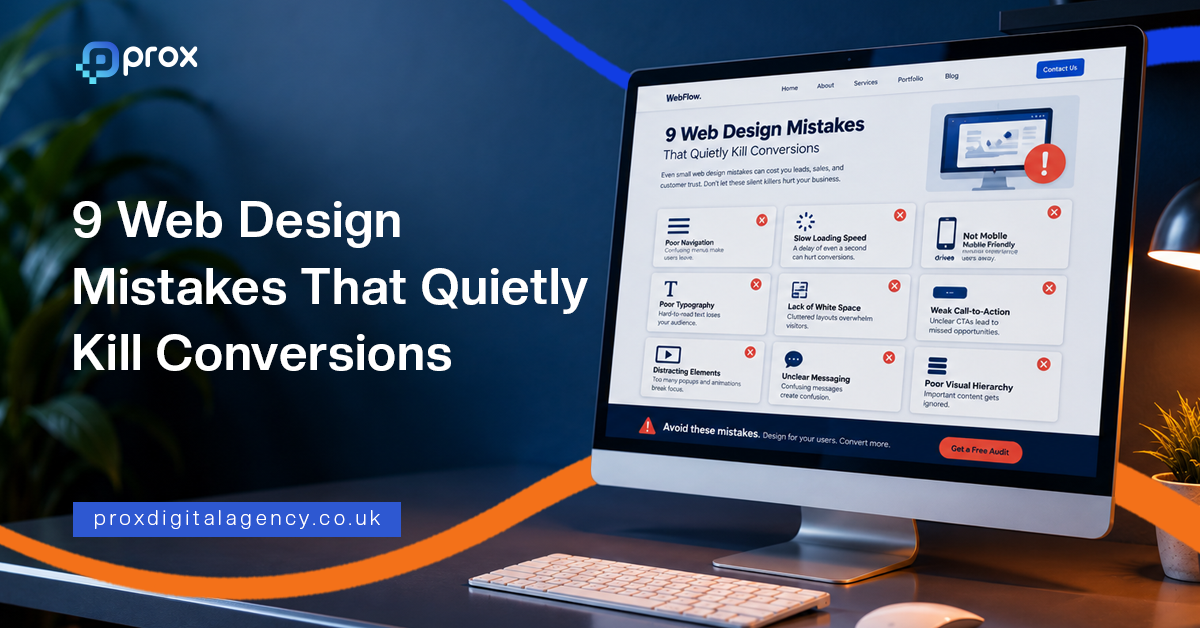
  • 9 Web Design Mistakes That Quietly Kill Conversions

    9 Web Design Mistakes That Quietly Kill Conversions

    The real reason is often simpler yet harder to spot. These conversion killers are mostly small web design mistakes that work quietly in the background. They confuse visitors and add friction where there should be none.

    Nobody complains about these things. Buyers just leave, quietly, without making any purchases.

    At Prox Digital Agency, we audit websites for a living. We see the same conversion killers repeat across industries and geographies. The businesses change. The design mistakes stay the same. To identify these mistakes early, we’ve compiled this playbook for you.

    Here are the nine most common ones. Fix these before you spend another dollar on driving traffic.

    Top 9 Web Design Mistakes That Quietly Kill Conversions

    Mistake #1: Prioritising Aesthetics Over Usability

    Your website is quite beautiful, but it means nothing to visitors as they cannot use it.

    This is the most common trap. Designers chase awards. Business owners chase trends. Clarity gets left behind in the process. Fancy animations and unusual navigation menus confuse first-time visitors.

    The problem:

    A visitor lands on the page. They pause, scan, and when the path forward is not instantly obvious, they hit the back button.

    The quick fix:

    Give your visitors standard layouts. Familiar icons. Clear labels and call-to-actions. Your design should guide them, not impress them. This is a conversion rate optimisation mistake with an easy fix.
    Diagram listing nine web design mistakes that quietly kill conversions

    Mistake #2: Cluttered Layouts That Overwhelm Visitors

    Too much choice kills action.

    Homepages that try to say everything at once, such as five banner sliders, three pop-ups, a live chat widget, social proof notifications, a newsletter sign-up, a video, a “meet the team” section, and whatnot.

    Visitors land on this type of homepage and instantly freeze. This classic UX design mistake, aka ‘Hick’s Law,’ leads to longer decision time, and that usually results in no decision at all.
    Wireframe comparison of a cluttered web page layout against a clean layout with one primary call to action

    Cluttered Layout Signs Clean Layout Signs
    Multiple competing CTAs One primary action per fold
    Auto-playing sliders Static hero section with a single offer
    Dense text blocks Short paragraphs with breathing room
    Everything above the fold Progressive disclosure of information

    The quick fix: Reduce clutter on your pages. Your landing page should focus on one action at a time. Follow our clean layout checklist to fix it. And that’s all it takes.

    Mistake #3: Weak CTA Placement

    Your CTA is your sales door. Do not hide it. This is one of the most common website design errors that hurt sales across every sector.

    The problem:

    A page explains the offer well. It builds a decent case. Then it ends with a link that vaguely says “Submit” or “Learn More.” Nobody gets excited about submitting anything. That’s what a weak CTA looks like.

    The quick fix:

    • Make CTAs specific, for example, “Get Your Free Audit” beats “Click Here.”
    • Make them high-contrast buttons as they beat low-contrast links.
    • Place CTAs where the visitor’s interest peaks, not just at the very bottom of the page.
    • Test different versions. Button colour. Copy. Position. A small lift here allows big changes.

    Mistake #4: Slow Load Times in a 5G World

    In 2026, speed expectations have changed drastically. Many businesses assume fast networks solve slow websites. They do not. Even on 5G, a poorly built site takes time to render. Our breakdown of how Core Web Vitals affect rankings covers which speed metrics Google actually measures. And the buyer’s patience is thinner than ever.

    This is a critical web design mistake because the damage happens before anyone sees your content.

    The problem:

    A widely cited industry benchmark puts the cost of a single extra second of load time at up to a 7% drop in conversions on mobile. Pages that take over three seconds lose more than half their visitors before the first scroll.

    Core Web Vitals remain a ranking signal. But slow loading simply feels unprofessional and signals neglect.

    The quick fix:

    • Compress images to next-gen formats like WebP
    • Use a content delivery network for global audiences
    • Test your site on a throttled connection. That is how many of your visitors experience it.
    • Reduce third-party scripts, especially on mobile

    Mistake #5: Non-Responsive Design

    Responsive design used to mean mobile-friendly. Our complete web design guide sets out the principles behind layouts that hold up across devices.

    Devices have changed. Foldable phones open into tablets. Users browse on smartwatches while commuting. Desktop monitors span ultra-wide resolutions. A site that simply “resizes” is not enough.

    The problem:

    This web design mistake kills conversions by creating hidden friction. Buttons become too small to tap on small viewports. Text columns stretch endlessly on ultrawide screens. Forms break at certain breakpoints.

    The quick fix:

    • Use a responsive CSS framework that auto-scales layouts across all screen sizes.
    • Test on real devices every month or after a certain time to check if they’re still working fine on different devices.

    Mistake #6: Generic AI-Generated Imagery That Destroys Trust

    AI-generated images are everywhere now. Visitors can spot them instantly and are tired of them.

    The problem:

    Generic stock photography has always had a trust problem. Teams smiling at laptops in glass offices. AI tools have flooded the web with images that feel hollow and slightly uncanny.

    This is a new UX design mistake that directly hurts conversions. If your imagery feels fake, visitors may not see your business or brand as authentic.

    The quick fix:

    • Real photos perform better. Always. Your actual team. Your actual workspace. Your actual product being used. Imperfections are fine. Authenticity matters.
    • If you’re using stock or AI-generated imagery, use it sparingly. Blend it with real photos. Avoid the obvious synthetic look.

    Mistake #7: Confusing Navigation and Dead Ends

    Navigation is a promise. It tells visitors they can find what they need. Broken navigation breaks that promise.

    The problem:

    A dropdown menu with too many layers. A missing search bar. Footer links that lead nowhere. Mobile menus that cover half the screen without a clear close button.

    When visitors hit a dead end, they reverse back.

    The quick fix:

    Here is a clean navigation audit checklist:

    • The main menu should be visible without scrolling on the desktop
    • The search bar must be accessible on every page
    • Zero broken links across the site
    • Clear breadcrumbs on inner pages
    • Footer must be organised by logical categories

    Spend an afternoon clicking every link on your site. Fix every 404. The result? Better conversions.

    Mistake #8: Zero Social Proof and Missing Trust Signals

    Visitors do not trust your claims. They trust what others say about you.

    The problem:

    A site without testimonials, reviews, or case studies asks visitors to take a leap of faith. The lack of social proof is a problem, and it quietly kills conversions across every industry.

    The quick fix:

    • Add at least three trust signals near every CTA, such as client testimonials, security badges, or client logos, which work best.
    • Display real-time activity if you have traffic. “59 people viewing this product now” or “Sold 72 in the last 24 hours” builds urgency and trust instantly.

    Mistake #9: Aggressive Pop-Ups, Banners, and Chat Interruptions

    Immediate pop-ups annoy visitors. Chat widgets that launch unsolicited conversations feel invasive. Sticky banners that push content down frustrate users on small screens.

    The problem:

    Most visitors never return after a single bad interruption. Rankings slide too, since Google actively penalises aggressive mobile interstitials.

    The quick fix:

    The fix is not to remove pop-ups entirely.

    • Use them smartly.
    • Delay them.
    • Trigger them based on behaviour.
    • Show them after a visitor has scrolled 60% of your web page.

    Good pop-ups allow relevant value at the right moment. Bad pop-ups sacrifice long-term trust for short-term metrics.

    One Silent Conversion Killer: A Complicated Checkout and Lead Forms

    Poor forms reduce conversions. This silent web design mistake deserves its own section because it is so common and damaging.

    The problem:

    The page does its job. The visitor decides to buy. Then the form appears.

    Too many fields. Forced account creation. Hidden shipping costs with unexplained invalid phone number errors. This type of cart abandonment rate sits above 70% on average — Baymard Institute puts the figure at 70.22% across 50 studies.

    The quick fix:

    • Ask only for information you absolutely need to confirm the order.
    • Auto-fill wherever the browser can handle it.
    • Allow guest checkout.
    • Display all costs before the final step.
    • Test your own forms monthly. Fill them out on mobile with one hand. This way, you will spot friction fast.

    The Prox Digital Agency CRO Approach

    A redesign is an investment with clear, measurable returns. Fix several of the mistakes above and you can often lift conversions meaningfully from the exact same traffic — though the size of the gain depends entirely on your starting point, traffic quality and offer. Without extra ad spend. Without new campaigns.

    At Prox Digital Agency, we take a structured path to fixing conversion problems. Every single change ties back to a number that matters to your bottom line.

    • First, we audit. We look at analytics and real user insights. We find exactly where visitors drop off and why.
    • Not all fixes are equal, so we mark priorities. We identify the changes that will move the needle fastest.
    • Finally, we implement and measure. We launch changes and track results.

    Wrapping Up

    The nine plus one major mistakes above explain how they quietly kill business conversions. The good part is, they are all fixable. They do not require a massive budget or a complete brand overhaul. Start seeing your website the way your visitors do, and you’ll see significant business success.

    If you are ready to find and fix the conversion killers on your site, Prox Digital Agency is here to help.

    FAQs

    What is the most common web design mistake that kills conversions?

    The most common web design mistake that hurts conversions is prioritising how a site looks over how it works. Visitors leave when they cannot find what they’re looking for. A beautiful but confusing website loses sales faster than a plain but clear one.

    Does a slow page speed of a website affect revenue?

    Yes. Even a single second of delay is commonly linked to a conversion drop of around 7%. If your web speed is slow, it will make your business look unreliable. Because visitors expect near-instant pages, and they will leave for a competitor within the next second.

    Why is mobile responsiveness still a problem in 2026?

    Mobile responsiveness is still a problem in 2026 because devices are changing fast. Different types of devices require different layouts. A site that works on a standard phone might break on a foldable.

    Do AI-generated images actually lower trust?

    Yes. Visitors are now smart enough to spot fake imagery, and it erodes trust instantly. Real photos are the source of building brand authenticity. Even if you have to use AI visuals, use them sparingly; always blend AI photos with real-product photography.

    Can I fix the conversion killer mistakes myself, or do I need an agency?

    The 9 common web design mistakes that kill conversions can be fixed easily. However, mistakes like accessibility compliance, complete CRO optimisation, and audits need external expertise.

  • What Does an SEO Agency Actually Do? (2026)

    What Does an SEO Agency Actually Do? (2026)

    You’re a newly launched business owner, and people around you are suggesting that you hire a professional SEO agency. But that seems like a challenge. Why? Because you’re not completely aware of what an SEO agency actually does. You don’t know what to look for before choosing the right partner.

    At Prox Digital Agency, we understand your hesitation, which is why we’ve put together this easy-to-follow guide explaining the role of SEO experts and what you should expect from them when they work with your business.

    The right SEO agency exists to connect your business with people actively searching for what you sell. They do this by making your website the most logical, authoritative answer to a query. Read ahead and you’ll learn what’s included in SEO services in 2026, how the strategy works, and whether the investment still holds up. If you want the fundamentals first, our guide to what SEO is covers the groundwork.

    What Does an SEO Agency Do Behind the Scenes?

    An SEO agency tunes your digital presence so search engines trust you enough to send traffic and intent-driven visitors your way.

    This is the key distinction between a general marketing firm and a focused search optimisation partner. Prox’s SEO services center on this exact principle. They turn passive browsers into active customers by aligning your website’s architecture, content, and authority with what Google’s algorithms value in 2026.

    SEO is not just about ranking. Profitable visibility is something that’s promised by this engineering.

    But what does that engineering actually involve? Here are 6 main SEO actions happening behind the scenes on a daily, weekly, and monthly basis:

    • Crawl budget management: SEO agencies prevent irrelevant page crawling.
    • Structured data implementation: They optimise and add schema markup so your listings appear as rich results.
    • Competitor analysis: Track and analyse your top competitors. Adapt strategies that close the gaps.
    • Content optimisation: Professional agencies maintain page rankings by continuously updating old posts and service pages.
    • Technical debt resolution: One of the most critical actions. SEO agencies fix broken links, redirect issues, and mobile errors.
    • Backlink profile maintenance: They also remove toxic links and reclaim valuable brand mentions.

    What’s Included in SEO Services: Dissecting the Retainer

    When you sign an agreement, you’re not just buying “optimisation.” You’re investing in a multi-layered campaign.
    Here’s the actual breakdown of what’s included in SEO services offered by a competent partner like Prox Digital Agency.
    Diagram of the four workstreams an SEO agency retainer covers: technical, content, authority and conversion

    Technical Performance and Crawlability

    Publish your content only on a technically sound website. Before that,fix the technical foundation.

    A thorough SEO audit identifies crawl budget waste, orphaned pages, and JavaScript issues that make crawling and indexing difficult. In 2026, Core Web Vitals measure more than loading speed and assess how responsive your website is, so SEO experts optimise these signals.

    If Googlebot can’t navigate your JavaScript-heavy product builder smoothly, you struggle with ranking. They fix this technical debt, allowing your website to perform better and gain more search visibility.

    Search Intent and Content Mapping

    Keyword research is no longer about matching exact strings. It’s about mapping the messy, conversational way humans now search, often via voice or image. A strategy breaks your audience into groups, i.e., informational (learning), commercial (comparing), and transactional (buying).

    If you run a real estate brokerage, an agency doesn’t just target “buy an apartment in Manchester.” They build resource hubs for “stamp duty calculation for first-time buyers” and comparison charts for “ready possession vs under-construction properties.” This semantic depth signals topical authority.

    Only professionals can attempt this right. Therefore, it’s crucial to hire a team that understands these visions.

    Authority Building and Digital PR

    Links remain the currency of the web, but buying them is a liability.

    Modern authority building looks like a PR firm merged with data journalism. Agencies create unique industry studies and interactive calculators that naturally earn citations from the press. One strong link from a trusted industry publication can outweigh a thousand spammy directory entries.

    Conversion Rate Alignment

    Sending 100,000 visitors to a page that confuses them is a meaningless effort. A competent agency overlays behavioral analytics on top of traffic data. They restructure a product page’s fold, tweak the boring “Add to Cart” logic, and rewrite meta descriptions to act as a compelling ad copy.

    They know that traffic is the means; revenue is the metric.

    SEO Agency Marketing Strategy: How They Win in a Generative AI World

    Search in 2026 is fragmented. Users get answers from AI Overviews, LLMs, and traditional blue links often in a single results page. An SEO agency marketing strategy must adapt to this blended reality. It’s no longer enough to earn a link. Your content needs to appear where people find answers.

    This means optimising for “entity-first” discovery. Prox takes this strategic move very seriously. Instead of forcing a keyword into an H1, our SEO services structure content with clear attributes, definitions, and citations that language models find easy to parse and surface in conversational results.

    Here’s how an SEO agency marketing strategy flows:

    Audit Current Visibility

    Map brand presence across AI Overviews, LLMs, and traditional SERPs.

    Build Entity-Rich Content

    Structure pages with definitions and concept AI models can parse.

    Diversify Content Formats

    Create videos, research, and tools that win different search surfaces.

    Earn Authoritative Citations

    Publish data and commentary that journalists and AI training datasets reference.

    Track Visibility Across All Surfaces

    Measure presence everywhere, if visibility and conversions drop, they adjust strategy.

    What to Expect From an SEO Agency in 2026?

    “What if I don’t see results in a month after hiring a professional SEO company?” This is the single most common anxiety owners share. A professional SEO agency sets realistic expectations from the start.

    Here is what to expect from an SEO agency during the first year of a serious engagement.
    Month by month timeline of what to expect from an SEO agency over the first nine months

    Expected Duration What to Expect
    Months 1-2 Discovery & Decontamination
    • Deep technical audit and backlog creation
    • Fixing 404 errors
    • Resolving duplicate content, and compressing heavy assets
    • Stopping silent bleeding
    Months 3-4 Foundation Building
    • Map service pages to high-intent commercial keywords
    • Target long-tail, low-competition search opportunities
    • Optimise the website to meet mobile usability standards
    Months 5-6 Authority Acceleration
    • Digital PR campaigns and original research go live
    • High-quality, contextual backlinks begin to lift the domain rating
    • A steady, non-erratic climb in traffic graphs
    Months 7-9+ Compounding Growth
    • Topic clusters mature
    • Internal linking distributes authority to money pages
    • A single page may rank for thousands of variations
    • Lead quality improves drastically because the traffic aligns with deep intent

    This curve demands patience. Promises of overnight success indicate a reckless use of spammy tactics that will eventually backfire when algorithmic penalties hit.

    Is SEO Worth It? The Hard Numbers vs. The Alternatives

    Businesses asking “What is SEO? Is SEO actually worth it?” are usually comparing it against the instant results from paid campaigns.
    Comparison of paid search as rented traffic against organic SEO as an owned asset

    It’s a fair debate.

    • PPC stops the moment you stop paying; every click is rented.
    • SEO acquires the asset. The value of SEO is most evident over a 24-month timeline.

    Consider a local software firm. A paid click in their niche might cost £45, and a landing page converts at 3%. It costs the business (customer acquisition cost) £1,500 to acquire one new customer.

    This is where an agency’s role goes beyond tactics and into business strategy. They don’t just hand over a report showing ranking movements. They connect the dots between search visibility and customer acquisition cost, showing you exactly how organic traffic reduces your dependency on paid channels over time.

    A capable agency builds a distribution channel you own, the one that keeps delivering leads long after the initial investment is recovered.

    Partnering With The Right SEO Agency in 2026

    In 2026, a professional SEO agency does far more than chase rankings. It builds a complete search presence across all AI answer generating platforms your customers use. From technical foundations to GEO-ready content, it’s about creating a digital presence that keeps driving growth long after the algorithms shift again.

    SEO agencies now blend technical engineering, editorial strategy, and brand building. If you’re ready to build an owned acquisition channel that reduces your dependency on ad budgets, Prox’s SEO services are designed to bridge the gap between where your business site is today and where it needs to be for sustained growth.

    Shortcuts don’t work anymore. At Prox Digital Agency, we bring this proven approach to businesses across the UK, USA, Dubai, and beyond through our remote-first services. That’s what partnering with a professional SEO agency looks like.

    FAQs About Hiring an SEO Agency

    Is SEO still effective in 2026?

    Yes. Traditional SEO and modern SEO are both highly effective in 2026. However, as AI reshapes digital discovery, SEO alone is no longer enough. A combination of SEO and Generative Engine Optimisation (GEO) is the new framework — our SEO vs GEO guide explains how the two fit together.

    What is an SEO agency?

    An SEO agency is a specialised team that optimises your website and online presence so search engines like Google can find and rank your content. A modern agency also ensures your business is visible across AI-powered platforms like ChatGPT, Gemini, and Perplexity and turn organic search into a reliable, long-term customer acquisition channel.

    How to choose the right SEO agency partner for your small business?

    Professional SEO firms have a proven track record. They design customised strategies for every business need, and maintain 100% transparent communication throughout the contract. You can see how we work on our SEO agency service page. Avoid getting trapped in fake tactics by identifying instant promising results and hide unnecessary costs behind unclear pricing.

    Does content-driven SEO work for every industry?

    Yes, SEO works for every niche and industry including B2B logistic firms, waste management services, or industrial fasteners manufacturing companies. These industries are often the most profitable because of unmet search demand and low competition.

    How do SEO agencies measure success beyond just keyword rankings?

    Agencies look for organic conversions (form fills, calls, purchases), the percentage of non-branded traffic (indicating genuine new discovery), and engagement rates on key landing pages beyond just keyword rankings to measure success.

    Can an SEO agency guarantee #1 rankings on Google?

    No. SEO agencies can never guarantee first or top ranking on Google, nor should they, because Google controls its own algorithms. Google says so plainly in its own guidance on hiring an SEO, and advises treating any promise of a #1 ranking as a reason to walk away. A good agency should guarantee transparent communication, measurable growth, and results that are clearly visible on your business dashboard.

    What should I ask an SEO agency before hiring them?

    Google publishes a useful shortlist: ask for examples of previous work and success stories, what results they expect and in what timeframe, how they measure success, their experience in your industry and country, and how they will communicate changes to your site. Two worth adding in 2026 — whether their recommendations cite official Google documentation, and whether any AI-search advice they give lines up with Google’s published guidance rather than untested tactics.

  • Full SEO Website Migration Checklist Guide

    Full SEO Website Migration Checklist Guide

    Now, picture this. You opted for a full SEO website migration, changed your domain name, added new features, and redesigned your site architecture – all without costing your rankings or traffic. Yes! That’s exactly what we all want. This guide is for anyone looking for a practical SEO migration checklist to minimise the risk of costly mistakes.

    This guide walks you through every step, so your move is smooth, and your search visibility stays intact. If you want the wider context first, start with our guide to what search engine optimisation actually involves.

    SEO Website Migration

    A process of changing a website’s URL structure, domain, or switching its CMS without interrupting organic search traffic or Google rankings is SEO website migration. Done badly, these changes can seriously disrupt crawlability, indexing and how search engines understand your new structure — which is exactly why the process needs managing step by step.

    Every successful migration starts with a complete SEO website migration checklist to reduce risks and protect organic visibility.
    Diagram of the four phases of an SEO website migration from planning to post-launch monitoring

    Phase 1: Pre-Migration Planning & Benchmarking

    Rushing pre-migration benchmarking will only lead to tanking your website’s ranking. First plan and then implement strategies. 
    Checklist of metrics to benchmark before starting an SEO website migration

    Set Clear Migration Goals

    Understand the end goal. Aim for what you want to achieve. Whether it’s 95% of your current organic traffic or site speed improvement? Write down every tiny KPI, as you will measure your results against them later. 

    Carry Out a Risk Assessment

    Not all migrations are equal. Moving from HTTP to HTTPS is a different challenge from merging two sites. List every potential risk, from broken backlinks to Google Business Profile mismatches. So there are no unexpected errors.

    Benchmark Your Current Performance

    Analyse and monitor keyword rankings, organic traffic, and conversion rates of your site. Use Google Search Console and Google Analytics to gather numbers for at least the last three months. Call this phase your “before SEO website migration” picture.

    Crawl Your Entire Web

    Crawl every single URL on your current website. Record all page titles, descriptions, meta descriptions and status codes. You can’t build a proper site migration seo checklist without knowing exactly what exists today.

    Audit Your Backlinks

    Pull your external backlink profile. Identify the pages with the most valuable links pointing to them. Mark them as priority pages and must be redirected with pinpoint accuracy later.

    Team Planning and Responsibilities

    Website migration is not a single person’s job; it’s a collaborative effort. Segregate the operation team to handle DNS changes, test the staging site, and monitor performance after launch. Leave no room for finger-pointing, and you’ll see a smooth SEO migration strategy implemented from day one.

    Phase 2: Staging & Content Preparation

    Always build and test your new website in a staging environment. Avoid making changes directly to the live site.

    Create a Secure Staging Environment

    Configure a staging server. Either use IP restrictions or password-protect it, so it doesn’t get indexed by search engines. There is nothing worse than Google finding duplicate pages on your site.

    Map Every URL and Prepare 301 Redirects

    Keep track of every old URL and write the new equivalent one beside it. Make two columns on a spreadsheet to begin mapping. Aim for one-to-one redirects. Never leave everything to the homepage. A clear redirect map helps protect your rankings and user experience.
    Correct versus incorrect 301 redirect mapping during an SEO website migration

    Update All Internal Links

    Do not make visitors or bots bounce through multiple redirects. Replace old internal links in your navigation, content, and footer directly with the new URLs. It’s time-consuming, but it keeps your web loading speed fast and SEO-clean. Point every redirect straight at its final destination rather than through a chain: Google advises keeping chains to no more than three hops, and fewer than five.

    Migrate Your Structured Data

    Ensure your schema markup for your business, products, and FAQs is migrated. Check that your LocalBusiness schema still shows the right name, address, and phone number. Broken structured data can harm your results.

    Run a Pre-Launch Technical SEO Audit

    At this stage, your pre-launch site is ready for a technical SEO audit. Crawl it, check preferred page URLs, test page speed, and ensure that no ‘no-index’ tags are accidentally redirecting any important pages. Fix any errors you find, since you’re still on safe ground.

    Phase 3: Launch Day Execution

    You’ve made it to the launch day, congrats! Now double-check everything and follow these steps. 
    Launch day order of operations for an SEO website migration

    Remove Staging Block

    It’s time to remove any limitations you added during the staging phase of SEO migration checklist – any password protection to avoid indexing and any noindex tags. Make your new website fully crawlable.

    Deploy 301 Redirects Sitewide

    Activate your full redirect map in one go. Test a sample of old URLs to make sure they land on the correct new pages. 

    Verify HTTPS and DNS

    This is the critical time when your SSL certificate must be installed and working perfectly. Make sure your DNS is pointing to the new server. DNS misconfiguration can lead you to zero traffic, so verify it twice.

    Update Robots.txt and XML Sitemaps

    Check your live robots.txt file. It must not block anything important. Submit a new XML sitemap containing your new URLs to Google Search Console.

    Submit a Change of Address

    This step if for those who changed their domain in the process. Use Google Search Console’s Change of Address tool and signal to Google that your site has permanently moved. This helps in SEO website migration fast.

    Phase 4: Post-Migration Monitoring

    Here comes the most important phase of this SEO site migration guide – post-migration monitoring. The following steps will help you track results and monitor your website’s performance after launch. 
    Signals to monitor after an SEO website migration and how often to check them

    Keep a Close Eye on Google Search Console 

    Check if there are any spikes in 404 pages, coverage issues or crawl errors. Do not ignore mobile usability reports. 

    Track Rankings and Organic Traffic

    Remember the benchmarks you set in the pre-migration phase? Take those benchmarks and compare your post-launch results against them. A small fluctuation in the first few days is completely normal. Check carefully if the drop in data persists.

    Do a Post-Launch Crawl

    Running the crawler again at this point helps scan the overall live website. It can detect broken links, accidentally blocked pages and any redirect chains.

    Check Core Web Vitals

    Page speed and visual stability matter more than ever. You can use PageSpeed Insights or Lighthouse to test your main landing pages and identify any speed issues. Fix them immediately. Our breakdown of how Core Web Vitals affect rankings explains which numbers actually matter.

    Troubleshoot Issues Quickly

    Create a shared channel for logging and resolving bugs. If conversions drop, re-check your analytics tracking codes. Analyse the redirects and content of pages that show a decline in rankings. 

    And use this Prox SEO migration guide as your go-to checklist until your migration is complete and your web traffic stabilises.
    Illustrative chart of the organic traffic dip and recovery after an SEO website migration

    A Smarter Way to Handle Your Next SEO Website Migration

    An SEO migration checklist only works when you execute it smartly. And the best part? You don’t have to worry about this tricky execution as long as Prox’s expert SEO migration team is here for you.

    Our SEO team in London has helped UK local businesses move their websites without losing the rankings they rely on for enquiries and sales. Whether you’re switching domains or revamping your entire business website, we will build you a bespoke seo migration strategy, handle the technical heavy lifting, and monitor performance until your migration is fully complete. 

    So, don’t leave your organic visibility to chance. Get in touch with our team today.

    FAQs About SEO Website Migration

    How soon will SEO recover after an SEO website migration?

    Expect fluctuation rather than an instant return. Google’s guidance is that a medium-sized site can take a few weeks for most pages to move across in its index, and that larger sites can take longer — the speed depends on how many URLs you have and how fast your server responds. Treat a few weeks of movement as normal. If traffic is still well below your benchmark after that, audit redirects, indexation and internal links before assuming the migration itself failed.

    What are the common mistakes people make in a site migration?

    The two common mistakes in an SEO site migration are

    • Forgetting to map every single old URL to a relevant new one. 
    • Redirecting everything to the homepage loses the context Google needs and frustrates users. 

    A proper website migration seo checklist always includes a detailed redirect map.

    Should I update Google Business Profile when I move my site?

    Yes, updating GBP is important. However, it should only be done once the website is live and verified. Update the website’s URL, name, address, and contact details and verify them at every platform.

    Can SEO migration require an agency partner?

    Not really. However, for domain changes or complex restructures, partnering with the right agency, like Prox Digital, can help you avoid traffic loss and other serious drawbacks.

    How to know if my 301 redirects are working correctly?

    You can check your 301 redirects using a crawling tool and test a large batch of old URLs with it. Also, monitor the “Indexing” section in Google Search Console for any errors in redirects.

    How long should I keep my 301 redirects in place?

    Google advises keeping them for at least a year. That window gives its systems time to transfer signals to the new URLs, including recrawling and reassigning links that other sites still point at your old addresses. From a user’s point of view there is a good argument for keeping them indefinitely, so only remove them if you have a concrete reason to.

    Do I need the Change of Address tool for every migration?

    No. It applies to domain moves, not to every change. If you are moving from HTTP to HTTPS you do not need it. If you are moving to a different domain you do, and you should submit requests for all subdomains plus the www and non-www variants of the old domain, even ones you were not actively using — each needs to be verified in Search Console first.

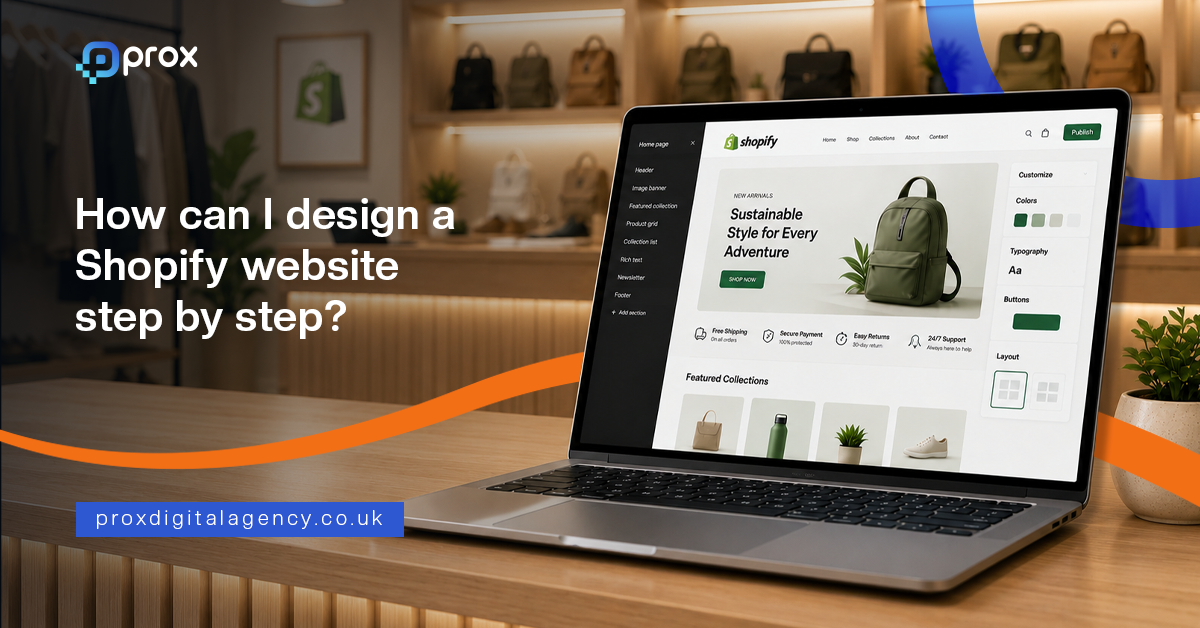
  • How Can I Design a Shopify Website Step by Step?

    How Can I Design a Shopify Website Step by Step?

    Prox Digital Agency has walked hundreds of business owners through this exact journey. This Shopify website design guide breaks the process into clear steps. If you follow these steps, you will have a solid foundation in Shopify. And if you get stuck, we are here.

    This guide walks you through how to design a Shopify website step by step, built around the needs of small and enterprise-level businesses in 2026. Let’s get started. For the broader principles behind high-performing UK websites, see our complete web design guide.


    Pick Your Store Layout and Pick the Right Shopify Plan

    Before you even touch a theme, pause. Grab a pen. Write, what do you actually sell? A rough plan on paper saves hours of digital unpicking later. Every good Shopify website design tutorial begins with a solid plan.
    Diagram showing how to map Shopify store collections and choose the right Shopify plan

    • Make a list of your product collections on paper first (e.g., Webcams, Smartwatches, Wireless chargers).
    • Think like your customer; if they can’t find the product in three seconds, they leave.
    • Start with a free Shopify trial. The Basic plan is suitable for startups.
    • Upgrade your plan as your sales climb.
    • Activate Shopify Payments from day one for smooth online transactions.

    Select and Customise a Mobile-Responsive Shopify Theme

    It’s time to decorate your Shopify. For any local business, speed and mobile look matter most. Over 70% of browsing happens on a phone. Go with a free theme first. The best part of Shopify website design for beginners is that you can create a professional-looking store without any coding experience. 

    Prox Digital Agency often rebuilds themes that looked good on desktop but confuse phone users. Here’s what you can do. For inspiration before you start customising, browse these examples of standout UK eCommerce website design to see what a well-executed Shopify theme looks like once it is dialled in.
    Desktop and mobile layout comparison for choosing a mobile-first Shopify theme

    • Use Shopify’s Theme Store filters for your industry and layout.
    • Start with a free theme. We would suggest ‘Dawn.’ It’s fast and trusted.
    • Use the drag-and-drop editor to match colours to your shop sign.
    • Add your logo and keep fonts readable on a five-inch screen.
    • Test every button on your mobile; a thumb must easily tap “Add to Cart”.

    Configure Payments, Shipping, and Tax Settings

    It is the part where many DIY builds fall apart. Incorrect settings can lead to compliance problems with HMRC — including missing the point at which you must register for VAT. But you don’t have to worry at all. Use this Shopify website builder guide to configure payments, shipping processes, and tax settings with confidence, even if you’re starting from scratch.
    Shopify payments, shipping and tax settings for a UK store

    • Set up Shopify Payments so customers can pay using Visa, Mastercard, and Apple Pay.
    • Add PayPal Express as a trusted backup for new customers.
    • Set up shipping integrations to automate labels, tracking, and order fulfilment.
    • Set up flat shipping rates or a free delivery threshold.
    • Don’t forget “Local Pickup” and local delivery for your postcode radius.

    Create Optimised Shopify Product Listings

    Products sell themselves, right? Wrong! A bad image kills a good product. Your image description is your silent salesperson. Go beyond the specifications and highlight the value your product offers. This is the true secret of how to make a Shopify website for your business to stand out against generic listings.
    Anatomy of an optimised Shopify product listing that converts

    • Use clean, natural light backdrops instead of blurry phone shots.
    • Show the product in use, such as a content creator using a USB microphone.
    • Write benefits, not just specs.
    • Write clear product titles, such as Bluetooth Wireless Mouse.
    • Write a compelling meta description in the search engine listing preview.

    Set Up Home, About, Contact, and Legal Policy Pages

    Your store needs a strong brand identity that customers recognise and trust. Show your story, your workshop, your messy desk. These pages help you build a Shopify store in reality. Without them, you’re just a stall, not a shop.
    The core Shopify pages that build customer trust

    • Create a home page with a clear hero image and a prominent “Shop Now” button. 
    • Skip tiny, moving carousels.
    • Use your About page to share your story and include authentic photos instead of stock images.
    • On the contact page, include your physical address, phone, email, and a form.
    • Legal pages should adapt Shopify’s templates for Privacy, Terms, and Refunds.

    Install Must-Have Shopify Apps 

    Apps add function. But too many can slow your site. Start lean with just the essentials. This modern Shopify website builder guide stops you from creating a bloated, slow digital store. Only install what you need today.
    How to keep a lean Shopify app stack so your store stays fast

    • Judge.me: For importing reviews and building essential social proof.
    • Yoast SEO or similar: To help you nail your search engine listing snippets.
    • Zapiet or Local Delivery: If your customer needs to choose a delivery date, delivery time, or store pickup at checkout.
    • A QuickBooks or Xero integration to keep your UK accountant calm.

    Only add an app if it addresses a specific and current business need.

    Testing and Launching Your New Shopify Website Checklist

    The finish line is close. A successful launch starts with thorough testing. This checklist caps off the rigorous Shopify design step-by-step 2026 blueprint. 
    Pre-launch testing checklist for a new Shopify website

    • Remove the password protection and do a live fake order to a real delivery address.
    • Check every confirmation email; ensure it is not landing in the spam folder.
    • Buy a product on your mobile using 4G, not your office Wi-Fi.
    • Use Google PageSpeed Insights to identify any high bounce rates.
    • Secure your domain connection.
    • Announce the launch with an Instagram post, WhatsApp status, and client emails.

    Choosing Between DIY Shopify Setup and Professional Website Design

    You can build a store. The tools exist. But a DIY approach often holds you back from your growth. Time is also a currency. Prox Digital Agency steps in where the drag-and-drop ends — our eCommerce website design and development service maps out customer psychology and builds revenue engines around it.

    We will help you pin down when it is time to hire a professional Shopify design agency instead of continuing DIY experimentation — and if you are weighing up the trade-offs, our cost-benefit breakdown of custom vs template websites is a good place to start.

    • The design might look functional, but not distinctive enough for your brand.
    • You follow the Shopify website design for beginners path perfectly, yet sales are stagnant.
    • Every hour spent designing your store is time not spent on your core business.
    • You need custom API integrations or a totally bespoke storefront design.
    • Your site feels “home-made” rather than “hand-crafted”; we fix that.

    When these challenges start holding your business back, it’s time to consider a professional Shopify solution from Prox Digital Agency.

    Conclusion

    So, that’s the whole roadmap. From blank page to first sale. Building a Shopify site is not magic. It’s a sequence. Plan the structure, dress it cleanly, set up compliance, add soul through products, and test like a customer. Follow this Shopify website design tutorial, and you’ll avoid the classic pitfalls.

    Knowing the steps and executing them beautifully are two different roads — and that is where Prox Digital Agency comes in, now supporting Shopify businesses globally.

    Frequently Asked Questions About Shopify Website Design

    Can I design a Shopify website with no tech background?

    Absolutely, you can design your Shopify store with no tech background. Shopify uses a visual editor. Plan your content and product presentation. And follow these steps

    Pick Your Store Layout and Pick the Right Shopify Plan

    • Select and Customise a Mobile-Responsive Shopify Theme
    • Configure Payments, Shipping, and Tax Settings
    • Create Optimised Shopify Product Listings
    • Set Up Home, About, Contact, and Legal Policy Pages
    • Install Must-Have Shopify Apps 
    • Testing and Launching Your New Shopify Website Checklist

    How much does a basic Shopify site cost to run in the UK?

    Shopify’s Basic plan costs about £19 a month if you pay annually, or around £25 a month on monthly billing. Add a domain name for roughly £10 a year. You can launch a functional UK store for under £50 in your first month if you do the design graft yourself. App costs add a few quid monthly if you need extras.

    What is the common mistake new Shopify store owners make?

    The two common mistakes new Shopify store owners make are

    • Poor product images and hidden costs. 
    • Springing unexpected shipping charges at checkout kills the trust. 

    Fix those two things, and you’re ahead of 90% of beginner projects to build a Shopify store.

    Should I pay for Shopify’s premium theme immediately?

    No. Shopify’s free “Dawn” theme is robust and fast. Launch with a free theme, make your first few sales, and only upgrade if you need a specific feature you can’t achieve.

    How long does it take to design and launch a Shopify website?

    A basic store built on a free theme like Dawn can go live in one to three days once your products and images are ready. A fuller, professionally styled store with custom branding typically takes two to four weeks, and complex builds with bespoke features or large catalogues can run to four to eight weeks.

    Is Shopify good for SEO?

    Yes. Shopify generates clean URLs, automatic XML sitemaps and fast-loading themes like Dawn out of the box. Strong rankings still depend on you writing unique product descriptions, setting proper title tags and meta descriptions, and keeping your collection structure logical, so most stores still benefit from a dedicated SEO pass.

  • The Complete Guide to Lead Generation Web Copy

    The Complete Guide to Lead Generation Web Copy

    Lead generation web copy is the difference between a website that gets visited and one that gets booked.

    This is the reality for many UK businesses in 2026. The problem usually isn’t visibility. It isn’t design either. More often than not, it is the words. Your website copy determines whether visitors stay or leave within seconds. It decides whether someone trusts your business enough to book a consultation or continues comparing competitors. Every headline, sentence and call-to-action either builds momentum or creates friction.

    Modern buyers are also behaving differently. AI search tools, Google’s AI Overviews and ChatGPT allow people to research companies long before speaking to a salesperson. By the time someone reaches your website, they have already formed expectations. They are not looking for clever marketing language. They are looking for evidence that your business understands their challenges better than anyone else.

    That means web copy has become one of the highest-return investments a business can make. Good design attracts attention. Exceptional copy converts attention into revenue.

    What Is Lead Generation Web Copy?

    Lead generation web copy is written with one clear objective: encouraging the right visitor to take the next step. That next step could be booking a discovery call, requesting a quotation, downloading a guide, subscribing to a newsletter or arranging a product demonstration.

    Unlike traditional copywriting, lead generation copy doesn’t simply explain what a business does. It removes uncertainty. It answers objections before they arise. It creates confidence by demonstrating expertise rather than simply claiming it.

    Think of your website as your highest-performing salesperson. A great salesperson doesn’t overwhelm prospects with information. Instead, they ask the right questions, understand problems, explain solutions clearly and guide conversations naturally towards a decision. Your website should achieve exactly the same outcome.

    Why Most Business Websites Fail to Generate Leads

    Many companies assume visitors are leaving because prices are too high or competitors offer better services. In reality, visitors often leave because the website gives them no compelling reason to continue. The majority of websites still focus almost entirely on themselves.

    You’ll often find headlines such as:

    • ‘We are an award-winning agency.’
    • ‘Delivering excellence since 2014.’
    • ‘Your trusted digital solutions provider.’

    While these statements may be true, they answer the wrong question. Visitors are silently asking:

    ‘Can you solve my problem?’

    If the homepage fails to answer that within a few seconds, attention disappears. Research from Nielsen Norman Group consistently shows that users scan before they read, taking in signals of relevance first and details second. Every unnecessary sentence increases cognitive effort, making visitors more likely to leave. Winning copy removes that effort.

    The Psychology Behind High-Converting Copy

    People rarely buy services because of features alone. They buy outcomes. A company searching for a new website is rarely excited about responsive layouts or modern code frameworks. What they actually want is more enquiries, stronger credibility, higher conversion rates and faster business growth.

    Successful web copy shifts the conversation from features to transformation. Instead of saying your agency builds responsive websites, explain how those websites reduce bounce rates, improve customer trust and generate more qualified enquiries.

    Every paragraph should answer one simple question:

    ‘Why should this matter to the reader?’

    When copy continually connects business services to business outcomes, conversion rates improve naturally because readers begin imagining success rather than evaluating specifications.

    Start With Your Customer, Not Your Company

    Many websites introduce the business before introducing the customer’s problem. That order should almost always be reversed. The opening section of every important landing page should demonstrate complete understanding of the visitor’s situation.

    • Perhaps they’re frustrated by declining enquiries.
    • Perhaps their website feels outdated.
    • Perhaps competitors appear higher in AI search results.
    • Perhaps marketing activities generate traffic without producing quality leads.

    When readers recognise their own frustrations in your copy, something important happens. They feel understood. Trust begins long before your business introduces itself.

    Only after establishing empathy should your copy explain how your solution removes those challenges. The visitor becomes the hero. Your business becomes the guide.
    UK small business owner reviewing declining website enquiries before improving their lead generation web copy

    The Five Questions Every Landing Page Must Answer

    Before asking anyone to complete a contact form, your copy should quietly answer several important questions. Every high-converting page should communicate:

    • What problem do you solve?
    • Why should someone trust you?
    • What makes your approach different?
    • What result can clients realistically expect?
    • What should visitors do next?

    If even one of these questions remains unclear, hesitation increases. Hesitation is the silent killer of conversions. Visitors rarely complain. They simply leave.
    Flowchart of the five questions every landing page must answer to generate leads

    Clarity Always Beats Cleverness

    Many businesses try to sound sophisticated. Unfortunately, sophisticated language often creates confusion. Compare these examples.

    ‘Our integrated digital ecosystem accelerates scalable organisational transformation.’

    Now compare it with:

    ‘We help growing businesses generate more leads through better websites, SEO and AI visibility.’

    The second version is easier to understand because it speaks the customer’s language rather than internal business jargon.

    This principle applies throughout your website. Choose everyday language over corporate vocabulary. Write naturally. Explain complex ideas simply. The easier your copy is to understand, the easier it becomes for people to trust your business. And trust remains the foundation of every successful lead generation strategy.

    Headlines That Stop Visitors From Leaving

    The headline is the most valuable sentence on your website. Before anyone reads your service descriptions, testimonials or pricing, they read your headline. If it fails to capture attention, the rest of the page rarely gets a chance.

    Many businesses waste this opportunity with generic statements like ‘Welcome to Our Website’ or ‘Professional Digital Solutions’. These phrases could belong to almost any company. They communicate nothing memorable and offer no reason to continue reading. A stronger headline immediately promises value.

    Instead of talking about your business, talk about the visitor’s outcome. Explain the problem you solve and the result people can expect. Visitors should know within a few seconds whether they have found the right solution.

    A simple framework works well:

    Problem + Solution + Outcome

    For example:

    ‘Generate more qualified leads with a website built for conversions, instead of just compliments.’

    That headline speaks directly to business owners who want measurable growth rather than attractive design alone. The best headlines reduce uncertainty. They reassure visitors that they’re in the right place before they have even started reading the rest of the page.

    Every Page Needs One Clear Next Step

    One of the biggest conversion mistakes is asking visitors to do too much. Some websites offer six different buttons, multiple contact forms, newsletter subscriptions, downloadable guides, chatbot pop-ups and social media links all competing for attention. Instead of increasing engagement, this creates decision fatigue.

    High-converting websites usually have one primary goal for each page. If the page exists to generate consultations, every section should gradually move visitors towards booking that consultation. Your calls-to-action should also explain the value of clicking.

    Compare these examples.

    Weak CTA

    ‘Submit’

    Better CTA

    ‘Book Your Free Strategy Call’

    The second version removes uncertainty and explains exactly what happens next. Good CTAs reduce perceived risk by making the next step feel simple, helpful and worthwhile. For the underlying formulas behind CTAs like this, see our breakdown of the psychology of the CTA.

    Trust Converts Better Than Persuasion

    Visitors are naturally sceptical. They’ve seen exaggerated promises before. They’ve read claims about being ‘industry leaders’ and ‘award-winning experts’ countless times. Trust is no longer built through self-promotion. It is built through evidence. Rather than telling visitors you’re experienced, demonstrate it through proof.

    Effective trust signals include:

    • Client success stories
    • Verified reviews
    • Industry certifications
    • Case studies with measurable results
    • Recognisable client logos
    • Media mentions
    • Awards and partnerships

    These elements quietly answer an important question every buyer asks:

    ‘Can I trust this company?’

    The stronger your proof, the less persuasion your copy requires.

    Write For Humans First, AI Second

    Search behaviour has changed dramatically over the past two years. People now ask ChatGPT, Google AI Overviews and voice assistants complete questions instead of typing short keywords. That means your copy should sound like natural conversation. Instead of forcing exact-match keywords into every paragraph, answer genuine customer questions clearly and directly.

    Imagine a business owner asking:

    ‘How can I generate more enquiries from my website?’

    Your content should answer that question exactly as a consultant would during a meeting. Natural language improves readability, increases trust and gives AI search engines clearer context about your expertise.

    Ironically, writing more naturally often improves SEO because modern search algorithms increasingly reward relevance, clarity and topical authority rather than keyword repetition. The future belongs to websites that educate before they sell.

    Remove Friction Wherever Possible

    Every additional obstacle reduces conversions. Sometimes the problem isn’t the offer. It’s the effort required to accept it. Ask yourself how many unnecessary barriers exist on your website.

    • Perhaps your contact form asks for twelve fields instead of four.
    • Perhaps pricing is completely hidden.
    • Perhaps visitors must navigate through several pages before finding basic information.

    Every extra click increases the chance of abandonment. Simplify wherever possible. Small improvements often produce surprisingly large gains. Look for opportunities to:

    • Shorten enquiry forms.
    • Reduce unnecessary navigation.
    • Make pricing expectations clearer.
    • Improve page speed.
    • Add answers to common objections before visitors ask them.

    The easier your website feels to use, the more likely people are to complete their journey. If auditing every page yourself feels like a lot to take on, our digital marketing team can rebuild the messaging and conversion strategy alongside you rather than leaving you to guess.

    Measure What Actually Matters

    Many businesses celebrate increasing website traffic while ignoring the only metric that truly matters. Conversions. Ten thousand visitors mean very little if nobody makes contact. Instead of focusing solely on page views, monitor the numbers that influence revenue.

    Track metrics such as:

    • Contact form submissions
    • Discovery call bookings
    • Landing page conversion rates
    • Average engagement time
    • Scroll depth
    • Lead quality
    • Cost per qualified enquiry

    These insights reveal whether your copy is genuinely persuading visitors or simply attracting attention. Great copywriting is never based on assumptions. It evolves through testing, measurement and continuous improvement. Even changing a headline, restructuring a page or rewriting a call-to-action can significantly increase conversion rates over time.

    The Future Of Lead Generation Copy

    Lead generation is changing. AI search engines increasingly summarise information before visitors even click through to websites. Buyers conduct extensive research independently before speaking with sales teams. Trust now develops across multiple digital touchpoints rather than during a single website visit, which is why copy can’t be treated in isolation from the rest of your marketing — see our digital marketing guide for UK businesses for how it fits alongside SEO, paid search and content strategy.

    This means web copy has a much larger role than simply filling empty spaces on a page.

    • It must educate.
    • It must reassure.
    • It must demonstrate expertise.
    • It must position your brand as the obvious choice before competitors even enter the conversation.

    Businesses that continue writing purely for search engines will struggle. Businesses that write for people, while making their expertise easy for AI systems to understand, will continue attracting qualified leads as search evolves.

    The principles remain timeless.

    • Understand your audience.
    • Communicate clearly.
    • Build trust.
    • Guide action naturally.

    Everything else supports those foundations.

    Frequently Asked Questions About Lead Generation Web Copy

    How long do visitors actually spend reading a web page before deciding to leave?

    Not long, and most of that time is spent scanning rather than reading. Nielsen Norman Group’s research found that 79% of users scan any new page rather than reading it word for word, and on average people only read 20 to 28% of the words on a page during a visit. That is why headlines, subheadings and the first line of each section carry most of the weight.

    What makes a call-to-action convert better than a generic one?

    Specificity and clarity. A CTA like ‘Submit’ describes an action with no value attached to it, while ‘Book Your Free Strategy Call’ tells the visitor exactly what happens next and what it costs them. The stronger version reduces perceived risk by making the outcome feel simple and worthwhile rather than vague.

    Should website copy be written for humans or for AI search engines like ChatGPT?

    Humans first. Writing in natural, direct language that answers real customer questions tends to perform better with AI search tools too, because those systems reward clarity, relevance and topical authority over keyword repetition. Copy written purely to satisfy search algorithms usually reads awkwardly and converts worse for actual visitors.

    Does shortening a contact form actually increase leads?

    Often, though not automatically. HubSpot’s analysis of tens of thousands of contact forms found that conversion rates rose by nearly half when the number of fields dropped from four to three. That said, other studies have found the opposite in specific cases, so form length matters less than whether every remaining field is genuinely necessary for that stage of the enquiry.

    What is the actual difference between traditional copywriting and lead generation copywriting?

    Traditional copywriting often focuses on describing a business clearly and professionally. Lead generation copywriting goes further: it is written with one specific action in mind, actively removes the doubts a visitor is likely to have, and guides them towards that action rather than simply informing them.

    How many trust signals should a landing page include?

    There is no fixed number. What matters is relevance and proof: a couple of specific, verifiable signals such as a named case study with real results or genuine client reviews will usually do more for conversions than a long row of generic badges and logos.

    Last But Not Least

    Your website is often the first conversation potential customers have with your business. Every headline, paragraph and call-to-action either builds confidence or creates doubt. Strong lead generation copy doesn’t rely on clever slogans or aggressive sales tactics. It removes uncertainty, answers genuine questions and makes taking the next step feel effortless. As AI search reshapes how buyers discover businesses, clear and authoritative copy has become more valuable than ever.

    At Prox, we combine strategic messaging, UX, SEO and Generative Engine Optimisation (GEO) to create websites that don’t simply attract visitors. In fact they convert them into qualified leads and long-term customers along with so many success stories.

  • How to Design a Website That Builds Trust in the UK Market

    How to Design a Website That Builds Trust in the UK Market

    A website that builds trust does not happen by accident. It is engineered, section by section, decision by decision.

    This is where most websites fail quietly. Not because they look bad but because they do not feel stable, clear or grounded. A website can be visually impressive and still lose trust if it creates confusion or hesitation in the user’s mind.

    And in 2026, hesitation is expensive. Because users are no longer comparing you to one competitor. They are comparing you to every smooth digital experience they had last week. So the real challenge is simple. Your website must reduce doubt faster than it creates it.

    Trust Is No Longer a Design Layer. It Is a Behavioural System

    Older websites treated trust as something you added at the end of a project. You would finish the homepage, polish the design and then add testimonials, logos and badges in the footer. That approach no longer works.

    Modern UK users do not treat trust as a separate section of a website. They experience it continuously through structure, clarity, speed and tone. A trust-first website behaves differently from a traditional one. It does not try to impress users with complexity. It guides them with simplicity. It does not overwhelm them with information. It prioritises clarity at every step of the journey.

    This shift matters because trust is no longer built through persuasion. It is built through reduction of friction. The less effort a user needs to understand you, the more credible you appear.

    How UK Users Actually Judge Trust in 2026

    Most founders assume trust comes from branding or visuals. In reality, UK users rely on far more practical signals.

    They ask silent questions while browsing, such as:

    • Does this business look real or overly polished in a suspicious way?
    • Can I find contact details without searching too much?
    • Do they clearly explain what they do and where they operate?
    • Is there evidence that real customers have used them?
    • Does this feel consistent or slightly thrown together?

    These judgments happen quickly and subconsciously. Users rarely articulate them but they act on them immediately. This is why many websites lose potential customers without any obvious reason.

    Everything looks fine from the outside. But inside the user’s mind, small uncertainties accumulate until they decide to leave. Trust is often lost in silence instead of confrontation.
    Faceted glass crystal illustration representing the scrutiny behind a website that builds trust

    Old Websites vs Modern Trust-Driven Websites

    To understand how trust design has evolved, it helps to compare older website thinking with modern expectations.

    Traditional websites focused heavily on presentation. The goal was to showcase services, explain the business and look professional. Navigation was often structured around pages rather than user intent. Teams created separate pages for separate messages, a homepage to introduce the business, service pages to explain offerings, a contact page to close the loop. That structure made sense when users moved through websites in a straight line. They rarely do that anymore.

    Modern websites operate differently. They behave like guided systems that remove uncertainty step by step. Instead of showing everything, they reveal information in a controlled flow that matches user behaviour. Even if a visitor lands directly on a service page instead of the homepage, the structure should still give them context, reassurance and direction.

    The difference can be understood simply. Older websites ask users to explore. Modern websites guide users to decide.

    Older structure:

    • Homepage as introduction
    • Separate pages for services and information
    • Trust elements placed at the bottom or secondary areas

    Modern structure:

    • Immediate clarity on what the business does
    • Trust signals integrated early in the experience
    • Actions available at every stage without friction

    This shift is not cosmetic. It directly impacts conversion and user confidence. A website that forces users to think too much loses them faster than a simple, direct one.

    Clarity Is the Strongest Trust Signal in the UK Market

    If there is one consistent rule across high-performing UK websites, it is this. Clarity always wins. Users do not want to decode your messaging. They do not want to interpret abstract branding statements. They want immediate understanding.

    A common mistake businesses make is trying to sound impressive instead of being clear. They use broad, vague language that feels polished internally but confusing externally.

    For example, a statement like ‘We deliver innovative digital transformation solutions’ might sound sophisticated in a boardroom, but it does very little for a visitor trying to understand what you actually do.

    Compare that to something simple like ‘We design and build websites for UK service businesses and startups.’

    The second version builds trust faster because it removes uncertainty immediately. In the UK market, clarity is the new rich as a form of communication and reassurance. And reassurance is the foundation of trust.

    The Role of Real Proof in Building Credibility

    One of the strongest trust signals in modern web design is not colour, typography or layout. It is evidence. UK users actively look for proof that your business exists beyond the website itself. They want to see real indicators such as completed work, customer feedback and tangible results.

    This is why websites that rely too heavily on stock imagery often struggle with credibility. Stock photos do not create doubt by themselves but they also do not remove it. Real proof does.

    This includes:

    • Genuine project images instead of generic visuals
    • Case studies that explain real outcomes
    • Customer reviews linked to real platforms
    • Clear service coverage areas that feel grounded in reality
    • Team or business identity that feels authentic
    • Visible security and data-handling practices, the kind we cover in our website security best practices guide, which matter just as much once a visitor is ready to hand over contact or payment details

    Independent researchers agree on this point. Nielsen Norman Group’s research on web credibility identifies design quality, up-front disclosure and current content as core factors in whether a website feels trustworthy. Proof is one of the few signals users check almost instinctively, often without realising it.

    The goal is not to overwhelm users with information. It is to show enough reality that doubt naturally decreases. Trust is rarely created through claims. It is created through confirmation.

    What a Website That Builds Trust Looks Like: Simplicity Over Complexity

    There was a phase in web design when complexity was seen as innovation. Heavy animations, layered visuals, experimental layouts and dramatic transitions were all signs a business had invested in its digital presence. That era has quietly ended.

    In 2026, simplicity signals maturity. A clean, structured, easy-to-navigate website feels more reliable than one that tries too hard to impress, especially in the UK market, where users value practicality over spectacle. A cluttered interface reads as unnecessary effort, and unnecessary effort reduces confidence.

    Good websites now focus on calm design systems. They avoid visual noise, prioritise spacing and keep key actions obvious. This does not mean design should be boring. It means design should be controlled. There is a subtle but important difference between creativity and confusion, and modern trust-focused websites understand it well.

    Interestingly, many high-converting UK websites now feel slightly ‘unexciting’ at first glance. That is intentional. They prioritise understanding over entertainment, because no one hires a service provider just because their website looked like a film trailer. Simple layouts, readable typography and consistent spacing create a sense of control, and that sense of control is what turns browsing into enquiries, bookings and purchases.

    Navigation Used to Organise Information. Now It Must Reduce Thinking

    Older websites treated navigation like a map. Everything had to be listed clearly so users could ‘choose where to go.’ The problem is that too many choices create hesitation. Modern UK websites simplify navigation aggressively, not because they lack content, but because they understand how users behave under decision pressure. A trust-first navigation system does not try to show everything. It focuses only on the paths that matter most.

    Instead of overwhelming users with categories, modern navigation highlights clear intent-based actions such as services, pricing, contact or key solutions. The goal is not to display structure. The goal is to remove thinking.

    When users do not need to interpret where to click, they feel more confident about continuing. And confidence builds trust faster than any visual design choice.
    Illuminated pathway illustration representing simplified navigation and trust signals in UK web design

    Trust Architecture Matters More Than Visual Design

    One of the biggest misunderstandings in web design is thinking that trust comes from visuals. In reality, trust comes from architecture. Trust architecture refers to how information is structured and revealed across a website. It determines when users see proof, how they access key information and how smoothly they move from curiosity to action.

    For example, a poorly structured website might hide pricing logic, bury contact details and delay proof until the bottom of the page. Even if the design looks good, users feel uncertain.

    A strong trust architecture does the opposite. It places clarity early, supports claims with evidence and keeps essential actions visible throughout the experience. This structure quietly answers user concerns before they even form fully. And that is what makes it powerful. It is also only one part of the picture, since structure, speed, accessibility and content all work together, which is why we cover the full framework in our web design guide for UK businesses in 2026.

    Common Trust Mistakes UK Websites Still Make

    Despite better tools and better awareness, many websites still repeat the same mistakes.

    • One of the most common issues is over-designing the homepage while neglecting supporting pages. This creates a disconnect where the entry experience feels polished but deeper pages feel inconsistent or unclear.
    • Another issue is unclear messaging. Businesses often describe themselves in abstract or overly creative language that sounds impressive internally but confusing externally.
    • A third mistake is hiding key information. Users should not have to search for contact details, pricing guidance or service areas. When they do, trust drops immediately.

    There is also a tendency to rely too heavily on generic stock visuals. While they may look clean, they do not reinforce authenticity. UK users are particularly sensitive to this because they are used to evaluating real businesses instead of polished illusions.

    Fixing these issues does not require complex redesigns. It requires discipline in clarity and consistency. For a wider checklist beyond trust specifically, our 10 web design best practices for UK businesses covers the same ground in more detail.

    Practical Ways to Build Trust Into Your Website System

    Building trust is not about adding more elements. It is about improving how existing elements work together.

    • One of the most effective approaches is to ensure every page answers three silent user questions. What does this business do, why should I trust them and what should I do next. If any of these questions remain unanswered, hesitation increases.
    • Another practical improvement is consistency. Fonts, spacing, tone of voice and visual patterns should remain stable across the entire website. Inconsistency creates subconscious doubt even when users cannot explicitly explain it.
    • Speed also plays a critical role. Slow websites feel unreliable, even if the content is strong. In the UK market, where users expect instant access, even small delays can damage perception.
    • Finally, contact accessibility matters more than most teams realise. If users cannot easily find a way to speak to you, they assume the business is less responsive than competitors. Trust is often lost not in big moments but in small moments of friction.

    If you would rather have this built in from the start than fix it after launch, our web design and development team can architect the structure, speed and proof points together instead of bolting trust on at the end.

    Why UK Users Respond Strongly to Transparency

    UK audiences tend to value straightforward communication. They are not easily convinced by exaggerated claims or overly polished branding language. Instead, they respond better to transparency.

    This includes clear explanations of services, honest descriptions of process, visible contact options and realistic expectations around pricing or timelines. When a website feels honest, users relax. And when users relax, they are far more likely to convert.

    This is why overly ‘salesy’ websites often underperform in the UK market. They try to persuade too quickly instead of building confidence first. Trust always comes before conversion. Never after it.

    Frequently Asked Questions About Website Trust and Design

    How quickly do visitors decide whether to trust a website?

    Research from Carleton University found that users form a first impression of a website’s credibility in as little as 50 milliseconds, based almost entirely on visual design rather than content. That snap judgement does not decide everything, but it sets the tone, and users then spend the next few seconds looking for evidence that confirms or corrects it, which is why clarity and structure matter from the very first screen.

    What are the most important trust signals for a UK business website?

    The signals that matter most are the ones that answer a visitor’s unspoken questions quickly: clear contact details, an honest explanation of what the business does and where it operates, genuine proof such as case studies or reviews, and visible security or data-handling practices. None of these require a redesign on their own. They require being easy to find.

    Do UK websites legally need to display company registration details?

    Yes. Under the Companies Act 2006, UK-registered companies must display their company registration number and registered office address somewhere on their website, such as the footer or contact page. It does not need to appear on every page, but it must be easy to find, and failing to include it can result in a fine.

    Does adding trust signals actually improve conversion rates?

    Yes. Baymard Institute research asked thousands of online shoppers why they abandon a purchase at checkout, and nearly one in five cited not trusting the site with their payment details as a reason, which shows how directly perceived trust affects revenue rather than just perception.

    Is a simple website design more trustworthy than a highly animated one?

    Generally, yes, for UK service businesses. Heavy animation and experimental layouts can look impressive in isolation, but they slow down comprehension, and users read that friction as effort rather than polish. A calm, structured layout tends to convert better because it lets people find what they need without thinking about the interface itself.

    How is a trust-driven website different from a normal business website?

    A standard website presents information and expects visitors to explore it. A trust-driven website is structured as a guided journey. It anticipates the questions a visitor is silently asking at each stage and answers them in order, so hesitation is reduced before it has a chance to build.

    Trust Is a System Not a Style Choice

    Designing a website that builds trust in the UK market is not about decoration or visual trends. It is about how the entire system behaves when users interact with it. Older websites focused on pages and presentation. Modern websites focus on journeys and decision-making. That difference determines everything from bounce rates to enquiries to long-term brand perception.

    The most successful websites in 2026 are not the most complex. They are the most reliable. They communicate clearly, reduce friction and guide users without confusion. For founders and teams trying to improve performance, the lesson is simple.

    Do not start with visuals. Start with structure. Do not focus on impressing users. Focus on helping them understand. At Prox Digital Agency, we build websites with this exact principle in mind. Not just websites that look good but systems that earn trust quickly and convert consistently in real UK markets. Because in the end, a website is not just a digital presence. It is your first conversation with a customer.

  • How UK Startups Are Building Apps on a Budget

    How UK Startups Are Building Apps on a Budget

    Keeping app development cost UK-wide under control is the single biggest question every founder asks before writing a line of code.

    How? Simply by utilising no-code platforms, AI-assisted coding, and strict Minimum Viable Product (MVP) frameworks. But that’s not it. Other dos and don’ts can lead you towards a successful startup that generates revenues without emptying your pockets.

    In this guide, we’ll pinpoint the factors that influence Mobile App Development Cost UK 2026 and explore practical ways to keep your app within budget. Here’s the playbook to follow. Whether you go it alone or lean on a creative digital agency London trusts for budget-conscious builds, this strategy works undoubtedly. For the fuller roadmap, see our guide to building an app for your small business.

    Create a Roadmap Before Writing Code

    The most expensive mistake you can make isn’t picking the wrong technology – it’s starting without a watertight plan. Even the thought of “just one more feature” can easily burn your cash. So, before jumping into the coding, gather your team and create a clear roadmap of your startup and its objectives. 

    Jot down three simple things at this point.

    • The single problem that your app will solve.
    • The target audience who will utilise it.
    • The core features, and the only features that they will genuinely need.

    Once you’re done finding the answers to these three questions, apply the MoSCoW method to label each one: Must-have, Should-have, Could- have, and Won’t have.

    Prox Digital Agency ruthlessly follow this strategy to begin building your startup app.

    Create an MVP That Reaches the Market

    Minimum Viable Product sounds obvious until you’re in the thick of it, convincing yourself users will need video calling, AI recommendations and social sharing before they’ll even sign up. They won’t. 

    Let’s imagine this! You need a telehealth platform for your health-tech startup. You launched with a single feature that says “Book your physio and get a personalised exercise + diet PDF.” You came up with the final build that took 8 weeks, cost you only £18,000, and provided you with a bonus of real-user feedback.

    That’s exactly what a budget-friendly startup needs. Ship one thing that works beautifully, then iterate. Investors and early adopters respect a live product, not perfect. If you’re still defining what belongs in your MVP, see our full breakdown of what an MVP actually is.

    Pick the Right Development Path for Your Startup

    Not every route to a built app costs the same. There are four startup app development routes you can choose from. They are cost-effective, lean and also ROI focused.

    Abstract visualization of choosing a development path that shapes app development cost UK-wide

    Low Code or No Code Platform

    Choose Low or no-code platforms to begin with. They are cheaper and best for MVPs, internal tools, simple marketplaces, and idea validation. This route will cost you £5,000 – £20,000, depending on the features you require. The launch-ready design only takes 4 to 8 weeks to build, and you’re all set to launch your idea in the market.

    The possible trade‑off for low code platform is customisation and scalability. When you hit 100,000 users, you might need to rebuild your app.

    Freelance Developers 

    Many freelance developers offer some of the most affordable rates for building a custom MVP with moderate complexity. They typically cost between £15,000 and £50,000, and can turn around a launch-ready app design in 8 to 16 weeks. But in this case, it’s a little tricky to find just the pros. We’ve ranked the top UK app design studios and freelancers if you want a shortlist to start from.

    Cross‑platform Frameworks

    With frameworks like React Native and Flutter, you can use the same code base for both iOS and Android versions of your MVP. The standard price of this approach is between £30,000 and £80,000 and it takes about 12 to 20 weeks to develop.

    Cross-platform frameworks are particularly ideal for polished consumer apps and seed-stage startups in the UK. In the past, maintaining separate codebases for iOS and Android was often the only option.

    Many startups mix and match these strategies, depending on the founders’ business objective. You might want to go with a no-code prototype and switch to the cross-platform build later. 

    If you want a trusted partner to guide your product journey without stretching your budget, Prox is an app development company London startups rely on, offering strategic expertise at startup-friendly rates while helping you avoid costly shortcuts.

    Design Without the Designer Price Tag

    If you’re planning to go with Bespoke UI/UX for your MVP design, you’re going to regret it because they can swallow your thousands before even building a button.

    Choose from ready-made UI kits such as Material Design, Apple’s Human Interface Guidelines and templates from Envato or Creative Tim. Imagine you spent £49 on a template, fixed the brand colour theme and got feedback describing your design as “clean and innovative.” Sounds encouraging? Right! 

    Start with proven patterns and customise later when revenue justifies it.

    Keep the Backend Boring and Cheap

    It’s tempting to architect a scalable cloud infrastructure on day one. Stop right there! Backend-as-a-Service tools like Firebase, Supabase or AWS Amplify handle authentication, databases, and push notifications for low rates or often free until you hit thousands of users. 

    An Edinburgh community app ran on Firebase for eight months with a monthly bill of under £20. This approach reflects why app development for London startups often prioritises cost-efficient tools, leaving more budget for SEO, user acquisition, and growth marketing.

    Test Like Your Launch Depends on It (Because It Does)

    Skipping proper testing to save cash is a false economy that leads straight to one‑star reviews and an uninstall rate that’ll break your heart. But you don’t need an expensive dedicated QA team for testing. Here’s what you can do instead.

    • There are beta testing platforms available that let real users try your app before its public launch. They are cheaper yet effective. Platforms include TestFlight (iOS) and Google Play’s open testing.
    • Utilise automated testing tools that run regression tests overnight, and detect bugs that would otherwise take hours of manual clicking.
    • Let the early‑adopter communities on Reddit, Indie Hackers, or even a private Facebook group hunt for issues in exchange for early access and a bit of recognition. This one also helps in marketing your MVP.

    Plan for Post-Launch Costs

    Startup owners often stop talking about investments right after the launch. That’s a big mistake! Even the MVPs require post-launch cost conversations for ongoing expenses. 

    Abstract illustration of the budgeting stages that make up app development cost UK-wide

    • App stores charge platform fees too: the Apple Developer Program costs £79 ($99) per year, while Google Play charges a one-off $25 (roughly £20).
    • Set aside 15-20% of your budget for maintenance and updates, including OS updates, bug fixes and minor improvements.
    • App security features like privacy policy, terms of service, and GDPR require a budget of £1,000–£2,000.
    • Service charges also consume a portion of your budget on a monthly or annual basis.
    • Marketing is the silent budget killer. Even a modest paid user‑acquisition campaign in a competitive niche can become heavy on the entire development cost.

    Luckily, Prox offers the most affordable mobile app development cost in UK for MVPs and startups with a tight budget. You can discuss with our experts about post-launch costing and we’ll get back to you with a foolproof final plan.

    Build Your Startup on Your Budget

    The UK is in a golden window for lean app building. Talent is global, tools are cheap, and the best agencies are available. The ones that genuinely care about startup budgets are right here. 

    Whether you’re hiring a freelancer, a no-code builder, or partnering with a creative digital agency in London, the path to a live app has never been shorter or more affordable. 

    At Prox, we specialise in walking UK startups through exactly this process: no fake promises, no hidden fees, just an app that does what your business needs while respecting every pound of your budget. Therefore, hire Prox app developers London startups rely on because your idea deserves to be in users’ hands, not stuck in a spreadsheet.

    Once your app is live, our round-up of the top AI features worth adding in 2026 is a good next stop.

    FAQs About App Development Cost UK

    What is the app development cost for a UK startup?

    A simple startup app development cost starts from £15,000 to £30,000. While the complex builds can exceed your budget by £150,000. 

    What is the cheapest way to build an app in UK?

    The cheapest way to build an app in the UK is by utilising no-code platforms that offer production-ready solutions for startups. They’re ideal for testing ideas and can serve thousands of users. They have customisation limits, but for a first version, they cut development costs by 60–80%.

    What is the 50/30/20 budget rule for app development?

    Applied to an app project, the 50/30/20 rule means allocating roughly 50% of your budget to core build essentials, 30% to secondary features and growth, and 20% to a buffer for post-launch fixes, updates and marketing. It’s a simple way to stop feature creep from swallowing your entire budget.

    Does SEO optimisation matter for a startup app building?

    Absolutely, but mainly through App Store Optimisation (ASO), such as keyword research, strong titles, clear descriptions and good ratings for organic downloads. Traditional SEO for your app’s website or landing page also encourage installs, so it should be part of your launch plan.

    How long does it take to build an app on a budget?

    Timelines scale with your chosen route. No-code platforms can get a launch-ready build done in 4 to 8 weeks, freelance developers typically need 8 to 16 weeks, and cross-platform framework builds like React Native or Flutter usually take 12 to 20 weeks. Most budget-conscious UK startups start with the fastest option and rebuild once revenue justifies it.

    Do I need to hire a developer to build an MVP?

    Not necessarily. Many UK startups validate their first MVP entirely on no-code platforms or with AI-assisted coding tools before ever hiring a developer. A developer becomes worth the cost once you need custom functionality, need to scale past a no-code platform’s limits, or want a codebase you fully own.

  • Core Web Vitals: How Page Experience Affects Your Rankings

    Core Web Vitals: How Page Experience Affects Your Rankings

    Core Web Vitals have become one of the clearest signals Google uses to judge whether a website deserves to rank well. The same thing happens online every day. Businesses invest heavily in SEO, content marketing, backlinks, paid advertising and conversion optimisation. Then they send visitors to websites that load slowly, jump around while loading or respond sluggishly when users try to click a button. Visitors become frustrated before they have even read the first sentence. Google notices those poor experiences too. As a result, rankings suffer, engagement drops and valuable traffic disappears. In 2026, page experience is no longer a technical consideration sitting quietly in the background. It plays a direct role in how users perceive your business and how search engines evaluate your website.
    It’s now a core part of how web development works for growing businesses.

    The Internet Has Changed And Google Changed With It

    Ten years ago, ranking on Google was often a fairly straightforward exercise. Create content around a target keyword, build a reasonable backlink profile and wait for the rankings to improve. User experience certainly mattered, but it rarely dominated SEO conversations in the way it does today. Many websites achieved strong rankings despite being slow, clunky and difficult to use because Google had fewer ways to measure real-world user satisfaction.

    Today, the landscape looks completely different. Google now evaluates not only the relevance of your content but also the quality of the experience users receive when they land on your website. A page might contain the most comprehensive information available on a topic, but if visitors struggle to access that information comfortably, Google sees that struggle as a problem. Search engines increasingly reward websites that respect users’ time and attention. That shift has transformed performance from a developer concern into a business concern.

    This evolution explains why Core Web Vitals have become such a significant ranking factor. Google wants to understand something that traditional SEO metrics could never fully capture. How does a website actually feel to use? Does it load quickly? Does it remain stable while loading? Does it respond instantly when someone interacts with it? These questions matter because user expectations have changed dramatically. Nobody celebrates a website that eventually loads. People expect it to work immediately.
    Illustration of a glowing digital speedometer representing Core Web Vitals page speed performance

    What Are Core Web Vitals

    Core Web Vitals are a collection of performance metrics that Google uses to evaluate real-world page experience. Instead of relying solely on laboratory testing or technical benchmarks, Google measures how actual users interact with your website. For the official breakdown, see Google’s own Core Web Vitals documentation. This approach gives search engines a much clearer understanding of what visitors experience when they browse your pages on mobile devices, laptops and tablets across different network conditions.

    The three Core Web Vitals metrics are Largest Contentful Paint (LCP), Interaction to Next Paint (INP), and Cumulative Layout Shift (CLS). Together, they help Google determine whether a website feels smooth, responsive and stable. Rather than viewing them as technical jargon, it is helpful to think of them as indicators of customer satisfaction. They reveal whether visitors can quickly see your content, interact with your pages without delays and browse without annoying layout movements disrupting their experience.

    For founders, marketers and business owners, this matters because Core Web Vitals influence far more than rankings. They affect bounce rates, engagement, conversions and brand perception. A website that performs well often feels more professional and trustworthy. A website that performs poorly can create doubt before a visitor has even considered your products or services.

    Why Google Cares So Much About Page Experience

    Google’s business model depends on trust. Every time someone performs a search, Google makes an implicit promise that it will deliver the most useful and reliable results available. If those search results consistently send users to slow, unstable, frustrating websites, that trust begins to erode. Google’s focus on page experience is therefore not surprising. The search engine has a strong incentive to reward websites that create positive experiences for visitors.

    This is why page experience updates have become increasingly important over the last several years. Google wants users to land on a page and immediately feel comfortable. They should not encounter long loading delays, unexpected layout shifts or frustrating interaction lags. The smoother the experience, the more likely users are to remain engaged with the content. When visitors stay longer, interact more and return in the future, Google receives signals that suggest the page delivered value.

    From Google’s perspective, Core Web Vitals provide measurable evidence of user satisfaction. They allow the search engine to move beyond simply analysing content and begin evaluating the quality of the overall experience. That makes them one of the most important bridges between technical performance and SEO success.

    The Three Metrics Google Watches Closely

    Now that we understand why page experience matters, it is time to look at the three measurements that sit at the heart of Core Web Vitals. Many business owners hear terms like LCP, CLS, and INP and immediately switch off because they sound technical. In reality, these metrics measure something very simple.

    They measure frustration. Google wants to know how much friction users experience while interacting with your website. If visitors can access content quickly, navigate comfortably and interact without delays, your scores improve. If your website creates unnecessary obstacles, your scores suffer.

    Think of Core Web Vitals as a customer satisfaction survey happening silently in the background. Users never fill out a form, yet their behaviour tells Google everything it needs to know. Every delay, layout jump and sluggish interaction contributes to a larger picture of how enjoyable your website feels to use. The better that experience becomes, the stronger your position in search results can be.

    Largest Contentful Paint (LCP) And The Importance Of First Impressions

    The first Core Web Vital is Largest Contentful Paint, commonly known as LCP. This metric measures how long it takes for the main content of a page to appear on screen. In simple terms, Google wants to know when visitors can actually start consuming the information they came for. A blank screen, spinning loader, or half-loaded page does not count as meaningful content.

    Imagine walking into a coffee shop and waiting several minutes before anyone acknowledges your existence. Even if the coffee eventually turns out to be excellent, the first impression has already suffered. Websites work in exactly the same way. Visitors form opinions almost immediately. If your hero image, headline, or primary content takes too long to load, people begin questioning the reliability of the experience.

    Google recommends an LCP score of under 2.5 seconds. That might sound demanding but modern users have become remarkably impatient. Streaming platforms, social media apps and ecommerce giants have trained people to expect near-instant experiences. When your website feels slower than the rest of the internet, users notice. They may not understand why the experience feels frustrating, but they certainly feel it.

    This shift highlights an important lesson for businesses. Speed is no longer just a technical achievement. It has become part of customer experience design. A fast website creates confidence before a visitor reads a single line of content. A slow website creates doubt before your message even has a chance to land.

    Cumulative Layout Shift And The Art Of Staying Still

    The second Core Web Vital is Cumulative Layout Shift, usually shortened to CLS. This metric measures visual stability. In other words, Google wants to know if your website remains steady while loading or if elements jump around unexpectedly.

    Most people have experienced this frustration. You try to click a button, only for an image or advert to load at the last second and push everything down the page. Suddenly, you click the wrong thing. Few online experiences feel more irritating. It is a bit like trying to sit on a chair just as someone quietly moves it. Technically, nobody has broken the rules, but it still leaves you annoyed.

    Older websites often suffered from this problem because designers focused heavily on aesthetics while giving less attention to loading behaviour. Large images, embedded videos, advertisements and custom fonts frequently loaded at different times, causing layouts to shift unpredictably. In 2026, that approach feels outdated.

    Users expect stability. They want websites to behave predictably from the moment they arrive. A stable layout creates a sense of professionalism because it signals that the website has been carefully engineered. Even subtle layout shifts can reduce trust, particularly on mobile devices where screen space is limited and every movement feels more noticeable.

    When businesses improve CLS, they often notice benefits beyond SEO. Conversion rates improve, user engagement increases and frustration decreases. It is a reminder that many technical improvements ultimately serve human needs rather than search engine algorithms.

    Interaction To Next Paint And The Need For Responsiveness

    The newest Core Web Vital is Interaction to Next Paint, or INP. This metric measures how quickly a website responds when users interact with it. Clicking a button, opening a menu, submitting a form or using a search feature all contribute to this score.

    Think about the difference between a conversation with a friend and a conversation with someone who pauses for five seconds before answering every question. Even if the answers are good, the interaction feels awkward. Digital experiences follow the same principle. People expect immediate feedback when they click or tap something. Delays create uncertainty. Users start wondering if the action worked, if the website is frozen or if they need to try again.

    This issue has become increasingly important because modern websites rely heavily on JavaScript, animations, third-party integrations and dynamic content. While these features can create impressive experiences, they often introduce performance bottlenecks. A website may load quickly yet still feel sluggish once users start interacting with it.

    Google introduced INP because page speed alone no longer tells the full story. A fast-loading website that feels slow to use is still delivering a poor experience. Businesses that optimise responsiveness create smoother journeys, stronger engagement and ultimately better outcomes for users and search engines alike.

    Why Core Web Vitals Matter More Than Ever In 2026

    A few years ago, many SEO professionals viewed Core Web Vitals as a secondary ranking factor. Important, certainly, but not critical. That perception has changed significantly. As search results become more competitive, the margin between winning and losing often comes down to small differences in quality.

    Imagine two businesses targeting the same keyword. Both publish strong content. Both have respectable backlink profiles. Both offer similar products or services. In situations like this, page experience becomes a deciding factor. If one website loads faster, responds more smoothly, and creates less frustration, Google has a clear reason to favour it.

    This does not mean Core Web Vitals can magically compensate for weak content or poor SEO strategy. They cannot. However, they increasingly act as a tie-breaker in competitive markets. For businesses operating in crowded industries, that tie-breaker can represent thousands of pounds in additional revenue over time.

    The broader trend is clear. Google wants websites to deliver exceptional user experiences, not simply answer questions. Core Web Vitals help measure that experience in a structured and scalable way.

    How Websites Used To Be Built Compared To Today

    Many performance problems originate from outdated design habits. Older websites often prioritised visual impact above everything else. Designers filled pages with massive image sliders, autoplay videos, complex animations and dozens of third-party plugins. At the time, these features felt innovative. Today, they often feel unnecessary.

    Modern web design follows a different philosophy. Instead of asking, ‘What can we add?’ successful teams ask, ‘What can we remove?’ The goal is not to create the busiest website. The goal is to create the clearest and fastest experience possible.

    This shift reflects a broader change in user expectations. Visitors no longer equate complexity with quality. In fact, many users associate simplicity with professionalism. A clean and responsive website often feels more premium than a flashy website struggling under the weight of unnecessary features. See what else is shaping web development trends for 2026.

    For founders and business owners, this lesson is valuable. Every design decision should support performance, usability and clarity. If a feature slows down the experience without providing meaningful value, it may be doing more harm than good.
    Illustration of glowing interconnected gears and dials representing Core Web Vitals optimization techniques

    Practical Ways To Improve Core Web Vitals

    Improving Core Web Vitals does not always require a complete rebuild. In many cases, a series of focused improvements can produce significant gains. Businesses often achieve noticeable results by optimising images, reducing unnecessary scripts, improving hosting infrastructure and implementing modern caching solutions. For a deeper, developer-focused breakdown, see our Core Web Vitals best-practices guide for developers.

    Another common opportunity involves reviewing third-party tools. Many websites accumulate marketing widgets, chat systems, tracking scripts and integrations over time. Individually, each tool may seem harmless. Collectively, they can create substantial performance problems. A regular audit helps identify which tools genuinely contribute value and which simply add weight. If load time specifically is the bottleneck, see practical steps to cut load time.

    Design teams should also prioritise mobile performance from the beginning of every project. Mobile traffic now dominates most industries and Google largely evaluates websites through a mobile-first lens. A website that performs brilliantly on desktop but struggles on mobile devices risks losing both rankings and customers.

    The most effective approach is to treat performance as an ongoing process rather than a one-time task. Websites evolve constantly. New features, campaigns and content updates can introduce fresh issues. Regular monitoring ensures performance remains aligned with user expectations.

    Quick Wins: Where To Start

    If you only act on five things this month, make it these:

    • Compress and lazy-load images so the largest visible element renders fast (helps LCP)
    • Reserve space for images, ads and embeds before they load (helps CLS)
    • Defer or remove third-party scripts that don’t earn their keep (helps INP)
    • Move to modern hosting with caching built in rather than bolted on
    • Re-test on real mobile devices, not just desktop dev tools

    The Bigger Picture Behind Core Web Vitals

    It is easy to view Core Web Vitals as another technical SEO requirement. In reality, they represent something much larger. They reflect a fundamental shift in how websites are evaluated. Search engines no longer focus solely on information. They increasingly focus on experiences.

    Businesses that embrace this shift gain a competitive advantage. They stop thinking about websites as collections of pages and start viewing them as products that users interact with every day. Every improvement in speed, stability and responsiveness strengthens the overall experience. If you’d like a professional audit, our web design and development agency can help.

    When visitors enjoy using your website, they stay longer, engage more deeply and trust your brand more readily. Search engines notice those positive signals. Over time, better experiences contribute to stronger rankings, better conversions and more sustainable growth.

    Frequently Asked Questions About Core Web Vitals

    What are Core Web Vitals?

    Core Web Vitals are a set of three metrics Google uses to measure real-world page experience: Largest Contentful Paint (LCP) for loading speed, Interaction to Next Paint (INP) for responsiveness, and Cumulative Layout Shift (CLS) for visual stability.

    What is considered a good Core Web Vitals score?

    A page passes Core Web Vitals when at least 75% of visits meet these thresholds: LCP under 2.5 seconds, INP under 200 milliseconds, and CLS under 0.1. Google measures this using real user data from the Chrome User Experience Report over a rolling 28-day period.

    How can I check my website’s Core Web Vitals?

    The most reliable ways are Google Search Console’s Core Web Vitals report, which shows real user data for your whole site, and PageSpeed Insights, which gives a page-by-page breakdown alongside lab-based recommendations.

    Do Core Web Vitals directly affect Google rankings?

    Yes, Core Web Vitals are part of Google’s page experience signals and factor into ranking, though relevance and content quality still carry more weight. Where two pages are similarly relevant, better page experience can be the deciding factor.

    What happened to First Input Delay (FID)?

    FID was officially retired and replaced by Interaction to Next Paint (INP) as a Core Web Vital in March 2024. INP gives a fuller picture of responsiveness because it measures the full interaction, not just the initial delay.

    Final Thoughts Before You Leave

    Core Web Vitals are not just about pleasing Google. They are about respecting your visitors’ time. Every second saved, every layout shift prevented and every interaction improved creates a smoother experience for real people. That is why these metrics continue to grow in importance.

    The businesses winning organic search in 2026 are not simply publishing more content. They are delivering better experiences. They understand that rankings, conversions and customer trust are closely connected. A fast, stable, responsive website creates confidence. A frustrating website creates doubt.

    At Prox Digital Agency, we see this every day. Businesses often focus on keywords, backlinks and content strategies while overlooking the experience users receive after arriving on the website. Yet that experience frequently determines whether visitors stay, convert or leave for a competitor.

    In the end, Core Web Vitals are not really about metrics. They are about people. Improve the experience for people and the rankings usually follow.