Blog

  • 10 Common Google Search Console Errors and How to Fix Them

    10 Common Google Search Console Errors and How to Fix Them

    Google Search Console is not just a reporting tool. It is Google’s way of telling you when something has gone wrong with crawling, indexing, or understanding your website. If Google cannot access your pages properly, it cannot rank them properly either.

    The good news is that most Google Search Console errors are fixable. Some take minutes. Others require technical support. Either way, the sooner you fix them, the sooner Google can get back to doing its job.

    In this guide, we’ll walk through the most common Google Search Console errors, explain what they actually mean and show you how to fix them without pulling your hair out. Let’s start with the issues that stop Google from reaching your pages in the first place.

    Why Google Search Console Errors Matter

    Think of your website as a high street shop. You can have the best products in town. You can have beautiful window displays. You can even have customers looking for exactly what you sell. But if somebody bricks up the front door, nobody gets inside. Google Search Console errors work in a similar way.

    Some errors stop Google from crawling pages. Others prevent indexing. Some create confusion about which version of a page should rank. Left unresolved, these issues can quietly damage your organic visibility.

    For UK businesses competing in crowded markets such as legal services, property, healthcare, finance or ecommerce, small technical problems can create a significant disadvantage. That is why regular monitoring matters. Many London SEO agencies reinforce this same message to their clients. Now let’s look at the first group of errors.

    Error 1: Server Error 5xx

    What it means

    A 5xx error tells Google that your server failed to respond correctly when Googlebot attempted to visit a page. In simple terms, Google knocked on the door and nobody answered. These errors commonly include:

    • 500 Internal Server Error
    • 502 Bad Gateway
    • 503 Service Unavailable

    Why it happens

    Several issues can trigger a 5xx error. Your hosting provider may be experiencing downtime. A plugin update may have broken something. Your server may have run out of resources during a traffic spike. In some cases, poor code or database problems can also cause server failures.

    How it affects SEO

    If Google repeatedly encounters server errors, it may reduce crawling activity across your website. Important pages can disappear from the index. Rankings may drop over time.

    How to fix it

    • Start by checking whether the problem still exists. Use tools such as server logs, uptime monitoring software, or your hosting dashboard.
    • If the error appeared after a recent website update, roll back the change and test again.
    • Speak with your hosting provider if necessary. A good host should help identify server-related problems quickly.
    • Once fixed, request indexing through Google Search Console so Google can revisit the affected pages.

    Error 2: Redirect Errors

    What it means

    Redirects help users and search engines reach the correct page when URLs change. However, not all redirects behave as expected. Google Search Console reports redirect errors when something interrupts the journey from one URL to another.

    Common causes

    • Redirect loops are one of the biggest culprits. Imagine asking somebody for directions to Manchester and being sent in a circle around Birmingham all afternoon. Eventually you would give up. Googlebot does exactly the same.
    • Long redirect chains can also create problems. If a URL redirects multiple times before reaching the final destination, Google may stop following the chain.
    • Broken URLs inside redirect paths can trigger errors too.

    How it affects SEO

    Redirect errors waste crawl budget and slow down indexing. Users may also encounter frustrating experiences if pages fail to load correctly.

    How to fix it

    • Run a website crawl using tools such as Screaming Frog.
    • Identify the original URL and final destination.
    • Remove unnecessary redirect steps wherever possible.
    • A single redirect from the old URL to the new URL is usually the best approach.
    • Keep redirect paths short, clean, and logical.

    Error 3: Not Found 404

    What it means

    A 404 error appears when Google attempts to access a page that no longer exists. This is one of the most common Search Console errors. Not every 404 is bad. If you intentionally deleted a page and it no longer serves a purpose, a 404 may be perfectly acceptable. Problems arise when valuable pages disappear unexpectedly.

    Why it happens

    The most common causes include:

    • Deleted pages
    • Incorrect URLs
    • Website migrations
    • Broken internal links
    • Missing redirects

    Many businesses redesign their websites and forget to redirect old URLs. That is like moving house and forgetting to tell anyone your new address.

    How it affects SEO

    Google cannot rank a page that no longer exists. If important backlinks point towards a deleted page, valuable authority may also be lost. Users landing on broken pages often leave immediately.

    How to fix it

    • Identify whether the missing page should still exist.
    • If the content has moved, create a 301 redirect.
    • If the page has a suitable replacement, redirect users there.
    • Update internal links pointing to outdated URLs.
    • Review your XML sitemap and remove pages that no longer exist.

    Error 4: Soft 404 Errors

    What it means

    A soft 404 is slightly more confusing. The page technically exists. The server returns a successful response. But Google believes the page provides little or no value. As far as Google is concerned, the page might as well be missing.

    Common causes

    • Thin content is a frequent reason.
    • Empty category pages often trigger soft 404 warnings.
    • Poorly configured search result pages can create the same issue.
    • Some websites accidentally display ‘page not found’ messages while still returning a successful status code.
    • That sends mixed signals to Google.

    How it affects SEO

    Soft 404 pages rarely rank well. They can waste crawl resources and dilute overall website quality signals.

    How to fix it

    Review the affected page carefully. Ask yourself a simple question. Would a visitor genuinely find this page useful? If the answer is no, improve the content or remove the page entirely. Add unique information, supporting content, images, FAQs or useful resources. If the page no longer serves a purpose, redirect it to a relevant alternative.

    Error 5: Blocked by Robots.txt

    What it means

    Your robots.txt file tells search engines which areas of your website they can and cannot access.

    Sometimes important pages become blocked accidentally.

    Google then reports a robots.txt issue inside Search Console.

    Why it happens

    Developers often block pages during website development.

    Later, those restrictions remain in place after launch.

    A single line inside robots.txt can prevent Google from crawling entire sections of your website.

    It happens more often than many business owners realise.

    How it affects SEO

    Google cannot properly crawl blocked pages. If important content sits behind a robots.txt restriction, rankings can suffer. In some cases, entire website sections may disappear from search results.

    How to fix it

    • Open your robots.txt file.
    • Check whether important pages or directories are blocked.
    • Remove unnecessary disallow rules.
    • After updating the file, test it using Google Search Console tools and request a recrawl.
    • A five-minute review can sometimes uncover problems that have been quietly limiting performance for months.

    Fixing Indexing Problems That Stop Rankings

    Some Google Search Console errors are easy to spot. Others quietly damage your SEO behind the scenes. The most frustrating issues often involve indexing. Your page exists. The content is live. Internal links point to it. Yet Google refuses to show it in search results. That is where many businesses lose valuable organic traffic.

    Let’s look at the indexing issues that commonly appear in Google Search Console and what you can do about them.

    Crawled But Not Indexed

    This is one of the most common and misunderstood reports in Search Console. Google has successfully visited the page. It has read the content. It has analysed the page. Then it decided not to add the page to its index. In simple terms, Google looked at the page and chose to leave it on the bench. Several factors can cause this.

    • The content may be too thin.
    • The page may duplicate information already available elsewhere on the site.
    • The page may provide little value compared to competing pages already indexed.
    • In some cases, the content simply does not satisfy search intent.

    How to fix it

    Start by reviewing the page honestly. Ask yourself:

    • Does this page solve a real problem?
    • Is it better than competing pages?
    • Does it contain original insights?
    • Is it comprehensive enough?

    Improve the content where necessary. Add useful examples. Expand shallow sections. Include expert commentary. Add supporting media such as images, charts, videos or downloadable resources. Internal links can also help.

    If a page has no internal authority flowing towards it, Google may treat it as unimportant. Link to the page from relevant service pages, blogs and navigation areas where appropriate. Sometimes a few strong internal links can make all the difference.

    Discovered But Not Indexed

    This error differs from the previous one. Google knows the page exists. However, it has not crawled it yet. Think of it as your page sitting in Google’s queue waiting for attention.

    Common causes include:

    • Weak internal linking
    • Large websites with crawl budget issues
    • Newly published content
    • Poor website architecture
    • Server performance problems

    How to fix it

    • Make sure the page appears in your XML sitemap.
    • Add internal links from relevant pages.
    • Check whether your site loads quickly.
    • A slow website can discourage frequent crawling.

    You can also manually request indexing through URL Inspection. However, this should not become your long-term strategy. The goal is to build a website structure that naturally encourages Google to crawl important pages.

    Duplicate Without User Selected Canonical

    Google dislikes confusion. When multiple pages contain very similar content, Google must decide which version deserves indexing. If you have not specified a preferred version, Search Console may report:

    ‘Duplicate without user-selected canonical.’

    This often happens with:

    • URL parameters
    • Product filters
    • Printer-friendly versions
    • Duplicate service pages
    • CMS-generated duplicates

    How to fix it

    • Choose the page you want Google to index.
    • Add a canonical tag pointing to that preferred URL.
    • Make sure duplicate versions also point towards the chosen canonical page.
    • Review internal links as well.
    • Internal links should support the preferred version consistently.
    • Mixed signals create unnecessary confusion.

    Google Chose A Different Canonical

    Sometimes website owners select a canonical URL. Google ignores it. Search Console then reports:

    ‘Duplicate, Google chose a different canonical than user.’

    This means Google disagrees with your choice. That usually happens because Google’s signals point elsewhere. For example:

    • Internal links favour another page
    • Duplicate pages are nearly identical
    • The selected canonical page appears weaker
    • External backlinks point elsewhere

    How to fix it

    • Strengthen the page you want indexed.
    • Improve internal linking.
    • Ensure canonical tags are correctly implemented.
    • Review sitemap entries.
    • Remove conflicting signals wherever possible.
    • Think of canonicalisation as voting.
    • Every signal should vote for the same page.
    • When the votes split, Google makes its own decision.

    Alternate Page With Proper Canonical Tag

    This report often causes unnecessary panic. In many cases, it is not actually a problem. Google has found a duplicate page and recognised the canonical tag correctly. The page has been excluded intentionally. That is exactly what should happen.

    When to leave it alone

    Leave it untouched if:

    • The page is genuinely duplicated
    • Canonical tags are correct
    • The preferred page is indexed

    Many SEO teams waste time trying to ‘fix’ reports that are already functioning perfectly. Not every warning requires action. Sometimes the smartest move is simply to move on.

    Indexed Though Blocked By Robots.txt

    This error sounds strange because it is strange. The page is blocked from crawling. Yet Google has indexed it. How? Usually because Google discovered the URL through links from other websites.

    Google may know the page exists without actually crawling it. As a result, it can still appear in search results.

    Why this matters

    • Users may see incomplete listings.
    • Meta descriptions may not appear.
    • Google may have limited understanding of page content.

    How to fix it

    Decide whether the page should be indexed. If yes:

    • Remove the robots.txt block.
    • Allow Google to crawl the page fully.

    If no: Use a noindex directive instead.

    Remember one important rule. Google cannot see a noindex tag on a blocked page because it cannot crawl the page. That catches many site owners out. It is a classic case of being caught between a rock and a hard place.

    HTTPS Problems

    Website security remains a ranking consideration. Google expects modern websites to use HTTPS. Most UK businesses already do. However, Search Console occasionally reports HTTPS-related issues.

    Common causes include:

    • Mixed content warnings
    • HTTP pages still accessible
    • Incorrect redirects
    • SSL certificate problems

    How to fix it

    • Ensure all pages redirect from HTTP to HTTPS.
    • Update internal links.
    • Replace hard-coded HTTP assets.
    • Check image URLs, scripts and stylesheets.
    • Review your SSL certificate regularly.

    A secure website protects both rankings and users. That is a win-win situation.

    Manual Actions

    A manual action is one of the most serious alerts in Google Search Console. Unlike algorithm updates, manual actions involve a human reviewer at Google. Someone has examined the website and found a guideline violation.

    Common triggers include:

    • Unnatural backlinks
    • Thin content
    • Hidden text
    • Cloaking
    • Spam content
    • Structured data abuse

    If a manual action appears, organic visibility can drop dramatically.

    How to fix it

    • Read Google’s explanation carefully.
    • Identify the root cause.
    • Fix the issue completely.
    • Document every action taken.
    • Then submit a reconsideration request.

    Transparency matters here. Google wants evidence that the issue has genuinely been resolved. Half measures rarely work.

    Security Issues

    Security warnings deserve immediate attention. If Google believes a website may harm users, search visibility can disappear quickly.

    Common issues include:

    • Malware infections
    • Hacked pages
    • Phishing content
    • Spam injections

    How to fix it

    • Run a full security audit.
    • Remove malicious code.
    • Update passwords.
    • Patch vulnerable plugins.
    • Strengthen server security.
    • After cleaning the website, request a security review through Search Console.

    Preventing Search Console Errors

    Fixing errors is good. Preventing them is better. The strongest SEO strategies focus on prevention rather than firefighting. Here are several practical habits that reduce technical SEO issues.

    Run regular audits

    Review your website monthly. Spot small issues before they become major problems.

    Monitor Search Console weekly

    Do not wait until traffic drops. Search Console often provides early warning signs.

    Keep sitemaps updated

    New pages should appear quickly. Deleted pages should disappear promptly.

    Review redirects regularly

    Websites evolve. Redirect chains accumulate over time. Clean them before they become problematic.

    Strengthen internal linking

    Internal links guide both users and search engines. A strong structure improves crawling efficiency.

    Prioritise page experience

    Fast websites perform better. Users stay longer. Google crawls more efficiently. Everyone benefits. For businesses seeking expert support, agencies like Prox Digital Agency offer practical technical SEO guidance that helps prevent these errors from occurring in the first place

    Final Thoughts

    Google Search Console is far more than a reporting tool. It is a direct communication channel between your website and Google. Every error tells a story. Some stories reveal technical mistakes. Others expose content weaknesses or structural problems.

    The businesses that win in search are usually not the ones with the biggest budgets. They are the ones that pay attention. They monitor their websites consistently. They fix problems quickly. They remove technical barriers before competitors even notice them.

    If your rankings have stalled, your traffic has dipped, or your pages are struggling to gain visibility, Google Search Console is often the first place worth investigating. Because sometimes the biggest SEO opportunities are hiding in plain sight.

    For the fundamentals behind these checks, see our complete guide to what SEO actually means in 2026, or talk to our SEO services in London. Want the full process? See our full technical SEO audit checklist.
  • How To Reduce App And Website Load Time By 40%

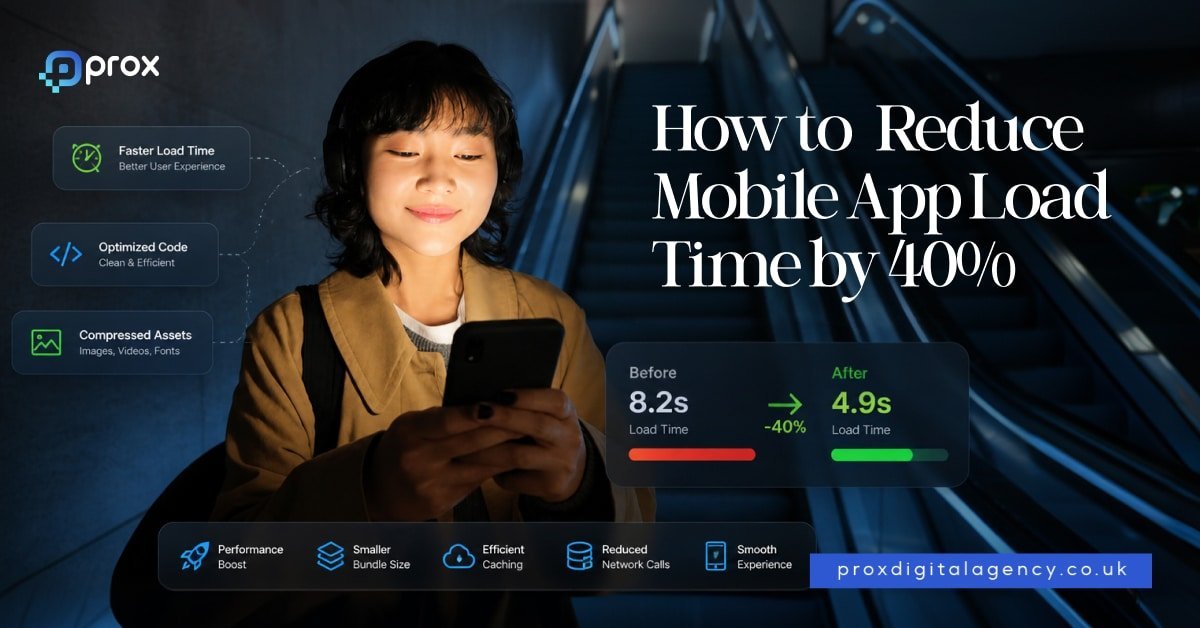
    How To Reduce App And Website Load Time By 40%

    If you’re here, you’re probably searching for the solution for your slow-loading mobile apps. So, here’s the good news? Most load‑time problems are fixable without a full rebuild. You can improve website load time up to 40% by integrating the right combination of techniques, and we’re about to show you exactly how.

    At Prox Digital Agency London, we’ve fixed enough sluggish apps to know that a 40% load‑time reduction isn’t a magic trick, it’s a method. This guide walks you through that method and helps you improve page load time.

    Why Mobile App Load Time is Crucial?

    Speed shapes everything from user trust to app store visibility. Apple and Google both consider performance signals when deciding which apps get featured. Meanwhile, every extra second of loading lowers conversions by up to 7%.

    Start With A Baseline Audit

    You can’t cut load time by 40% until you know exactly where the seconds are being lost. Mobile app developers at Prox always begin with a baseline audit to identify real numbers from synthetic and real‑user monitoring tools.

    Here’s a simple tool guide to start your baseline audit with.

    • Google Lighthouse: It gives you First Contentful Paint, Time to Interactive, and Speed Index.
    • GTmetrix: This tool is excellent for waterfall analysis and global testing locations, including London.
    • Firebase Performance Monitoring: It’s a native SDK that captures real‑world traces on actual devices.
    • Android Profiler & Xcode Instruments: Use it for deep native analysis.

    Now, let’s dive into our detailed step-by-step guide on how you can fix slow-loading mobile apps by 40%.

    Step 1: Compress and Modernise App Images and Media

    Images and videos are always the heaviest part of an app’s payload. Swapping formats and adding lazy loading can quietly strip away megabytes without touching code logic. Prox’s standard pipeline gets a blurred placeholder on screen instantly, then swaps in the full asset after the UI is alive.

    • Adopt WebP for Android and HEIF for iOS. This allows visual quality to stay high while file sizes drop by 50‑70%.
    • Use Scalable Vector Graphics SVGs for UI elements as they are size independent and weightless compared to PNGs.
    • Images and videos should load only as the user scrolls towards them. Enable lazy loading so off‑screen images and videos load smoothly at launch.
    • Compress everything automatically from the beginning with tools like TinyPNG or ImageOptim.

    This step helps reduce big commerce page load time and increase conversions significantly.

    Step 2: Minify, Bundle, and Compress Your Code

    Unused code, white space, and verbose file structures add silent friction. Sending less data over the wire and processing only what’s needed immediately creates a faster path to interaction.

    • Optimise HTML, CSS, and JavaScript and strip debugging data from native mobile apps.
    • Bundle strategically by combining stylesheets and splitting JavaScript so the initial mobile app screen loads only critical information.
    • Enable Brotli compression on your server, as it compresses 15‑20% smaller, and most CDNs support it.
    • Remove unused, dead libraries and functions with modern bundlers like Webpack or Rollup.

    Code compression can easily help you reduce WordPress load time by more than 40%. 

    Step 3: Implement Smart Caching Strategies

    Cache is actually the fastest network request, the one you rarely make. Caching puts previously fetched data at your fingertips, so returning users experience almost instant startup times.

    • Apply long cache-control headers on static files to ensure fast delivery from the CDN edge.
    • Use a service worker for Installable web apps or PWAs. They can cache the app skeleton, then stream fresh content asynchronously to the users.
    • Store stable API responses locally using Room for Android or Core Data for iOS. They refresh cached data only when the cache expires.
    • Avoid repeated disk reads during navigation by keeping tiny and high‑traffic objects in memory cache.

    Step 4: Put a Content Delivery Network CDN Between The App And Users

    Even if your server is fast, physical distance adds delays. A CDN is a global network of edge servers that use copies of your files at multiple edge locations, so they’re always accessible from every point.

    • Choose a CDN with strong UK points of presence. Cloudflare, Fastly, and Akamai are currently the best fit in the market.
    • Protect your backend from cache misses by shielding the origin behind a central cache node.

    At Prox, we’ve seen CDN integration alone shave 200‑800 milliseconds off load times for UK users, depending on file size and prior configuration. That’s a noticeable part of the 40% reduction target.

    Step 5: Prioritise Smart Loading 

    Perceived speed is the real speed expected in the user’s mind. When the first meaningful content appears within a second, people stay, even if the footer is still taking time to load.

    • Embed the essential CSS required for initial screen content and let the rest of the stylesheet load in the background to improve page load speed.
    • Apply async or defer to all scripts that don’t interrupt the initial view.
    • Instead of showing blank loading screens to users, add skeleton layouts that mimic the final UI of the web or app.

    We prioritise the first interaction point. A faster login screen can reduce abandonment and help you meet the recommended website load time benchmark of under 2.5 seconds. That’s why businesses hire app developers London agency team like Prox, who optimise every second for growth.

    Step 6: Optimise Your Backend and APIs

    A well‑tuned frontend can not hide a poor page load time or a lagging server. For UK apps hosted locally, even a few milliseconds of extra load time adds up during the critical launch sequence.

    • Optimising page load time starts at the server: index every database column used in Initial data requests to eliminate full screen scans.
    • A quick page load time test often uncovers inefficient data loading, so, serve data in manageable batches and return only the data a screen actually needs at the moment.
    • Cache frequently accessed resources with Redis or Memcached so the database isn’t hit repeatedly; this is just as critical as reducing load time for websites.
    • Consider lightweight serialisation formats like Protocol Buffers to reduce payload size by up to 50%.

    Prox audit every endpoint that fires during app launch and trim response times to under 100ms wherever possible. It’s the difference between an app that feels responsive and one that feels stuck.

    Step 7: Cut Third‑Party Dependencies

    Analytics, ads, social logins, and helper SDKs can slow app launches by a second or more without developers realising it. They’re equally responsible for increasing the load time website performance your app may depend on. 

    • Remove SDKs that are no longer serving a direct business goal. Each one you remove leads to immediate page load time reduction.
    • Initialise remaining third‑party tools in the background, after the first screen is displayed.
    • If your app embeds Webflow content, this audit alone can reduce Webflow page load time without touching the design layer.

    All the above-mentioned tips drastically play a role in page load time reduction without any hassle.

    What Is A Good Page Load Time in 2026?

    Google recommended page load time sits under 2.5 seconds, and our experts use the same benchmark whether we’re helping you reduce Weebly page load time, cut down a sluggish WordPress or BigCommerce store, or fix apps taking a long time to load. 

    As a digital agency London businesses trust, Prox audits your load time website HTML and applies the same performance-first approach you would expect when you hire web developers London founders need.

    How Prox Digital Agency Contributes to Fast Apps By Default

    As a mobile app agency London, Prox doesn’t treat speed as a final polish step, it’s integrated from the first wireframe. Every project starts with a performance budget, and we always benchmark against average page load time data so the targets are practical, not guessed. 

    Prox app development team tests on real devices under throttled network conditions. Our CI pipeline runs automated Lighthouse checks, and we dedicate a full sprint to load time optimisation before any launch. This is the same approach we apply to every website development London project where performance is non‑negotiable.

    One UK travel brand experienced its app go from 5.4 seconds to 2.8 seconds, approx, a 48% cut, using this exact sequence. We aimed for under three seconds, and we achieved even better. Retention climbed 19% within the first month, proving that optimizing page load time doesn’t just keep users happy, it also supports SEO optimisation by sending strong experience signals.

    FAQs

    What is a google recommended page load time for mobile apps?

    The best load time Google recommends for mobile apps and web is under 3 seconds. Apple and Google both flag anything over 3 seconds as risky. 

    How to decrease website loading time on web and app pages?

    Here’s how you can reduce app and web load time under 3 seconds.

    1. Compress and Modernise App Images and Media
    2. Minify, Bundle, and Compress Your Code
    3. Implement Smart Caching Strategies
    4. Put a Content Delivery Network CDN Between The App And Users
    5. Prioritise Smart Loading 
    6. Optimise Your Backend and APIs
    7. Cut Third‑Party Dependencies

    How do I test my app’s speed in UK?

    Use Firebase Performance Monitoring for field data. For lab testing, connect a mid‑range Android or iOS device and throttle the network to 3G in Chrome DevTools or Xcode’s network link conditioner. 

    For the fundamentals behind speed and performance, see our SME web development guide, or talk to our website design and development agency. For the deeper technical detail, see the full performance & Core Web Vitals guide.

  • Website Performance Optimization Speed, Core Web Vitals & Developer Best Practices

    Website Performance Optimization Speed, Core Web Vitals & Developer Best Practices

    Slow websites lose users before content is even seen. This is why website performance optimization has become critical for SEO, user experience and business growth.

    The 3 Second Rule That Decides If You Win or Lose Users

    Most users in the UK will leave a website if it takes longer than 3 seconds to load. That is not an opinion anymore, it is behaviour data backed by Google performance studies and real ecommerce analytics.

    A slow website does not just feel annoying. It quietly drains revenue.

    • 1 second delay can reduce conversions by up to 7 percent
    • Mobile users abandon slow pages even faster
    • Google tracks real user experience signals for ranking

    This is where website performance optimization becomes more than a technical task. It becomes a business requirement.

    Speed is no longer a ‘nice to have’. It is directly tied to SEO performance, user trust and conversion rate.

    Why Google Treats Speed Like a Ranking Language

    Google does not guess which website is better. It measures it.

    Through website performance optimization by Google, search rankings are now strongly influenced by real user experience signals known as Core Web Vitals.

    These include:

    • Largest Contentful Paint (LCP)
    • Interaction to Next Paint (INP)
    • Cumulative Layout Shift (CLS)

    Each one measures how real users experience your site, not just how it looks in code.

    A fast website is easier to crawl, easier to index, and easier to rank. A slow one struggles even with great content. That is why modern SEO is no longer just keywords. It is performance engineering.

    What Actually Slows Websites Down Without You Realising

    Most websites do not feel slow because of one big issue. They feel slow because of many small ones combined. Here are the most common problems behind poor website speed and performance optimization:

    • Uncompressed images in PNG or JPEG format
    • Heavy WordPress themes with unused scripts
    • Too many third party tracking tools
    • Render blocking JavaScript
    • Poor hosting infrastructure
    • No caching strategy
    • Lack of CDN distribution

    Even modern websites built on frameworks like React or WordPress can suffer if they are not properly optimised. In most audits, over 60 percent of performance issues come from unnecessary assets alone.

    Core Web Vitals Explained Like a Developer Would Explain It

    Let’s simplify it properly.

    LCP Largest Contentful Paint

    This measures how long it takes for the main content to appear. Ideally under 2.5 seconds.

    INP Interaction to Next Paint

    This measures how fast your website responds when users click or interact. Anything above 200 milliseconds feels slow.

    CLS Cumulative Layout Shift

    This measures visual stability. If elements move while loading, users lose trust instantly.

    Developers track these using:

    • Google Lighthouse
    • PageSpeed Insights
    • Chrome DevTools Performance Tab
    • Web Vitals extension

    But the real data comes from field users, not lab tests. That is called CrUX data. Understanding this is the foundation of modern performance optimization website strategy.

    Website Performance Optimization Techniques That Actually Work

    There is no single fix. Real improvement comes from layered optimisation. Here are proven website performance optimization techniques used in modern development:

    Image Optimization Pipeline

    • Convert images to WebP or AVIF
    • Compress using tools like Squoosh or ImageMagick
    • Use responsive image sizes

    Lazy Loading Strategy

    Load images and components only when needed. This reduces initial load time significantly.

    Code Splitting

    Break large JavaScript bundles into smaller chunks using frameworks like Next.js or Webpack.

    Minification

    Remove unnecessary characters from CSS, JS, and HTML using tools like Terser or ESBuild.

    Server Side Rendering

    Frameworks like Next.js or Nuxt.js render content faster on the server side.

    CDN Integration

    Use Cloudflare, Fastly or AWS CloudFront to serve content closer to users.

    Caching Layers

    • Browser caching
    • Server caching
    • Edge caching

    Compression Techniques

    Enable Brotli or Gzip compression for faster file delivery.

    These combined create a structured website performance optimization tool stack rather than relying on a single solution.

    The Best Website Performance Optimization Tools in 2026

    There is no single ‘best tool’. There is a stack.

    Top tools used in top website performance optimization tools 2026 include:

    • Google PageSpeed Insights
    • Lighthouse
    • GTmetrix
    • WebPageTest
    • Cloudflare Analytics
    • New Relic Performance Monitoring
    • Vercel Speed Insights

    Each tool measures different layers of performance.

    If you are choosing the best website performance optimization tool, you should look for:

    • Real user data support
    • Core Web Vitals tracking
    • Mobile performance insights
    • Waterfall breakdowns

    Tools alone do not fix performance. They only expose problems.

    Mobile Website Performance Optimization Is Now the Default

    Over 60 to 70 percent of traffic in most UK industries comes from mobile.

    That changes everything.

    Mobile website performance optimization focuses on:

    • Reducing layout shifts on small screens
    • Compressing images aggressively
    • Minimising JavaScript execution
    • Avoiding heavy animations
    • Improving touch response speed

    Mobile users are less patient. If your site feels slow, they will not wait.

    Google also uses mobile-first indexing, which means mobile performance defines your ranking.

    E commerce Website Performance Optimization That Impacts Revenue

    In e-commerce, speed is money. A delay of just 1 second can reduce conversions by up to 20 percent in some retail studies.

    e-commerce website performance optimization focuses on:

    • Faster product page rendering
    • Lightweight checkout flows
    • Reduced API calls during cart updates
    • Preloading critical assets
    • Optimised product image delivery

    If checkout is slow, users abandon carts immediately. No persuasion fixes that. Speed is your silent salesperson.

    The Prox Framework for Website Performance Engineering

    At Prox, performance is not treated as an add-on. It is built into the development lifecycle.

    Our website performance optimization services follow a structured system.

    Step 1: Audit Layer

    We run full technical audits using Lighthouse, WebPageTest and real user monitoring tools.

    Step 2: Bottleneck Mapping

    We identify whether the issue is frontend, backend, database or infrastructure.

    Step 3: Optimization Stack Execution

    • CDN setup using Cloudflare
    • Caching architecture design
    • Image pipeline restructuring
    • Code refactoring in React, Next.js or PHP
    • Database query optimisation

    Step 4: Testing and Benchmarking

    We validate improvements against Core Web Vitals thresholds.

    Step 5: Continuous Monitoring

    Performance is tracked over time. This is what a real optimization of website performance service looks like.

    Developer Best Practices That Separate Fast From Slow Websites

    Great performance is usually not about tools. It is about discipline.

    Here are core practices used by high level engineers:

    • Keep DOM structure minimal
    • Avoid unnecessary JavaScript execution
    • Use efficient API design patterns
    • Apply component level optimisation in React or Next.js
    • Index databases properly
    • Reduce render blocking resources
    • Load assets asynchronously

    Teams like Prox website developers in London apply these principles across all projects to ensure performance is built in, not patched later.

    Website Performance Optimization Checklist You Can Use Today

    Before launch:

    • Run Lighthouse audit above 90 score
    • Compress all images
    • Enable caching headers
    • Remove unused scripts
    • Test mobile responsiveness

    After launch:

    • Monitor Core Web Vitals weekly
    • Track bounce rate changes
    • Analyse PageSpeed Insights reports

    Monthly:

    • Recompress new assets
    • Audit third party scripts
    • Review server performance

    This simple website performance optimization checklist prevents long term performance decay.

    Benefits of Website Speed and Performance Optimization

    Fast websites consistently outperform slow ones.

    Key benefits include:

    • Higher Google rankings
    • Better user engagement
    • Lower bounce rates
    • Improved conversion rates
    • Stronger brand perception
    • Reduced hosting costs

    Performance directly influences how people trust your brand.

    When You Need Professional Optimization Services

    DIY tools help, but they have limits.

    You need website performance optimization services when:

    • Your site fails Core Web Vitals consistently
    • Your traffic is growing but conversions are not
    • Your website feels slow despite optimisation attempts
    • You run an e-commerce or high traffic platform

    This is where structured support from digital agency services London or experienced developers becomes critical.

    How Prox Builds Faster Digital Experiences

    Prox Digital Agency combines design, engineering and performance into one system. We do not treat speed as a final step. It is part of the architecture.

    Our ecosystem includes:

    The goal is simple. Build websites that feel instant, stable and scalable.

    Final Thought Speed Is Now the Competitive Edge

    In 2026, users do not compare websites by design alone. They compare by experience speed. If your website feels slow, it already feels outdated.

    Website performance optimization is no longer a technical upgrade. It is a business survival strategy. The faster your site feels, the more your brand feels trusted.

    For the fundamentals behind performant builds, see our web development guide for UK SMEs, or talk to our web design and development agency in London. For quick wins, see practical steps to cut load time.

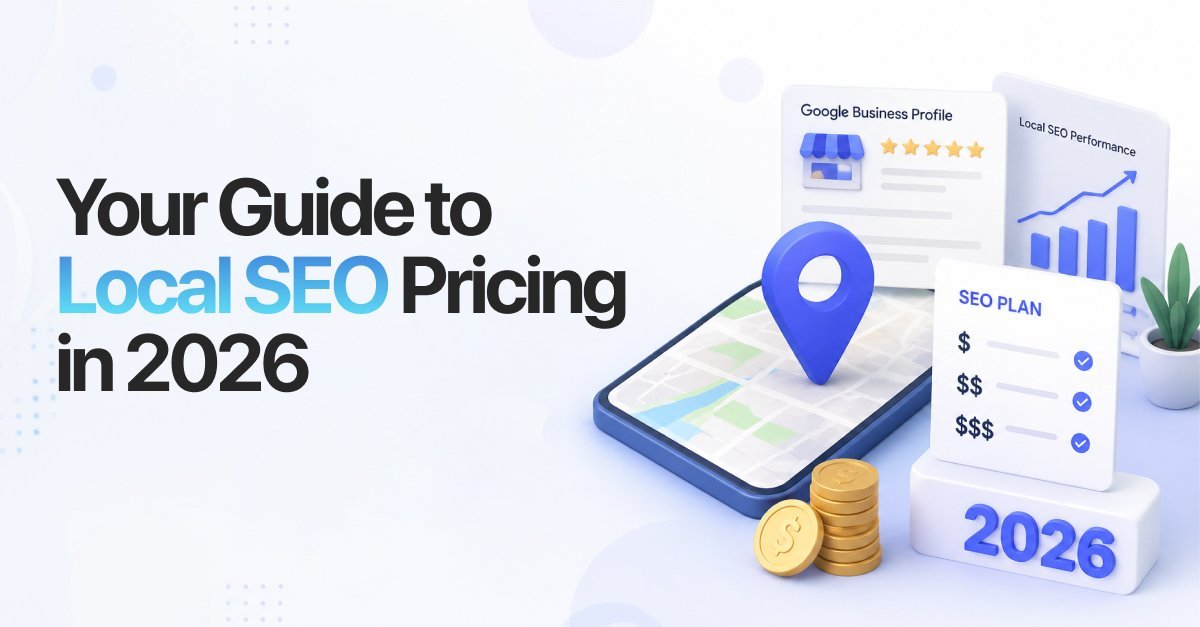
  • How Much Does Local SEO Cost in the UK? 2026 Pricing

    How Much Does Local SEO Cost in the UK? 2026 Pricing

    The question is not what local search optimisation costs. The true question is how fast your business needs to build local authority, capture map pack real estate and convert local search intent into recurring revenue.

    This guide outlines individual service costs, monthly operational packages and the core performance metrics that dictate your return on investment.

    2026 Local SEO Pricing Models: High-Level Overview

    Service delivery models generally fall into three categories depending on your internal capabilities, operational timeline and required level of strategic continuity.

    Pricing Model Investment Range Best For
    Monthly Retainer (Agency) $501 – $3,000 / month Ongoing optimisation, link acquisition and multi-location scaling.
    One-Time Project $500 – $5,000 / project Comprehensive audits, initial setups or complete website infrastructure overhauls.
    Hourly Consulting $75 – $250 / hour Hourly strategy audits, platform troubleshooting or internal team training.

    Hiring a single in-house local SEO specialist in 2026 commands a starting base salary of approximately $40,000 per year, excluding benefits and specialised tooling overhead. This structural cost makes agency retainers the primary vehicle for small-to-midmarket growth.

    Individual Service Pricing Breakdown

    For organisations handling baseline tasks internally or scaling up incrementally, line-item service acquisition provides a targeted starting point.

    1- Google Business Profile Management & Optimisation

    Your Google Business Profile is your highest-yielding local asset. Optimisation ensures visibility across Google Search and Google Maps.

    • One-Time Profile Cleanup & Setup: $200 – $800
    • Monthly Profile Management: $300 – $700 / month

    Core Deliverables: Category structuring, review generation systems, geo-targeted photo updates and structured services optimisation.

    2- On-Page & Technical Local SEO

    Without core on-page alignment and technical stability, local rankings cannot maintain baseline traction.

    • Per-Page Local Optimisation: $75 – $450
    • Full-Site Structural Optimisation: $500 – $3,000
    • Technical Audit & Repair: $500 – $2,500

    Core Deliverables: Local schema deployment, localised meta-data architecture, local keyword mapping and page velocity fixes for Core Web Vitals.

    3- Local Link Building & Citation Infrastructure

    Search engines require external authority signals to validate your physical location and industry relevance.

    • Per-Link Cost (Niche/Local Outreach): $50 – $500
    • Monthly Citation & Link Campaigns: $500 – $3,000 / month

    Core Deliverables: Local citation cleanup across major aggregators (Apple Maps, Yelp, Bing, YellowPages), duplicate suppression and hyper-local contextual backlink placement.

    4- Local Content Creation

    Content builds your digital footprint, satisfies information intent and secures visibility across traditional and AI-driven search experiences.

    • Per-Article/Localised Landing Page: $80 – $350
    • Monthly Structured Content Plan: $500 – $2,000 / month

    Core Deliverables: City-specific service pages, hyper-local blog content, localised customer case studies and structured FAQ sections optimised for AI discovery.

    Complete Local SEO Packages

    Most businesses scale efficiently by utilising complete and integrated operational systems rather than disconnected tasks.

    1. Starter Local SEO Package

    • Investment: $500 – $1,000 / month
    • Target Audience: Single-location businesses operating within low-to-moderate competition environments.

    Core Focus: Foundational visibility, citation alignment, basic profile health and fundamental review tracking.

    2. Growth Local SEO Package

    • Investment: $1,000 – $3,000 / month
    • Target Audience: High-intent service businesses (e.g., HVAC, plumbing, real estate) in competitive metropolitan zones.

    Core Focus: Complete Google Business Profile management, aggressive localised content development, active review velocity management and targeted local link outreach.

    3. Authority & Multi-Location Enterprise Package

    • Investment: $3,000 – $15,000+ / month
    • Target Audience: Multi-location brands, regional franchises or businesses operating in ultra-competitive legal, medical or financial niches.

    Core Focus: Scaled location page generation, advanced programmatic schema, centralised data synchronisation across dozens of nodes, localised AI-search optimisation and deep-funnel conversion rate tracking.

    Strategic Benefits of Local SEO Investment

    Allocating your marketing budget to local search yield provides compounding advantages that paid advertisements cannot replicate.

    • Dominating the Map Pack Real Estate: Securing a spot in the top three Google Maps positions captures the highest volume of immediate mobile search clicks, directly routing consumer calls to your office.
    • Asynchronous Lead Generation: Unlike paid ads that vanish the instant your daily budget runs dry, localised organic equity stays active, capturing high-intent search volumes twenty-four hours a day.
    • Higher Conversion Intent: Local searches like ‘emergency dentist near me’ or ‘real estate lawyer townsville’ carry immediate buying intent, leading to vastly higher conversion rates than broad informational searches.
    • Reduced Cost Per Acquisition: Building organic visibility systematically drops your reliance on expensive pay-per-click networks, scaling down your digital acquisition overhead as your domain authority grows.

    Pro-Tips for Maximising Your Local SEO Budget

    To protect your marketing spend and generate faster returns, keep these deployment principles in mind:

    • Prioritise Velocity Over Volume in Reviews: A steady stream of two to three fresh customer reviews weekly carries more weight with search algorithms than getting fifty reviews in one day followed by months of silence.
    • Audit Your Existing Citations Before Buying New Ones: Do not let an agency charge you for building hundreds of low-tier links if your core issue is conflicting addresses across your primary listings.
    • Own Your Google Business Profile Assets: Always ensure your internal team maintains primary ownership permissions for your digital listings, reducing your exposure to agency transition issues later on.

    Frequently Asked Questions

    Why is there such a massive variance in monthly local SEO pricing?

    Pricing reflects market density, niche competitiveness and your baseline domain history. Ranking a single storefront in a quiet rural environment requires minimal monthly curation, whereas fighting for map pack presence in a major metropolis requires aggressive and continuous content development and strategic link acquisition.

    How long does it take for a growth-tier local SEO package to show measurable returns?

    Most campaigns require three to six months to clear core algorithmic indexing thresholds, repair historic technical damage and establish stable ranking equity. Highly competitive markets or newly registered domains can take up to nine months to yield definitive customer conversions.

    Is a one-time local SEO project preferable to an ongoing monthly retainer?

    One-time projects work beautifully for initial profile optimisation, indexing repairs or comprehensive site audits. However, because local search visibility relies heavily on ongoing review velocity, continuous content mapping and competitive link acquisition, long-term growth requires the consistency of a monthly retainer.

    What are the hidden costs associated with cheap or low-cost local SEO services?

    Extremely cheap services usually rely on automated software to build low-quality directory links or copy-paste generic text across your pages. This shortcuts strategic growth, risks serious search engine visibility penalties and fails to capture hyper-local customer intent, wasting your time and capital.

    Do I need to pay for different local SEO campaigns if my business has multiple physical locations?

    Yes, because search engine optimisation is tied directly to location-specific relevance. Each physical branch requires independent Google Business Profile curation, localised citations and hyper-local landing pages to prevent search engines from filtering your assets out as duplicate content.

    What is the true ROI of a $2,000 monthly local SEO investment?

    The return depends on your average customer lifetime value. If a $2,000 monthly spend generates twenty highly qualified localised leads and your team converts five of them into lifetime clients valued at $2,000 each, your campaign yields $10,000 in gross revenue, transforming an operational expense into a growth mechanism.

    Does hiring an in-house local SEO specialist save money compared to partnering with an agency?

    An in-house specialist demands a starting base salary of around $40,000 per year, excluding benefits, management overhead and software licensing. Furthermore, a single specialist rarely possesses the combined skillset of an agency team, which balances technical web engineering, content creation and enterprise link acquisition simultaneously.

    How does generative AI search alter local SEO pricing considerations?

    AI search models aggregate and summarise highly structured web data to deliver immediate answers to conversational user prompts. Optimising your site for these summaries requires advanced, nested medical or service schema development and answer-first copy formatting, expanding the strategic scope and technical requirements of premium service packages.

    For the fundamentals behind these numbers, see the fundamentals of modern SEO, or talk to our London SEO team. Comparing this to the national picture? See general SEO pricing in the UK.

  • Website Security Best Practices: What Every Business Owner Needs to Know in 2026

    Website Security Best Practices: What Every Business Owner Needs to Know in 2026

    For decades, the cybercrime rate has been potentially rising, and in the UK, recent stats have shown that up to 75% of large businesses fall victim to cybercrime each passing year. Therefore, website security is no longer arbitrary, but it’s a basic framework necessity for small and large businesses in the UK.

    Prox, as a leading creative digital Agency London understands that integrating website security protocols is actually crucial for protecting customer data and business continuity. That’s why we’ve compiled this guide to help you explore the website security best practices requirements in 2026 to keep your websites away from expected cyberthreats.

    The Importance of Website Security in Today’s World

    While a secure website is important in preventing cyberattacks, it is also critical in building your brand’s digital trust, protecting customers’ data, and supporting compliance requirements, i.e., GDPR.

    Hackers look for vulnerabilities in website security to hijack and make ransom demands. They use login details, such as simple passwords, outdated apps or software, and easily attacked parts of websites to complete their strike.

    The consequences of such security breaches include:

    • Data theft
    • Financial losses
    • Website downtime
    • Lost customer trust
    • Search engine penalties
    • Regulatory fines
    • Damaged brand reputation

    This is why website security best practices for business owners should be a core part of every digital strategy and must not be avoided at any cost. As a provider of website development services London companies rely on, Prox ensures security is built into every stage of development.

    Types of Website Security Threats for Small Business Owners

    Here are the most common yet significant types of website security threats for small business owners in the UK.

    Types of Threats How They Work
    Phishing Attacks Using fake login pages or domain spoofing, hackers steal personal information or business credentials.
    SQL Injection Using malicious SQL code, hackers exploit web vulnerabilities via forms to bypass authentication, alter or delete data, and steal business information.
    Malware Infections Cyber attackers inject harmful stuff, such as ransomware, spyware, or viruses, into devices or systems. Resulting in displaying intrusive ads to web visitors, locking out users, or stealing valuable assets.
    XSS or Browser based Injection Injecting malicious JavaScript into a business site lets attackers take over user sessions, hijack keystrokes, and turn web pages into digital dust.
    Trial and Error Method or Brute Force Attack Attackers use repeated automated bots and attempt multiple username and passcode combinations to get business access.
    DDoS Attacks A type of malicious attempt to damage a targeted server or website with fake internet traffic, causing complete process outages or usually slow performance.

    Understanding these threats helps businesses implement the best website security practices 2025-2026 and beyond.

    Essential Website Security Measures Every Business Needs

    Every site needs serious security layers. They lower major cyber risks. Essentials every business must implement include strong passwords, regular updates, and secure backups.

    SSL Certificates Installation

    This encrypts data between your site and visitors. Without SSL Certificates, browsers warn users away. SSL provides HTTPS to prevent alarming users with “not secure” notifications, trust signals, an SEO bump, and data interception blockage.

    An SSL certificate is no longer optional; it is one of the most fundamental website security best practices in 2026.

    Two-Factor Authentication Enabling

    Many business owners ask: What is two-factor authentication for website admin accounts?

    Two-factor authentication (2FA) is similar to adding a second check besides your primary password. It can be an app code, an SMS text, or simply a security check Email. Makes admin takeovers difficult.

    The two-factor authentication method remains one of the most effective website login security best practices available today.

    Keep Software Updated

    Outdated plugins and CMS versions are hacker goldmines. When discussing outdated plugins security risk statistics, industry reports consistently show that attackers frequently exploit vulnerabilities for which patches already exist.

    To avoid security risks, update your CMS platforms, themes, extensions, APIs, and Third party integrations regularly. It’s boring but works.

    Maintaining updates is one of the most overlooked yet effective website development security best practices to date.

    WordPress & E‑commerce Security Measures

    Essential website security measures every business needs apply to both WordPress sites and online stores. Here’s how to protect both.

    WordPress Website Security Best Practices

    • Use only trusted plugins and themes, and remove inactive ones without any delays.
    • Limit login attempts.
    • Enable web firewall and create automated backups.
    • Add a two-factor authentication method.
    • Apply strong password standards.

    Maintaining a WordPress site well makes it resilient to common 2026 cyberattacks. So keeping it up is crucial for staying safe online.

    E-commerce Website Security Best Practices

    Due to the sensitive customer information and payment datasets, e-commerce platforms require a double layer of security protocols.

    • Avoid saving customer card details in systems.
    • Track if there are any unusual logins or checkouts.
    • Add strong passwords to customer accounts
    • Enable two factor authentication where necessary.
    • Apply end to end encryption on customer information when in transit or stored.

    These E‑commerce security best practices will surely help prevent financial and reputational disruptions for founders and customers. Moreover, if you’re still unsure about how to secure a business website from hackers? Follow each step carefully, or contact Prox’s expert security team to manage your web protocols.

    Common Website Security Mistakes

    Many security incidents occur because of preventable mistakes. Some of the most common website security mistakes small businesses make include:

    Weak Password Policies

    Simple or reused passwords remain a major vulnerability.

    Ignoring Software Updates

    Delaying updates leaves known vulnerabilities exposed.

    Excessive User Permissions

    Not every employee requires administrative access.

    Lack of Backups

    No proper backups can cause difficult data recovery following a cyberattack.

    Seeing Security as a One-Time Fix

    Security requires continuous monitoring and improvement.

    Avoiding these mistakes is one of the best website security practices for beginners and experienced website owners in the UK in 2026.

    GDPR Website & Small Business Website Security Checklist

    For businesses looking for a practical starting point, this small business website security checklist can help

    Small Business Website Security Checklist A GDPR Website Security Requirements Checklist
    Install SSL certificates HTTPS encryption
    Enable two-factor authentication Access controls
    Keep software updated Secure data storage
    Create regular backups Data breach response plans
    Monitor website activity User consent management
    Limit administrator access Security monitoring
    Install a website firewall Backup procedures
    Use secure hosting Regular audits
    Review user permissions regularly

    This checklist covers many of the most important website security best practices 2026 businesses should implement. Moreover, compliance and security should always work together to reduce organisational risk.

    External Website Security Best Practices

    Businesses often overlook risks from third-party services and integrations. Important external website security best practices include:

    • Monitoring third-party scripts
    • Conducting penetration testing
    • Reviewing API permissions
    • Vetting software vendors
    • Managing supplier risk
    • Auditing external integrations

    Prox Digital Website Security Guide for Business Owners

    At Prox Digital, we believe security should be integrated into every stage of website planning, development, and maintenance.

    This Prox Digital website security guide for business owners focuses on practical measures that improve protection without creating unnecessary complexity.

    Our approach includes

    • Secure development frameworks
    • GDPR-conscious website architecture
    • SSL implementation
    • Security monitoring
    • Vulnerability management
    • Secure hosting recommendations
    • Ongoing maintenance support

    By building security into the foundation of every project, businesses can reduce risks while improving long-term performance.

    Prox Digital SSL Certificate Installation Guide 2026

    A critical component of modern website protection is SSL encryption. This Prox Digital SSL certificate installation guide follows a simple but strategic process. Here you go.

    1. Choose a trusted SSL certificate provider.
    2. Install the certificate on the hosting server.
    3. Configure HTTPS redirects.
    4. Update internal website links.
    5. Test SSL functionality.
    6. Monitor certificate renewals.

    SSL certificates remain one of the most important website development security best practices and should be implemented on every business website.

    Prox Digital London Website Security Best Practices For UK Organisations

    Our Prox Digital London website security best practices are built around proactive protection, avoiding just reactive fixes. We ensure the following practices in our processes

    • Secure coding standards.
    • Web application firewall implementation.
    • User access management.
    • Secure database configuration.
    • Vulnerability scanning.
    • Compliance-focused development.
    • Security-focused hosting environments.

    These website security tips from Prox Digital Agency London for non technical business owners and startups significantly strengthen overall digital protection. You can also explore our web development guide for SMEs in UK to learn how security fits into every stage of modern web development.

    Choosing the Right Website Security Experts in 2026

    Choosing the right website security best practices is essential across every industry. This guide shows how crucial security measures are and the risks businesses take by ignoring them. However, instead of dealing with the complexity, technical challenges, and ongoing security responsibilities on your own, you can leave it to Prox security experts.

    So, why choose Prox Digital for website security London? Because we take full responsibility for securing your website through secure development, compliance, performance optimisation, and continuous maintenance.

    With Prox, all these best practices are implemented for you, ensuring your website and business remain protected without the added stress.

    FAQs

    What are the most important website security best practices?

    A website’s best security practices include SSL encryption, strong passwords, TFA, regular updates, strong data backups, and enabling firewalls.

    How to secure a business website from hackers?

    To keep your websites safeguarded from hackers, you should use strong passwords, update software and apps regularly, install security tools and encryption, limit administrator access, and conduct security audits on a regular basis.

    What are the signs your business website has been hacked?

    Signs that your business website is hacked include

    • unexpected page redirections
    • sudden browser security warnings
    • and a reduced search visibility.

    How to tell if a website is secure for customers?

    Look for HTTPS encryption, SSL certificates, secure payment systems, trust signals, and transparent privacy policies.

    What happens if your website is not secure?

    When your website is labelled as “not secure,” it simply means that there’s an absence of HTTPS encryption. This absence can make sensitive information such as passwords and payment details more vulnerable to theft and interception by cybercriminals.

    For the fundamentals behind a secure build, see how web development works for growing businesses, or talk to our web design team.

  • Real Estate SEO Strategies for More Property Leads

    Real Estate SEO Strategies for More Property Leads

    Every single minute, a silent mass migration takes place. It does not happen on the tube or down the high street. It unfolds inside a blank search query box.

    Property buyers and luxury investors are bypassing traditional high street brokerages at an unprecedented pace. They are sitting on their sofas, typing hyper-specific lifestyle requirements into search engines, and selecting their property partners based entirely on who commands page one of Google.

    The digital estate agent does not wait for the telephone to ring. They intercept the client at the exact millisecond of curiosity.

    If your agency is relying solely on expensive paid portals or fleeting social media ads, you are renting your audience. The moment your ad spends pauses, your property lead pipeline drops to zero. Real estate Search Engine Optimisation (SEO) alters the blueprint. It transforms your website into an appreciating digital asset that captures high-value instructions while you sleep.

    The Cold Hard Data That Governs Your Pipeline

    The property sector has experienced a radical structural shift. To win local market share, you must master the precise numbers that govern contemporary user intent.

    Critical Metric The Property Statistic The Direct Impact on Your Agency
    Search Dominance 97% of buyers research digitally Your website architecture is now your primary corporate storefront.
    Mobile Supremacy 72% of property queries happen on mobile Platforms with sluggish mobile rendering lose instructions instantly.
    Intent Shift Hyper-local search volume rose 45% recently High-value prospects are abandoning broad terms for granular queries.
    AI Synthesis 60% of searches feed conversational AI Clean, unbloated code is mandatory for AI bots to scrape your listings.

    Crack the AI Code with Rich Schema

    Search engines no longer simply scan words on a page. They use advanced semantic intelligence to index the physical attributes of your inventory. If you want your listings to stand out, standard text is no longer sufficient.

    [Raw Dynamic Listing Data] ➔ [Structured Code Layer] ➔ [Rich Visual Snippets on Search Pages]

    By deploying specialised Real Estate Agent and Single Family Residence schema markup directly into your code, you hand search engines a clear map. You tell the algorithm the precise price, the number of bedrooms, the council tax band, the tenure type and the exact geographic coordinates. This technical edge allows your independent platform to leapfrog massive national directories and appear directly in high-intent visual discovery carousels.

    Stop Bundling Cash on Ghost Keywords

    “The major fortunes have been made in land.”

    — John D. Rockefeller

    In the digital space, page one is your premium land. Yet most estate agents throw their marketing capital away by targeting massive, generic terms. Chasing terms like London estate agent or houses for sale is a vanity exercise. You are competing head-to-head with multi-billion-pound portal syndicates that possess decades of domain authority.

    The secret to driving high-converting property inquiries is targeting micro-intent keywords.

    Look at the immense disparity in commercial value:

    • Low-Intent, Fierce Competition: Property for sale UK
    • High-Intent, Zero Competition: 3 bed house for sale in Richmond with south facing garden under £850k

    The individual executing the first search is casually daydreaming. The individual executing the second search has their financing approved, their solicitor retained and their pen poised to sign a contract.

    Creative Long-Tail Search Blueprints for Local Dominance

    • Luxury penthouses near [Local Tube Station] with 24 hour concierge
    • Downsizing property specialists in [Affluent Regional Suburb]
    • High-yield buy to let residential investments in [Regeneration Zone] under £300k

    Claim Your Territory in the Local Map Pack

    “Buyers decide in the first eight seconds of seeing a home if they are interested in buying it.”

    — Barbara Corcoran

    In digital search, that 8 second rule applies directly to your local map presence. For regional brick-and-mortar branches, your Google Business Profile (GBP) is your primary source of inbound revenue. When a user looks for an agent near them, Google displays the Local Map 3-Pack ahead of standard organic website links.

    To ensure your branch dominates its geographic radius, you must institute a continuous optimisation sequence.

    [Complete Every Profile Attribute] ➔ [Publish Weekly Property Media] ➔ [Trigger Post-Close Review Prompts] ➔ [Reply with Local Keywords]

    Never allow your profile to sit stagnant. Upload professional photography of your newest listings every week. The moment a contract exchanges, send your client a personalised text link requesting a Google review. When they respond, reply within 48 hours and naturally weave in specific neighborhood landmarks and village names. This signals geographic relevance to the algorithm, forcing your profile to the top of the map pack.

    Kill the Technical Glitches Burying Your Platform

    You can showcase the most breathtaking interior design photography in the country but if your backend architecture is fractured, search algorithms will bury your site. Property platforms face an entirely unique set of technical hurdles because they host thousands of fluid, constantly changing databases.

    The Canonical Tag Armor

    When users interact with your property search filters, such as sorting by maximum price, geographic radius, or bedroom count, your system creates hundreds of unique URL variations. If search engines crawl all of these pages, they may flag your site for duplicate content and reduce the visibility of your primary pages. You should implement a strict rel=”canonical” tag on every filtered page so search bots are directed back to the clean, master catalog URL.

    The Permanent 301 Redirect Protocol

    What happens when a property is sold or let? Most web developers simply hit delete, leaving a broken 404 error page in their wake. This practice completely destroys any search authority that specific property listing accumulated while live.

    Instead, program your platform to automatically deploy a permanent 301 redirect to the parent neighborhood landing page the moment a listing status changes. This retains the user within your active inventory funnel and preserves your hard-earned domain authority.

    Out-Publish Competitors with Authoritative Local Content

    “Real estate is local. You have to understand the local market.”

    — Robert Kiyosaki

    National aggregator portals understand data but they do not understand neighborhoods. They cannot write about the true essence of a community. Buyers and sellers spend months researching local infrastructure before they ever instruct an agent. You capture prospects during the critical deliberation phase by producing comprehensive local content hubs.

    High-Value Content Themes to Deploy Immediately

    • The Hyper-Local Relocation Dossier: Write definitive guides for your primary catchment areas. Detail local school inspection ratings, independent boutique shops, transport commute times to commercial centers, and regional council tax brackets.
    • The Investor Yield Report: Publish quarterly micro-market analyses detailing capital growth patterns and rental yield fluctuations. Use crisp charts, transparent data and bold layouts to prove to sellers exactly what their property assets are worth.
    • The Stamp Duty and Legal Guide: Demystify property tax shifts, structural survey valuations and conveyancing timelines into scannable and action-oriented checklists.

    Non-Negotiable Speed Thresholds for Luxury Platforms

    User experience is a primary ranking metric. If your website stutters over a mobile data connection, your prospective client will bounce back to the search results page within seconds. Your development team must optimise your infrastructure to pass three non-negotiable performance gates:

    • First Contentful Paint (FCP): Your typography layout, branding assets and primary property navigation filters must render in under 0.4 seconds to anchor user attention.
    • Interaction to Next Paint (INP): Your interactive map grids, property sliders and dropdown filters must respond to finger presses or mouse clicks in under 200 milliseconds.
    • Image Compression Engineering: Real estate sites are notorious for uncompressed high-resolution photography that cripples page speed. Your systems must automatically compress all incoming media assets into modern WebP or AVIF formats, ensuring your pages remain incredibly fast.

    Secure a Monopolistic Advantage with Prox

    Search engine optimisation is not an ambiguous marketing buzzword or a superficial cosmetic layer. It is a rigorous and deeply technical discipline that dictates which brokerages scale and which ones fade from the market. While your local competitors continue to bleed capital on volatile paid acquisition networks, a sophisticated organic SEO framework quietly builds compounding enterprise value month after month.

    At Prox Digital Agency, we build high-performance digital ecosystems engineered for premium property brands worldwide. Our specialised technical teams resolve complex database indexing errors, implement advanced structured data networks, create high-converting neighborhood frameworks and engineer lightning-fast mobile architectures that attract serious buyers and high-value instructions straight to your agency.

    Stop allowing national aggregators and rival brokerages to capture your local digital traffic. Let us audit your platform architecture, remove engineering friction and position your brand exactly where your next client is searching.

    FAQs

    How long does it take for a property website to rank on page one?

    SEO is an incremental asset build. While minor technical corrections and local Google Business Profile optimisations can yield visible map pack improvements within 30 to 60 days, a comprehensive organic strategy targeting competitive local search terms typically requires 4 to 6 months of disciplined technical optimisation and content deployment to achieve stable page-one rankings.

    Why do national property portals always seem to beat independent brokerages?

    Aggregator portals dominate high-volume search queries due to their massive domain size and sheer volume of backlink profiles. However, they are fundamentally incapable of ranking for hyper-local queries. An independent agency can easily outrank a generic portal for long-tail searches by creating specialised neighborhood landing pages filled with genuine local insight and real-time market data.

    What is the most common technical error found on estate agency websites?

    The most prevalent issue is unmanaged duplicate content caused by property search filters. When users sort properties by price or location, the site generates unique parameters in the URL. If these are not managed with strict canonical tags, search engines view them as thousands of duplicate pages, which dilutes the platform’s overall search ranking authority.

    Will regular blog posts help my agency win more property listings?

    Generic lifestyle articles do not generate leads. To win instructions, your content must address the specific anxieties of property sellers and landlords. Publishing definitive guides on maximising property valuations, navigating conveyancing legal steps or analysing hyper-local price-per-square-foot data establishes the exact authority required to win a client’s trust.

    How does website loading speed directly affect property lead conversion?

    Property buyers are highly impatient and predominantly browse on mobile devices. Data indicates that a page loading delay of even two seconds can cause bounce rates to spike by over 50%. If your high-resolution property galleries are not compressed and optimised, visitors will abandon your platform and return to search results before your listings even load.

    For the fundamentals behind these tactics, see how search engine optimisation works today, or talk to our real estate SEO team.

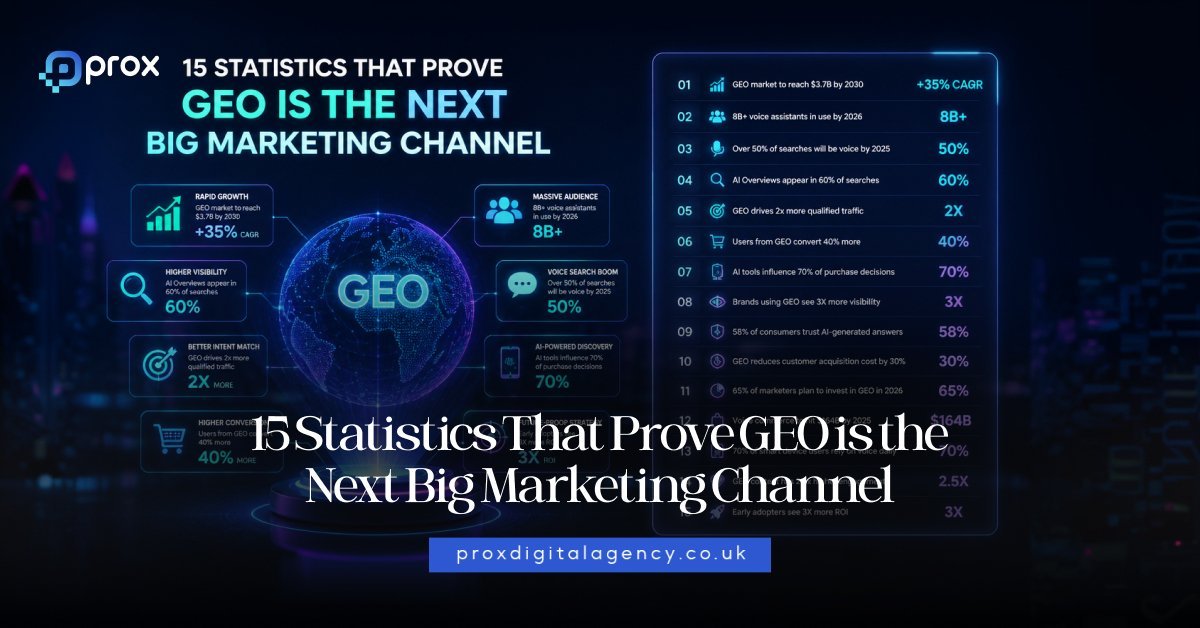
  • 15 Statistics That Prove GEO Is The Next Big Marketing Channel

    15 Statistics That Prove GEO Is The Next Big Marketing Channel

    And they expect instant answers. Here is the number that should make every marketer pause:

    Traditional search engine traffic could decline by 25% by 2026, according to Gartner.

    That does not mean SEO disappears. It means the rules of visibility are changing. At the same time:

    • ChatGPT crossed 400 million weekly active users in 2025
    • AI referral traffic is growing up to 165x faster than traditional sources in some industries
    • AI-driven traffic converts up to 23% better than standard organic traffic
    • Google continues expanding AI-generated answers directly inside search

    Suddenly, ranking on Google no longer guarantees attention. If AI answers the question before users even click, where does your brand appear? That question sits at the centre of Generative Engine Optimization (GEO).

    And yes, GEO sounds like one of those shiny marketing buzzwords people invent after too much coffee. But the numbers say otherwise. This shift looks very real. The brands adapting now are starting to appear inside AI-generated answers. Others still fight yesterday’s SEO battle.

    Let’s unpack the statistics because numbers rarely lie. Even if marketing dashboards sometimes do.

    First Things First What Is GEO?

    Before we jump into the statistics, let’s clear up one thing.

    • SEO helps people find your website.
    • GEO helps AI mention your brand in its answers.

    Simple. Traditional SEO focuses on rankings, keywords and organic traffic. Generative Engine Optimization focuses on helping AI systems understand, trust and reference your content when answering questions.

    That includes platforms like:

    • ChatGPT
    • Google AI Overviews
    • Gemini
    • Claude
    • Perplexity

    Instead of asking:

    ‘How do we rank number one?’

    Businesses now ask:

    ‘How do we become the answer?’

    That is a very different game.

    And the companies learning the rules early usually gain the advantage.

    Remember when brands ignored TikTok? Exactly.

    Traditional Search Traffic Could Drop By 25% By 2026

    This statistic changes everything.

    Gartner predicts traditional search engine volume may decline by 25% by 2026 as AI chatbots and virtual assistants continue changing how people discover information.

    Think about that for a second. For over twenty years, marketers focused on ranking pages. Higher rankings meant more clicks. More clicks meant more leads. Now users increasingly skip the middle step.

    • They ask AI.
    • AI summarises.
    • Decision made.

    Search behaviour has moved from:

    search → browse → compare → click

    to:

    ask → answer → trust → act

    For businesses, this shift matters. Especially if your website depends heavily on organic traffic. If people stop clicking traditional results at the same rate, visibility inside AI-generated responses becomes part of the marketing equation. This does not kill SEO. It upgrades it.

    The brands winning tomorrow will likely combine:

    • Traditional SEO
    • Strong content authority
    • Technical website optimisation
    • GEO strategy for AI visibility

    That combination creates resilience. Because relying on one traffic source feels a bit like building a house on one leg. It works. Until it does not.

    ChatGPT Reached More Than 400 Million Weekly Users

    Let’s talk about scale because scale changes behaviour.

    ChatGPT crossed more than 400 million weekly active users globally in 2025.

    That number matters more than most businesses realise. Why? Because platforms become marketing channels once behaviour becomes habitual. People no longer visit AI tools for curiosity alone.

    They ask:

    • Which CRM should I buy?
    • Best accounting software for SMEs?
    • What agency helps ecommerce brands grow?
    • Which project management tool works best?

    Those are commercial questions.

    Questions people once searched on Google. Now AI tools increasingly influence early buying decisions. Especially for research-heavy purchases. In B2B markets, this trend feels even stronger.

    Decision-makers want speed. They want summaries. They want recommendations. Nobody enjoys opening 19 browser tabs before lunch. AI compresses the research journey.

    Which means brands showing up inside those recommendations gain an advantage earlier in the buyer journey. That is exactly where GEO enters the picture.

    AI Referral Traffic Is Growing Up To 165x Faster Than Traditional Traffic

    This statistic deserves more attention because it signals momentum.

    Research across industries suggests AI-driven referral traffic has grown as much as 165 times faster than traditional direct and organic traffic sources in emerging categories.

    That sounds dramatic because frankly, it is. Now, let’s add context.

    AI traffic still represents a relatively small percentage of total website visits for many brands. But small channels often grow quietly before exploding.

    • Social media once looked small.
    • Mobile commerce once looked small.
    • Voice search once looked huge.

    Okay, voice search humbled us all a bit. But AI search behaviour feels different. Because users already adopted the habit. The growth curve matters, especially for businesses thinking long-term.

    Forward-thinking brands now ask:

    ‘How do we build authority before everyone else catches up?’

    That often means:

    • Publishing expert-led content
    • Building trusted citations
    • Strengthening brand mentions
    • Creating structured knowledge-rich pages
    • Improving website authority

    Strong website foundations matter here too. If your content lacks clarity, structure or technical performance, AI engines struggle to understand it properly. This is one reason many businesses now rethink their digital ecosystems rather than treating SEO like an isolated checklist.

    A strong website strategy and clear content architecture increasingly shape visibility across both traditional and AI search.

    AI Traffic Converts Up To 23% Better Than Traditional Traffic

    Traffic feels exciting. Conversions pay salaries. Here is where things get interesting.

    Studies suggest AI-generated referral traffic converts up to 23% better than traditional traffic in some industries.

    Why? Intent. Users asking AI questions often arrive with stronger buying intent. Think about the difference.

    Traditional search:

    ‘best CRM software’

    AI prompt:

    ‘I run a £2 million ecommerce business and need a CRM that integrates with Shopify, Klaviyo and inventory systems. What should I choose?’

    See the difference? One search feels broad. The other feels commercially ready. AI users increasingly ask highly specific questions. And highly specific questions create warmer leads.

    This shift matters for:

    • B2B service companies
    • Ecommerce businesses
    • SaaS brands
    • Agencies
    • Professional services

    GEO does not simply chase visibility. It helps businesses appear when buying intent already exists. That changes the economics of attention.

    More Than 70% Of Marketers Already Use AI In Content Workflows

    If marketers adapt this quickly, the market rarely moves backwards.

    Research shows more than 70% of marketers now actively use AI within content production workflows.

    That includes:

    • Content ideation
    • Research support
    • Content briefs
    • Draft creation
    • Keyword expansion
    • Topic clustering

    But here is the twist. Using AI to create content does not automatically improve visibility in AI systems. In fact, generic AI-written content may struggle.

    Because AI models increasingly reward:

    depth + expertise + originality + authority

    That means shallow content farms face trouble. Fast. The brands performing best focus on:

    • Expert insights
    • Strong opinions
    • Useful frameworks
    • Data-backed content
    • Real-world experience

    In other words:

    Human strategy still wins. AI simply accelerates execution. Think of it like a Formula 1 car.

    Speed helps. But someone still needs to drive.

    Zero Click Searches Already Dominate Large Parts Of Search

    This trend began before GEO. But AI accelerated it.

    Studies show more than half of Google searches now end without a click in many categories.

    Users get answers instantly through:

    • Featured snippets
    • Knowledge panels
    • AI summaries
    • Quick answers

    Google increasingly wants users to stay inside Google. Makes sense for them. Less fun for marketers. For businesses, this changes content strategy.

    Visibility matters beyond clicks. Brand recognition matters. Mentions matter. Authority matters.

    Because even if users do not visit your website immediately, your brand still enters consideration.

    This creates a new question:

    ‘Would AI mention us if someone asked?’

    Many businesses still have not considered this. That creates opportunity for early movers.

    84% Of Businesses Discover GEO Agencies Through Social Media And Content Marketing

    Here is something fascinating.

    Research shows 84% of businesses first discover GEO agencies through content marketing and social media.

    Not search. Not referrals. This tells us something important. Trust now builds through education. People follow expertise before they buy services. Especially in new industries like GEO.

    Businesses want signals like:

    • Thought leadership
    • Clear frameworks
    • Real insights
    • Practical guidance
    • Demonstrated expertise

    That means educational content carries enormous value. Not fluffy content. Not recycled LinkedIn motivational quotes pretending to be strategy. Actual expertise.

    The agencies and brands educating the market today may quietly become category leaders tomorrow.

    76% Of Businesses Prioritise AI Innovation When Choosing GEO Partners

    This statistic says a lot about expectations.

    76% of businesses say an innovative AI approach influences how they choose GEO partners.

    Translation? Businesses want strategic thinking. Not recycled SEO playbooks with ‘AI’ sprinkled on top. They want partners who understand:

    • AI visibility
    • Content structure
    • Entity recognition
    • Authority building
    • Technical optimisation
    • Conversational search behaviour

    Because GEO works differently. It requires new thinking. And businesses increasingly recognise that. The irony? Many companies still spend heavily on traditional marketing while ignoring how AI systems discuss their brand.

    That gap will not stay open forever.

    58% Of Businesses Say AI Tool Integration Is Essential For Long-Term Growth

    Businesses no longer view AI as an experiment.

    Research shows 58% of business leaders consider AI tool integration essential for long-term marketing growth.

    That number matters. Because the budget follows belief and businesses invest where they see long-term value.

    The companies moving fastest now integrate AI into:

    • Content production
    • Research workflows
    • Search visibility
    • Customer journeys
    • Data analysis
    • Personalisation

    But there is an important distinction. AI tools alone do not create growth. A messy strategy supported by brilliant technology still creates messy results.

    The winners combine:

    human thinking + strong systems + useful AI execution

    That formula scales. The shortcut mentality rarely does.

    61% Of Businesses Care More About Audience Engagement Than Rankings

    This one surprised many marketers.

    61% of business leaders say audience engagement matters more than rankings when measuring GEO success.

    Why? Because rankings no longer tell the full story. Think about it. You could technically rank well. But if nobody trusts your brand, remembers your business or engages with your content, rankings become vanity metrics.

    Engagement signals now matter:

    • Brand mentions
    • Time spent engaging
    • Authority perception
    • AI citations
    • Trust signals
    • Return visits

    The conversation shifted. Businesses increasingly ask:

    ‘Do people trust us?’

    Not simply:

    ‘Do we rank?’

    That feels like healthier marketing, honestly. Because visibility without trust feels a bit like waving enthusiastically in an empty room.

    AI Search Users Research Differently Before Buying

    Consumer behaviour has changed. Traditional search often looked like this:

    • Google search.
    • Open ten tabs.
    • Compare prices.
    • Read reviews.
    • Forget why you started.
    • Make tea.
    • Come back confused.
    • AI compresses the process.

    Users increasingly ask layered, detailed questions.

    Like:

    ‘Best website development agency for healthcare brands in the UK under £50k with strong SEO capability?’

    That level of specificity changes marketing. People researching through AI often move faster toward confidence. Because AI simplifies complexity.

    For businesses, this creates an opportunity. Brands showing up during the research phase often gain trust before competitors even enter consideration.

    And trust built early tends to compound. Especially in B2B.

    Structured Content Gets Referenced More Frequently By AI Models

    AI likes clarity. Humans do too. But AI really likes clarity. Structured content often performs better because AI systems understand it more easily.

    That means content using:

    • Clear headings
    • FAQ sections
    • Semantic organisation
    • Entity-based language
    • Schema markup
    • Topic clusters

    stands a stronger chance of appearing in AI-generated answers.

    Messy content creates friction. Structured content creates understanding. Why? Because AI wants confidence before recommending something. If your content looks confusing, thin or vague, recommendation becomes harder.

    This is where strong content strategy and technical execution start overlapping. The best-performing brands increasingly build content ecosystems rather than random blog libraries.

    • Everything connects.
    • Everything reinforces authority.
    • Everything supports discoverability.

    53% Of Businesses Would Switch GEO Agencies Over Poor Collaboration

    Interesting statistic. And slightly brutal.

    53% of businesses say poor collaboration would make them switch GEO providers.

    Not poor rankings. Not even slow results. Collaboration. That tells us something important. Businesses want partnerships, not vendors. Especially in a fast-changing field like GEO.

    Clients want:

    • Clear communication
    • Shared visibility goals
    • Transparent reporting
    • Education
    • Strategic guidance

    Nobody wants to feel confused after paying an agency invoice. The GEO space evolves quickly. Businesses need partners who explain the ‘why’, not just deliver reports filled with graphs nobody understands.

    Because if a strategy feels mysterious, trust disappears quickly. And marketing without trust gets awkward fast.

    AI Search Discovery Is Expanding Beyond Google

    This statistic sits beneath everything. Search no longer belongs to one platform.

    People increasingly search across:

    • ChatGPT
    • Gemini
    • Perplexity
    • Claude
    • Google AI Overviews
    • TikTok
    • Reddit
    • YouTube

    Discovery fragmented. Again. That means businesses need broader visibility strategies. Traditional SEO still matters. Deeply. But now brands increasingly ask:

    ‘Where else do buyers search?’

    And honestly? That question feels overdue.

    • Younger audiences already use TikTok like Google.
    • Professionals increasingly use AI for decision support.
    • Founders use ChatGPT to research vendors.
    • Marketing teams use Gemini for content summaries.

    The search ecosystem evolved. Brands need to evolve with it.

    Early Movers Usually Win New Marketing Channels

    History repeats itself. Just with better software. The businesses that adopted:

    • SEO early
    • Google Ads early
    • Facebook Ads early
    • YouTube content early
    • TikTok organic early

    often gained an unfair advantage.

    Not because they were smarter. Because they arrived earlier. Lower competition changes everything. GEO feels similar. Right now, many businesses still ignore it. Some dismiss it. Others call it hype. That happened with SEO too. And social media. And mobile commerce.

    The question is not:

    ‘Will GEO matter?’

    The better question sounds like:

    ‘How much visibility could we miss by waiting?’

    Because markets reward preparation, not panic.

    The Brands Winning Tomorrow Are Building AI Visibility Today

    Here is the uncomfortable truth. Most businesses still optimise for clicks. Fewer optimise for recommendations. But recommendation-based discovery grows quickly.

    Think about how buyers behave now.

    They ask:

    ‘Best ecommerce agency in London?’

    ‘Who understands Shopify SEO and GEO?’

    ‘Which digital agency helps brands scale internationally?’

    AI answers shape perception before users ever visit a website. That means your website, content quality, technical performance and authority signals matter more than ever.

    Businesses investing in strong content ecosystems today often gain a future advantage. That includes:

    • Helpful, expert-led content
    • Strong technical SEO foundations
    • Clear website architecture
    • Topic authority
    • Consistent brand mentions across trusted sources

    This is exactly why forward-thinking brands increasingly connect SEO, GEO and development strategy together instead of treating them like separate projects.

    A technically weak website rarely earns trust. An authoritative brand usually does.

    What Smart Brands Should Do Next

    You do not need to rebuild your marketing overnight. But standing still feels risky. Start here.

    Build authority before chasing visibility

    • AI systems trust expertise.
    • Publish useful content.
    • Answer real questions.
    • Share original thinking.
    • Avoid generic fluff.

    Create structured content

    • Strong headings.
    • FAQs.
    • Clear organisation.
    • Topic depth.
    • AI models understand organised information more effectively.

    Strengthen technical SEO

    • Fast websites matter.
    • Clear architecture matters.
    • Schema matters.
    • Technical quality increasingly supports both SEO and GEO performance.

    Focus on brand mentions

    AI pays attention to trusted signals.

    Build visibility through:

    • Digital PR
    • Industry mentions
    • Reviews
    • Expert content
    • Partnerships

    Think ecosystem not isolated tactics

    1. SEO.
    2. GEO.
    3. Website development.
    4. Content.
    5. Authority.
    6. Performance.

    They increasingly work together. The strongest brands connect the dots.

    We Hope You Know That Search Is Changing Again

    Marketing changes. Always has. The winners rarely panic. They adapt. GEO may not replace SEO. At least not anytime soon. But ignoring AI-driven discovery feels risky. Because buyers have already changed behaviour. Quietly. Gradually. Then suddenly!

    The businesses preparing now will likely earn trust earlier, visibility faster and stronger positioning across the next generation of search.

    The rest may spend the next few years wondering:

    ‘Why did traffic suddenly stop growing?’

    By then, competitors may already own the conversation.

    Frequently Asked Questions

    What is GEO in marketing?

    GEO stands for Generative Engine Optimization. It focuses on helping brands appear inside AI-generated answers from platforms like ChatGPT, Gemini, Claude, Perplexity and Google AI Overviews.

    How is GEO different from SEO?

    SEO focuses on rankings and website traffic. GEO focuses on helping AI systems understand, trust and reference your brand when generating answers. The strongest businesses increasingly combine both.

    Will GEO replace SEO?

    No. At least not entirely. SEO still matters for discoverability and website traffic.

    GEO expands visibility into AI-driven environments where users increasingly research and make decisions.

    Why does GEO matter in 2026?

    AI search adoption continues growing rapidly. Search behaviour changes. Users increasingly ask AI tools for recommendations instead of browsing traditional search results. Businesses adapting early may gain stronger visibility.

    How do businesses appear in ChatGPT answers?

    Brands improve visibility by building:

    • High-quality expert content
    • Structured website pages
    • Strong authority signals
    • Consistent brand mentions
    • Technical SEO foundations
    • Helpful educational resources

    AI systems typically favour trusted, clear and authoritative information.

    What industries benefit most from GEO?

    Almost every industry can benefit. But GEO currently shows strong momentum in:

    • Healthcare
    • SaaS
    • Ecommerce
    • Professional services
    • Finance
    • B2B technology

    Any business depending on online discovery should pay attention.

    For the fundamentals behind this trend, see what GEO actually involves, or talk to our generative engine optimisation services. For the wider AI picture, see the wider AI statistics landscape.

  • How to Perform a Technical SEO Audit in 60 Minutes Like an SEO Expert

    How to Perform a Technical SEO Audit in 60 Minutes Like an SEO Expert

    Your website can have strong content, good design and solid backlinks, yet still fail to rank.

    Studies show that 53% of mobile users abandon a site if it takes longer than 3 seconds to load and search engines respond to that behavior signal more than most people realize.

    At the same time, large-scale SEO audits often uncover hundreds of issues but research in SEO workflows shows that less than 20% of reported audit issues ever get implemented, simply because the reports are too complex or overwhelming.

    That is why most audits fail in practice. They create information, not action. And in SEO, only action improves rankings.

    A focused 60-minute technical SEO audit solves this by cutting through noise and highlighting what actually matters for visibility, indexing, and performance.

    Why a 60-Minute Technical SEO Audit Works

    Most SEO problems do not come from hundreds of small issues. They come from a few critical technical mistakes that affect the entire site. That is why long audits often fail to create impact.

    They list problems instead of prioritizing them. A 60-minute audit forces focus on what actually matters. Instead of reviewing everything, you focus on the issues that cause the most damage. These usually include:

    • Pages blocked from crawling
    • Pages not indexed by Google
    • Duplicate URLs competing with each other
    • Broken canonical signals
    • Slow performance on key pages
    • Weak internal linking structure

    If even one of these issues exists at scale, rankings can drop significantly.

    For example, if important pages are blocked from indexing, content quality becomes irrelevant.

    Google simply cannot see the page. That is why speed and focus matter more than depth in early audits.

    What Is a Technical SEO Audit

    A technical SEO audit is the process of checking how easily search engines can access and understand your website. It answers a simple question. Can Google crawl, interpret and index your site correctly. If the answer is no, rankings will always be limited.

    A technical audit checks:

    • Crawl accessibility
    • Indexing status
    • URL structure clarity
    • Site architecture
    • Performance signals
    • Technical SEO errors

    When these elements are healthy, search engines can understand your website clearly. When they are not, even great content struggles to rank. Search engines do not rank what they cannot properly understand.

    What You Need Before Starting

    You do not need expensive enterprise tools for a 60-minute audit. You only need a few essential platforms that give accurate signals.

    Google Search Console

    This is your most important tool. It shows how Google actually sees your website.

    You will use it to check:

    • Indexing issues
    • Coverage errors
    • Sitemap status
    • Page performance
    • Crawl problems

    Without it, you are guessing.

    Google PageSpeed Insights

    This tool helps you understand performance issues.

    You will use it for:

    • Core Web Vitals
    • Mobile speed
    • Loading performance
    • User experience signals

    Speed is not just UX. It is also a ranking factor.

    Screaming Frog SEO Spider

    This tool helps you crawl your website like a search engine. It highlights:

    • Broken pages
    • Duplicate titles
    • Missing metadata
    • Redirect issues
    • Canonical errors

    Even the free version is enough for quick audits.

    Rich Results Test

    This tool checks structured data. Structured data helps search engines and AI systems understand your content better.

    It is increasingly important for modern search visibility.

    The 60-Minute SEO Audit Framework

    Here is the full structure of the audit.

    Phase Time Focus Area
    Phase 1 10 min Crawlability and site access
    Phase 2 10 min Indexation health
    Phase 3 10 min Duplicate content and URL issues
    Phase 4 10 min On page technical signals
    Phase 5 10 min Speed and Core Web Vitals
    Phase 6 10 min Structured data and priorities

    The goal is not to fix everything. The goal is to identify what is blocking growth right now.

    Phase 1: Crawlability and Site Access (10 Minutes)

    Search engines must be able to access your pages before anything else matters. If crawling is blocked, nothing gets indexed or ranked. This phase checks whether your site is accessible to search engines.

    Check Robots.txt File

    Open this URL:

    yourdomain.com/robots.txt

    This file controls what search engines are allowed to crawl. Look for accidental blocks.

    Common issues include:

    • Entire folders blocked by mistake
    • Blog or product sections disallowed
    • Staging rules still active on live site

    Even a small mistake can remove large sections of your site from Google.

    For example, blocking /blog/ removes your entire content engine from search visibility.

    Check XML Sitemap

    Open:

    yourdomain.com/sitemap.xml

    This file tells Google which pages are important.

    Make sure:

    • Only valid pages are included
    • Deleted pages are removed
    • Pages return status 200
    • No broken URLs exist

    A messy sitemap sends the wrong signals about site quality. It can also waste crawl attention on unimportant pages.


    Run a Quick Crawl

    Use Screaming Frog to crawl your website. Do not focus on every detail yet. Instead, look for patterns such as:

    • 404 errors
    • Redirect chains
    • Missing titles
    • Duplicate metadata

    If the same issue appears across many pages, it is usually a template problem. Fixing it once can improve hundreds of URLs at the same time. That is where technical SEO becomes powerful.

    Phase 2: Indexation Health (10 Minutes)

    A page that is not indexed cannot rank. Many websites unknowingly have large sections that Google ignores.

    Open Google Search Console and go to:

    Indexing → Pages

    This shows how Google treats your website content.

    Crawled but Not Indexed

    This is one of the most common SEO problems. It means Google visited your page but chose not to index it.

    Common causes include:

    • Thin content
    • Weak internal linking
    • Duplicate pages
    • Low value pages

    If many pages fall into this category, the issue is usually structural. Not individual pages.

    Discovered but Not Indexed

    This means Google knows the page exists but has not crawled it yet. This usually happens when:

    • Crawl budget is limited
    • Internal links are weak
    • Site structure is too large or messy

    Important pages should never stay in this state for long.

    Check for Noindex Tags

    A single tag can remove pages from search completely.

    Look for:

    noindex

    Common accidental placements include:

    • Blog templates
    • Product pages
    • Entire sections after migration

    This is one of the fastest ways websites lose traffic suddenly.

    Phase 3: Duplicate Content and URL Issues (10 Minutes)

    Duplicate content confuses search engines. When multiple versions of the same page exist, Google must choose one. That uncertainty can weaken rankings.

    HTTP vs HTTPS

    Test both versions:

    • http://yourdomain.com
    • https://yourdomain.com

    Only one should be active. The other must redirect automatically. If both work, your site is splitting authority.

    Trailing Slash vs Non Trailing Slash

    Check both versions:

    • /page/
    • /page

    Only one version should exist. The other should redirect properly. If both load separately, Google may treat them as duplicates.

    Uppercase vs Lowercase URLs

    Test variations like:

    • /seo-services
    • /SEO-Services

    Both should not exist as separate pages. This creates duplicate signals that weaken SEO clarity.

    UTM Parameters

    Try adding:

    ?utm_source=test

    The page should still resolve to the canonical version. If not handled correctly, tracking URLs can become indexable duplicates. This creates unnecessary competition between your own pages.

    By the end of this phase, you should already see whether your site structure is clean or creating SEO confusion. This is where most ranking problems begin.

    Phase 4: On Page Technical Signals (10 Minutes)

    Once Google can crawl and index your site, the next question is simple. Does it understand your pages correctly?

    On page technical signals help search engines interpret what each page is about. If these signals are weak or inconsistent, rankings become unstable.

    Check Title Tags

    Title tags are still one of the strongest SEO signals. They tell search engines what your page is about in a single line.

    Look for:

    • Missing titles
    • Duplicate titles across pages
    • Titles that are too long or too short
    • Titles that do not match page intent

    A duplicate title issue is especially dangerous. It forces Google to choose between multiple similar pages. That often leads to wrong rankings or lost visibility.

    Check Meta Descriptions

    Meta descriptions do not directly affect rankings. But they impact click through rate, which affects performance.

    Check for:

    • Missing descriptions
    • Duplicate descriptions
    • Generic or irrelevant text

    A strong meta description improves user engagement signals. That indirectly supports SEO performance.

    Validate Heading Structure

    Headings help both users and search engines understand content hierarchy.

    Every page should have:

    • One clear H1
    • Logical H2 structure
    • No skipped heading levels

    Common issues include:

    • Multiple H1 tags
    • Missing H1 entirely
    • Random heading hierarchy

    When headings are messy, search engines struggle to interpret content priority.

    Check Internal Linking

    Internal links distribute authority across your website.

    They also help search engines discover pages faster.

    Look for:

    • Orphan pages with no internal links
    • Pages with too many internal links
    • Weak linking between related content

    A healthy structure ensures important pages are always connected.

    If a page is not linked, it is almost invisible to search engines.

    Phase 5: Website Speed and Core Web Vitals (10 Minutes)

    Speed is not just a user experience factor. It directly impacts rankings and crawl efficiency. Slow websites waste crawl budgets and increase bounce rates.

    Check Core Web Vitals

    Use Google PageSpeed Insights and focus on:

    • Largest Contentful Paint (LCP)
    • First Input Delay (FID) or Interaction metrics
    • Cumulative Layout Shift (CLS)

    These metrics show how users actually experience your site. Not how it performs in controlled tests.

    Focus on Field Data

    Always prioritise real user data over lab results.

    • Lab data shows ideal conditions.
    • Field data shows real world performance.
    • Search engines rely on field data for ranking decisions.

    A site can look fast in testing tools but still perform poorly in real usage. That gap is critical.

    Identify Server Delays

    One of the biggest hidden issues is slow server response.

    Check Time to First Byte (TTFB).

    If it is high, possible causes include:

    • Weak hosting infrastructure
    • Poor caching setup
    • Heavy backend processing
    • Missing CDN support

    Even if your frontend is optimised, slow servers will limit performance. You cannot fix speed without fixing infrastructure first.

    Phase 6: Structured Data and AI Readiness (10 Minutes)

    Structured data helps search engines and AI systems understand your content more deeply. It is becoming increasingly important in modern search.

    Validate Schema Markup

    Use Rich Results Test to check key pages.

    Look for:

    • Invalid schema syntax
    • Missing required properties
    • Incorrect schema types
    • Broken structured data connections

    Even small errors can prevent rich results.

    Check Entity Consistency

    Search engines and AI models rely on consistent entity information.

    Make sure:

    • Organization name is consistent across pages
    • Author details are not changing randomly
    • Breadcrumb structure matches site hierarchy

    Inconsistent data weakens trust signals. It also reduces AI confidence in your content.

    Ensure Content Matches Schema

    A common mistake is mismatched structured data.

    For example:

    • Product schema showing outdated prices
    • Article schema without author information
    • FAQ schema with empty answers

    Schema must reflect real visible content. Otherwise it becomes unreliable.

    The Priority Fix Matrix (Final 10 Minutes)

    Now you turn all findings into action. Not everything you found is equally important. Some issues block rankings completely. Others only improve performance slightly.

    Tier 1 — Critical Issues

    These directly prevent indexing or ranking.

    Fix immediately:

    • Pages blocked in robots.txt
    • Noindex on important pages
    • Broken canonical tags
    • Server errors (5xx)
    • Missing sitemap pages

    If these exist, nothing else matters until they are fixed.

    Tier 2 — High Impact Issues

    These reduce ranking potential.

    Fix next:

    • Duplicate titles and meta descriptions
    • Slow Core Web Vitals
    • Weak internal linking
    • Thin or low quality pages
    • Redirect chains

    These issues suppress performance but do not fully block it.

    Tier 3 — Optimization Opportunities

    These improve long term SEO strength.

    Fix later:

    • Schema enhancements
    • Content structure improvements
    • UX refinements
    • Minor technical cleanup

    These are important but not urgent.

    Common Technical SEO Mistakes to Avoid

    Most audits fail because people focus on the wrong things. Here are common mistakes:

    • Spending too much time on minor issues
    • Ignoring indexation problems
    • Not checking templates for repeated errors
    • Focusing only on tools instead of patterns
    • Creating reports without prioritization

    The goal is not to find everything. The goal is to find what actually blocks growth.

    60 Minute SEO Audit Checklist

    Here is a quick summary you can reuse:

    Crawlability

    • Robots.txt checked
    • Sitemap validated
    • Crawl completed

    Indexation

    • Search Console reviewed
    • Excluded pages analyzed
    • Noindex checked

    URL Issues

    • HTTP vs HTTPS checked
    • Slash consistency checked
    • Case sensitivity tested
    • UTM handling reviewed

    On Page Signals

    • Titles checked
    • Meta descriptions reviewed
    • Headings validated
    • Internal links checked

    Performance

    • Core Web Vitals reviewed
    • Field data analyzed
    • Server response checked

    Structured Data

    • Schema validated
    • Entity consistency checked
    • Content match verified

    Final Thoughts

    A technical SEO audit does not need to be long to be effective. It needs to be focused. The websites that grow fastest are not the ones with the most detailed audits.

    They are the ones that fix the right problems quickly. If you complete this 60-minute audit regularly, you will start to see patterns before they become serious issues.

    And that is where real SEO growth begins.

    New to SEO? Start with our SEO starter guide, or start working with an SEO agency in London. While you’re auditing, watch for these common Search Console errors to check for.

  • AI Search Engines Compared: ChatGPT, Perplexity, Gemini, and Claude

    AI Search Engines Compared: ChatGPT, Perplexity, Gemini, and Claude

    d of a people-pleaser. It rarely pushes back, even when your idea is weak or questionable, and its citations aren’t as granular as Perplexity’s.

    ChatGPT Cost in UK

    ChatGPT is free globally. The upgraded version, ChatGPT Plus is available at £20/month.

    Prox Digital Agency’s Insight About ChatGPT

    Prox use ChatGPT to accelerate software development, automate complex operations and craft content strategies that aim for ChatGPT SEO ranking potential. However, if you ask our expert team, “ChatGPT vs Perplexity?”, we’ll frame it as citations versus conversation. The choice is yours!

    Claude – Your Analytical Mate Who Tells It Straight

    If ChatGPT hypes up your half-baked plan, Claude is the clever partner who scrutinises it and says, “Are you sure about that?” Claude excels at deep thinking and writing that actually sounds like human-written.

    How It Works

    With the help of Brave Search, Claude retrieves live information, so you get web-connected answers without relying on a single search provider. Its standout feature is its colossal context window, which means you can upload an entire 200-page PDF and it’ll analyse it without breaking momentum or getting confused.

    Best For

    Claude AI assistant is best for crafting ‘human-written’ like content, detailed contract reviews, and intricate coding. That makes Claude a professional partner for UK web developers.

    Performance Limitations

    Claude cites fewer sources per response than Perplexity. If you need a long list of references, you’ll need to perform manual chasing. So, when you ask, ‘Claude vs Perplexity?’ Our analysis will be more inclined towards Perplexity AI.

    Claude Cost in UK

    Claude Casual is available for free. Claude’s Pro Access is starting from £18/month in the UK.

    Prox Digital Agency’s Insight About Claude

    Prox, as the leading digital agency London businesses trust, utilises Claude in drafting client facing content that demands a very specific brand voice.

    Gemini – The Google Ecosystem Ruler

    Gemini, formerly Bard, is Google’s answer to the AI search race, and Gemini’s biggest advantage is how seamlessly it fits into existing workflows. If you already spend much of your time swiping between Gmail, Google Docs, and Chrome, using Gemini doesn’t feel like a new tool to you.

    How It Works

    Via taps directly into Google’s search index and Knowledge Graph, Gemini perform well on local queries, such as “web design agencies in Manchester” or “mobile app development companies in London.” It is also multimodal, which can handle images, video, and audio with ease.

    Best For

    Gemini can summarise that 40-email thread in your inbox, solve your visual queries by detecting photos, and also it nails local searches such as train strikes, traffic jams on a specific street, and other real-time location-aware results.

    Performance Limitations

    Gemini can occasionally generate confidently incorrect outputs, especially on historical or technical topics. To avoid commercially sensitive content, it can also offer a workaround rather than a direct answer. For blunt fact-finding, Perplexity still has the edge.

    Gemini Cost in UK

    Gemini is free with a Google account, whereas Premium via One AI Premium costs £19/month.

    Prox Digital Agency’s Insight About Gemini

    As an AI search optimisation agency, Prox closely monitor AI rank tracking and visibility tools. About Gemini, Prox states that it’s a useful assistant for Google workflows, but it still needs human oversight for accuracy.

    Which AI Search Engine Is The Best for UK Businesses in 2026?

    Not every tool fits every job. Here’s how we’d match the task to the tool, based on months of real-world testing from our GEO experts in 2026.

    A Real-time Scenario Your Best Bet Why
    Researching a university paper Perplexity Inline citations and source diversity keep your bibliography honest
    Brainstorming a marketing campaign ChatGPT It’s creative, quick, and brilliant at bouncing ideas around
    Drafting a personal statement Claude It writes with genuine emotional cadence, reads like a human, not a template.
    Checking local UK news or weather Gemini Real-time Google integration beats the rest for hyperlocal queries
    Analysing a 100-page contract Claude Unmatched document comprehension stamina
    Quick trivia while cooking dinner Gemini/ChatGPT Both respond fast with conversational flair


    AI Privacy and GDPR: What UK Users Should Know

    For UK users, privacy matters especially when you’re feeding these tools sensitive business information or clients’ personal data. All four platforms operate servers subject to varying levels of data processing.

    • Perplexity’s Pro plan offers a privacy mode where your queries are not used for training.
    • ChatGPT and Claude let you disable training data usage in settings.
    • Gemini is already connected to your Google account, which means you should double-check your activity controls if you don’t want to share your personal experiences on this AI platform.

    At Prox Digital Agency, we strictly review the data processing terms before uploading anything confidential. So, your sensitive business information is always in safe hands.

    Choosing the Best AI Assistant for Your Needs

    Whether you’re researching ChatGPT vs Perplexity, evaluating ChatGPT vs Claude, or comparing Claude vs Perplexity, the best choice depends on your workflow, priorities, and the type of tasks you perform in your daily or professional routine.

    However, here’s a cheat sheet for the UK users.

    • Students and journalists should go with Perplexity. Those citations add a valuable layer of credibility.
    • Brand marketers, founders, and content teams must opt for ChatGPT because it does everything precisely that you’ll use hundreds of times a day.
    • Writers, analysts, and web developers should pick Claude. Its writing quality and analytical depth are truly unmatched.
    • Anyone working with Google apps should choose Gemini as their AI assistant, as it will save you more time than it costs.

    The smartest approach? Don’t use a single platform. Most of the team here at Prox Digital Agency keeps two or three tabs permanently open. Perplexity for research, ChatGPT for administrative tasks, and Claude for quality.

    So, if you’re finding the best AI citation tool or struggling to figure out which AI tools can genuinely speed up your content, SEO, and marketing workflows, Prox is at your service! With utmost focus, we’ll help you build a smarter search strategy that is clear, human, and straightforward.

    FAQs

    What are the 5 best search engines?

    Based on unparalleled search accuracy, region-specific coverage and privacy-first features, these are the 5 best search engines available in 2026.

    • Google AI Overviews – handle 90% of global searches
    • Microsoft Bing – the second-largest search engine
    • Perplexity – best for sourced, verifiable answers
    • Claude –  for retrieval of live information
    • Baidu – China’s dominant search platform

    Which is better, Claude AI or Perplexity AI?

    Claude AI and Perplexity AI are built for entirely different purposes. So, there’s no better option between the two. Perplexity is for web research and fact-checking, whereas Claude AI is for writing, coding, and complex analysis.

    Which one is better, ChatGPT, Perplexity or Gemini?

    None of them is universally “better.” ChatGPT, Perplexity AI, and Gemini all have different key features and can be used for different purposes. ChatGPT offers versatility, Perplexity delivers citations, and Gemini is best for seamless Google integration.

    Which search engine is 100% accurate?

    Hallucinations are still a risk across all platforms. However, Google is the most accurate source available in 2026. All thanks to its extensive AI algorithms, deep indexing, and natural language processing with strict data privacy scrutiny.

    Do AI tools respect UK GDPR regulations?

    Yes, however, each AI search engine tool outlines its data processing terms, and most offer opt-outs for training data usage. If you’re using them for business, take ten minutes to review the privacy settings and avoid uploading personal or client data to the free tiers.

    New to this space? Start with our GEO starter guide, or talk to our GEO agency.

  • How Long Does It Take to Design a Website? A Realistic Timeline

    How Long Does It Take to Design a Website? A Realistic Timeline

    The frustrating part is that web agencies often answer with ‘It depends.’ Technically, they are right. But it is also not very helpful when you are trying to plan launches, marketing campaigns, budgets or investor deadlines. Here is the reality.

    A basic business website can take 2 to 6 weeks. A custom brand website may take 6 to 12 weeks. Large ecommerce stores and advanced platforms can easily stretch into 3 to 6 months or more.

    The biggest surprise for most businesses? The actual design work is rarely the main delay. In many website projects, the biggest bottlenecks are:

    • Late content submissions
    • Slow feedback cycles
    • Endless revision requests
    • Changing requirements halfway through the project

    In fact, project management research consistently shows that unclear scope and delayed approvals are among the leading causes of timeline overruns in digital projects.

    This guide breaks down a realistic website design timeline, phase by phase, so you know:

    • What actually takes time
    • What slows projects down
    • How long different website types realistically take
    • How to launch faster without cutting corners

    Because a good website should not feel rushed. But it also should not take so long that your competitors launch three campaigns while your homepage is still ‘under revision.’

    Why Website Design Timelines Vary So Much

    If one agency says 3 weeks and another says 3 months, somebody must be exaggerating, right? Not necessarily. Website timelines vary because not all websites are solving the same problem.

    Designing a 5-page consulting website is very different from designing a multi-language ecommerce platform with 500 products, booking systems, integrations and custom animations.

    That is like comparing building a coffee cart with building a shopping mall. Several factors directly affect how long website design takes.

    1. Website Complexity

    This is the biggest timeline driver.

    A simple website usually includes:

    • Homepage
    • About page
    • Services page
    • Contact page
    • Basic forms

    A more complex website may include:

    • Custom layouts
    • Ecommerce functionality
    • User dashboards
    • Membership systems
    • API integrations
    • Booking systems
    • Interactive tools

    The more moving parts involved, the more planning, testing and revisions are required. A homepage alone can sometimes take the same amount of effort as designing five internal pages if it contains advanced interactions, conversion funnels and heavy branding work.

    2. Number of Pages

    Page count matters more than people realize. A 5-page website is not just “half the work” of a 10-page website. Some pages require unique structures, custom visual hierarchy and individual user flows. For example:

    Simple pages

    • About Us
    • Contact
    • FAQ

    Complex pages

    • Pricing pages
    • Ecommerce product collections
    • Comparison pages
    • Multi-step service funnels

    A 20-page website with repeated layouts can move quickly. A 10-page website where every page is completely custom can move very slowly.

    3. Content Readiness

    Here is the uncomfortable truth most agencies quietly know:

    The website is usually waiting for the client, not the designer.

    You would be surprised how many projects pause because of messages like:

    ‘We are still finalizing the About page.’ or ‘The founder photo shoot got delayed.’

    Or the classic:

    ‘Can we rewrite all the messaging again?’

    No copy. No images. No approved branding. No progress. Even the best designer cannot build strong pages using placeholder text forever. A website with ready content can launch weeks earlier than one still waiting on approvals.

    4. Feedback Speed

    Fast feedback shortens timelines dramatically. Slow feedback quietly kills momentum. Here is how timelines usually expand:

    Designer sends homepage → Client waits 5 days → Internal meeting happens → New revisions requested → Another stakeholder joins → More feedback arrives.

    Suddenly, one homepage revision takes two weeks. Many agencies actually budget delays into timelines because review rounds almost always take longer than expected.

    The fastest website projects usually have:

    • One clear decision maker
    • Consolidated feedback
    • Fast approvals
    • Clear objectives from day one

    The slowest projects? Twenty opinions in one email thread.

    5. Customization Level

    Templates save time. Custom design takes longer. There is nothing wrong with either approach. A template-based website can still look polished if executed properly.

    But if you want:

    • Fully custom UI design
    • Brand-specific interactions
    • Custom graphics
    • Motion effects
    • Unique layouts

    Expect additional time. Think of it like tailoring clothes. Buying a suit off the rack is quick. Getting one custom-made takes longer because every detail is built around your measurements.

    Average Website Design Timelines by Website Type

    Now let us answer the real question. How long does website design actually take?

    Here is a realistic breakdown based on website type and project complexity.

    Website Type Estimated Timeline
    Landing Page 1–2 Weeks
    Basic Business Website (5–8 Pages) 2–4 Weeks
    Custom Business Website (10–20 Pages) 4–8 Weeks
    Ecommerce Website 6–12 Weeks
    Enterprise or Custom Platform 3–6+ Months

    These timelines assume:

    • Clear requirements
    • Reasonably fast feedback
    • Content availability
    • No major scope changes

    If content is delayed or revisions spiral out of control, timelines can easily double.

    Landing Page Design

    Timeline: 1 to 2 weeks

    A focused landing page is usually the fastest type of website project.

    Because the goal is clear:

    Get visitors to take one action.

    That action might be:

    • Book a call
    • Buy a product
    • Download a guide
    • Join a waitlist

    The process is relatively straightforward:

    Week 1

    • Research and wireframe
    • Messaging structure
    • Visual design

    Week 2

    • Revisions
    • Mobile optimization
    • Final approval

    If content is ready, some landing pages can even be completed in a few days. Of course, this assumes nobody suddenly decides:

    ‘Actually… maybe we should reposition the whole brand.’

    Because that sentence alone has delayed more projects than bad Wi-Fi.

    Basic Business Website

    Timeline: 2 to 4 weeks

    This is where most small businesses fall.

    Typical examples include:

    • Agencies
    • Local businesses
    • Consultants
    • Service providers
    • Personal brands

    Usually, these websites include:

    • Home
    • About
    • Services
    • Contact
    • Blog or portfolio

    The timeline often looks like this:

    Week 1

    • Discovery
    • Sitemap planning
    • Wireframes

    Week 2

    • Homepage design
    • Internal page designs

    Week 3

    • Revisions and responsive design

    Week 4

    • Final polish and handoff

    The biggest variable here is usually feedback speed. Quick approvals can make this surprisingly fast. Slow revisions can quietly turn a 3-week project into 8 weeks.

    Custom Business Website

    Timeline: 4 to 8 weeks

    Custom websites take longer because strategy matters more. You are not just building pages. You are designing a digital sales experience.

    These projects often involve:

    • Conversion-focused UX
    • Brand storytelling
    • Custom page layouts
    • SEO architecture
    • Detailed competitor research

    This stage usually includes deeper collaboration between designers, strategists and stakeholders. More thinking. More revisions. More refinement. But usually better outcomes too. Because websites built for serious growth require more intention than simply ‘making it look modern.’

    A modern-looking website that converts poorly is still an expensive decoration.

    Ecommerce Websites

    Timeline: 6 to 12 Weeks

    This is where things start getting serious. An ecommerce website is not just a website. It is basically a digital store, salesperson, inventory manager, checkout counter and customer support assistant trying to work together without causing chaos.

    Unlike a normal business website, ecommerce projects involve far more moving parts, including:

    • Product pages
    • Category structures
    • Shopping cart flows
    • Payment gateways
    • Shipping settings
    • Tax configurations
    • Customer accounts
    • Mobile shopping experiences

    And yes, every single button suddenly becomes very important because one small friction point can quietly kill conversions.

    A realistic ecommerce timeline often looks like this:

    Week 1–2

    • Discovery and store architecture
    • Product categorization
    • User flow planning
    • Competitor analysis

    Week 3–5

    • Homepage and category page design
    • Product page layouts
    • Cart and checkout experience

    Week 6–8

    • Mobile responsiveness
    • Design refinements
    • User experience improvements

    Week 9–12

    • Final revisions
    • QA testing
    • Launch preparation

    Of course, timelines change based on scale.

    A store with 20 products moves much faster than one with 2,000 SKUs, multiple currencies and custom filters.

    Because uploading products sounds easy until somebody says:

    ‘Wait… why are 400 product images missing?’

    Suddenly everybody becomes an accidental spreadsheet expert.

    Enterprise Websites and Custom Platforms

    Timeline: 3 to 6+ Months

    If you are building a large-scale website, expect a longer process. Not because agencies move slowly. Because complex systems require deeper planning.

    Enterprise projects often include:

    • Multiple departments
    • Advanced user permissions
    • CRM integrations
    • API connections
    • Localization and multilingual support
    • Custom dashboards
    • Security requirements
    • Compliance reviews

    At this stage, the project starts looking less like “website design” and more like software planning. The timeline usually becomes:

    Phase 1: Discovery and Strategy (2–4 Weeks)

    This is where teams figure out:

    • Business goals
    • User journeys
    • Technical requirements
    • Site architecture
    • Functional needs

    Skipping this phase is usually where expensive mistakes begin. It feels slow in the beginning.

    But rebuilding things later feels much slower.

    Phase 2: UX and Wireframes (2–3 Weeks)

    Before visuals begin, teams map:

    • User flows
    • Navigation structure
    • Conversion paths
    • Content hierarchy

    Think of wireframes as architectural blueprints. Nobody decorates the living room before the walls exist.

    Phase 3: Visual Design (3–6 Weeks)

    This is where the brand finally starts looking alive. Teams design:

    • Homepage concepts
    • Internal page systems
    • Design systems
    • UI components
    • Mobile experiences

    Multiple review rounds usually happen here. And yes, there is almost always one meeting where someone says:

    ‘Can we make it feel more premium?’

    Without explaining what “premium” actually means.

    Phase 4 — Testing and Refinement (2–4 Weeks)

    Before launch, websites go through heavy quality checks.

    Teams test:

    • Responsive layouts
    • Browser compatibility
    • Forms and interactions
    • Navigation issues
    • Conversion flows

    Because a beautiful website that breaks on mobile is basically an expensive digital billboard nobody can use.

    What Actually Delays Website Projects?

    Here is the uncomfortable answer. Usually, it is not the designer. It is the process. Most delays happen because of avoidable issues.

    1. Missing Content

    This is the biggest one. No designer can finish pages if there is no approved:

    • Website copy
    • Images
    • Brand guidelines
    • Product details

    Placeholder text only works for so long. Eventually, somebody has to answer:

    ‘What exactly do we sell?’

    2. Too Many Decision Makers

    One person says modern. Another says corporate. Another wants playful. Someone’s cousin suddenly joins the feedback thread and dislikes the entire homepage. Projects slow down when every revision becomes a committee debate. The fastest websites usually have one clear decision-maker.

    3. Scope Creep

    This is the silent timeline killer. It sounds like:

    ‘Can we add a membership area too?’ or ‘Maybe we should redesign the whole brand while we are at it.’ or everyone’s favorite…’It should be a small change.’ 

    (The small change is never small.)

    Every new request expands the timeline. Good agencies usually define project scope early to avoid this spiral.

    4. Slow Feedback

    A website waiting five days for approval is still waiting. Fast projects happen when feedback happens quickly and clearly. The best workflow looks like this:

    • Review designs quickly
    • Consolidate all feedback into one document
    • Avoid scattered messages across emails and WhatsApp

    Because nothing confuses a project faster than:

    ‘Please ignore my last feedback.’

    How to Speed Up Website Design Without Sacrificing Quality

    Want your website finished faster? Good. But faster should not mean rushed. Here is how businesses cut weeks off timelines without destroying quality.

    Prepare Content Before the Project Starts

    Have these ready:

    • Website copy
    • Brand assets
    • Images
    • Logos
    • Product details

    This single step can shorten timelines dramatically.

    Choose One Decision Maker

    Too many voices slow momentum. One clear approver keeps things moving. Less confusion. Fewer revision loops. Less collective suffering.

    Share Inspiration Early

    Show examples of websites you like. Not to copy. But to align expectations. Because ‘modern luxury but playful and corporate’ means something different to everyone.

    Trust the Process

    Wireframes look boring on purpose. Early drafts are not supposed to look perfect. Design improves through iteration. Judging unfinished work too early often creates unnecessary delays.

    So, How Long Does Website Design Actually Take?

    Here is the realistic answer. A simple website?

    2 to 4 weeks.

    A strong business website?

    4 to 8 weeks.

    An ecommerce website?

    6 to 12 weeks.

    A large custom platform?

    Several months.

    But the real answer depends on one thing:

    How prepared you are.

    Because the fastest website projects are rarely the ones with the biggest budgets.

    They are the ones with:

    • Clear goals
    • Ready content
    • Fast feedback
    • Strong collaboration

    A great website takes time. But it should never feel endless. The goal is not just to launch quickly. The goal is to launch something that actually works, converts and grows with your business.

    Big Ideas Need Better Timelines

    Designing a website takes time, but it should never feel unpredictable. Your timeline depends on your website complexity, content readiness and decision-making speed. Businesses that prepare content, set clear goals and give fast feedback launch faster. At Prox Digital Agency, we design websites that match your vision, support your growth and deliver real business impact. Whether you want a sleek business website or a fully custom digital experience, we can design exactly what you imagine.

    For the fundamentals behind planning a build, see our complete Web Design Guide for 2026, or talk to our web design and development agency in London. Budgeting too? See what a project like this typically costs.